Gaming

Home Gaming Page 132

Dead Take: How To Fix The Broken Projector

Dead Take: How To Fix The Broken Projector


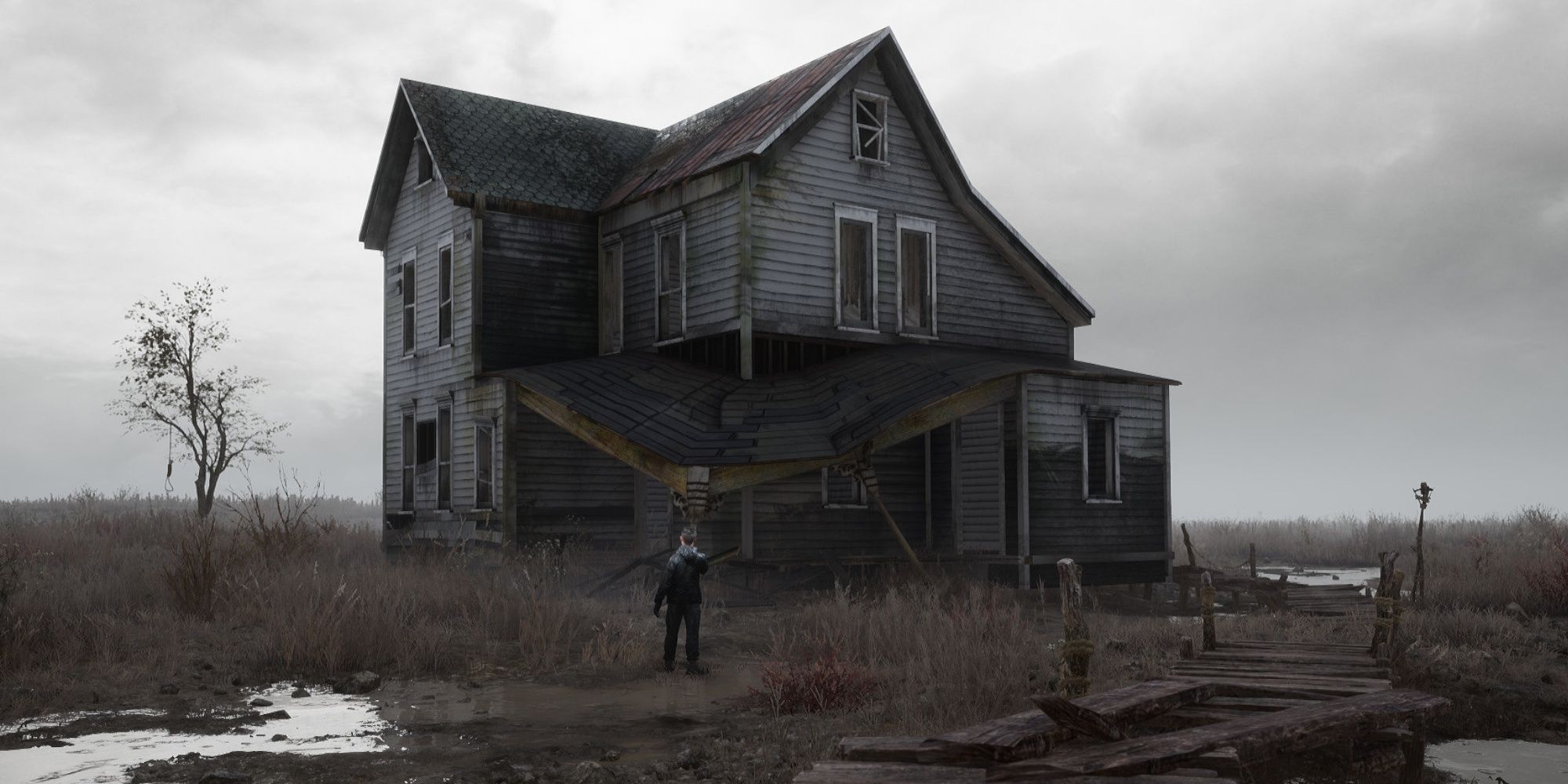
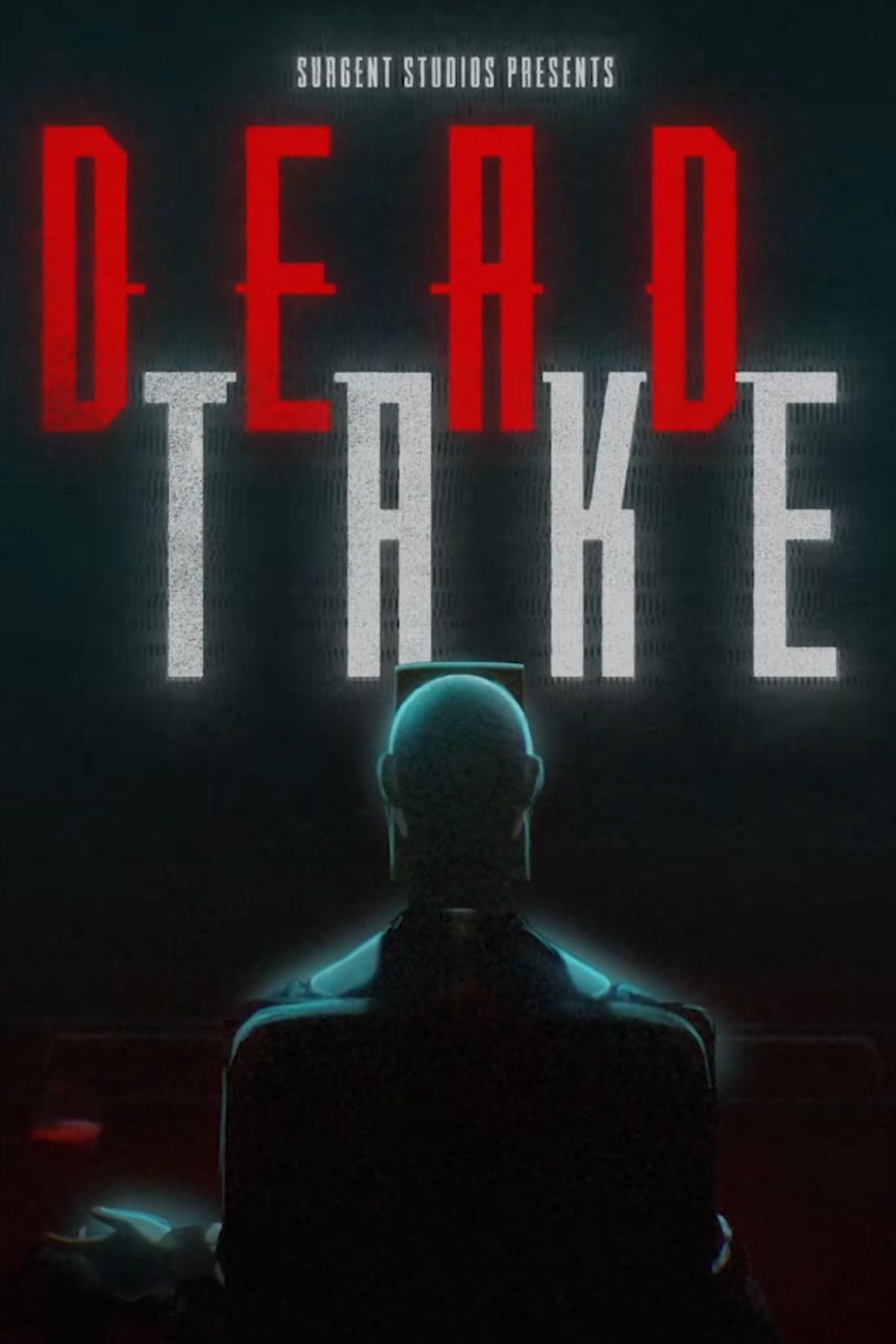
Dead Take is a horror game on Steam that deals with the seedy underbelly of the entertainment industry. It’s also a movie-themed puzzle game, so players will have to mess around with plenty of iconic bits of equipment from the motion picture industry.

The opening puzzles in Dead Take are fairly simple, so long as the player is aware of their environment, reads all of the paperwork they find strewn around the Cain mansion, and keeps notes, especially whenever they spot a number in the game world, as many of these are used for later puzzles.

Related

1980s Horror Classic Is Getting A Videogame And A Movie Remake

It’s official now, Jason is coming back.

The first puzzle that will trip up players is the projector found near the cinema room. The player will enter a massive room with a glitched-out screen. In the next room (past the creepy poster of the shadow man with white eyes), they’ll find a room with a computer and a project.

In order to get the cinema up and running, the player needs to fix the projector. Unfortunately, the solution isn’t as obvious as it seems. Luckily, I’m here to guide players through this haunted cinema, so they can continue the game.

How To Open The Projector

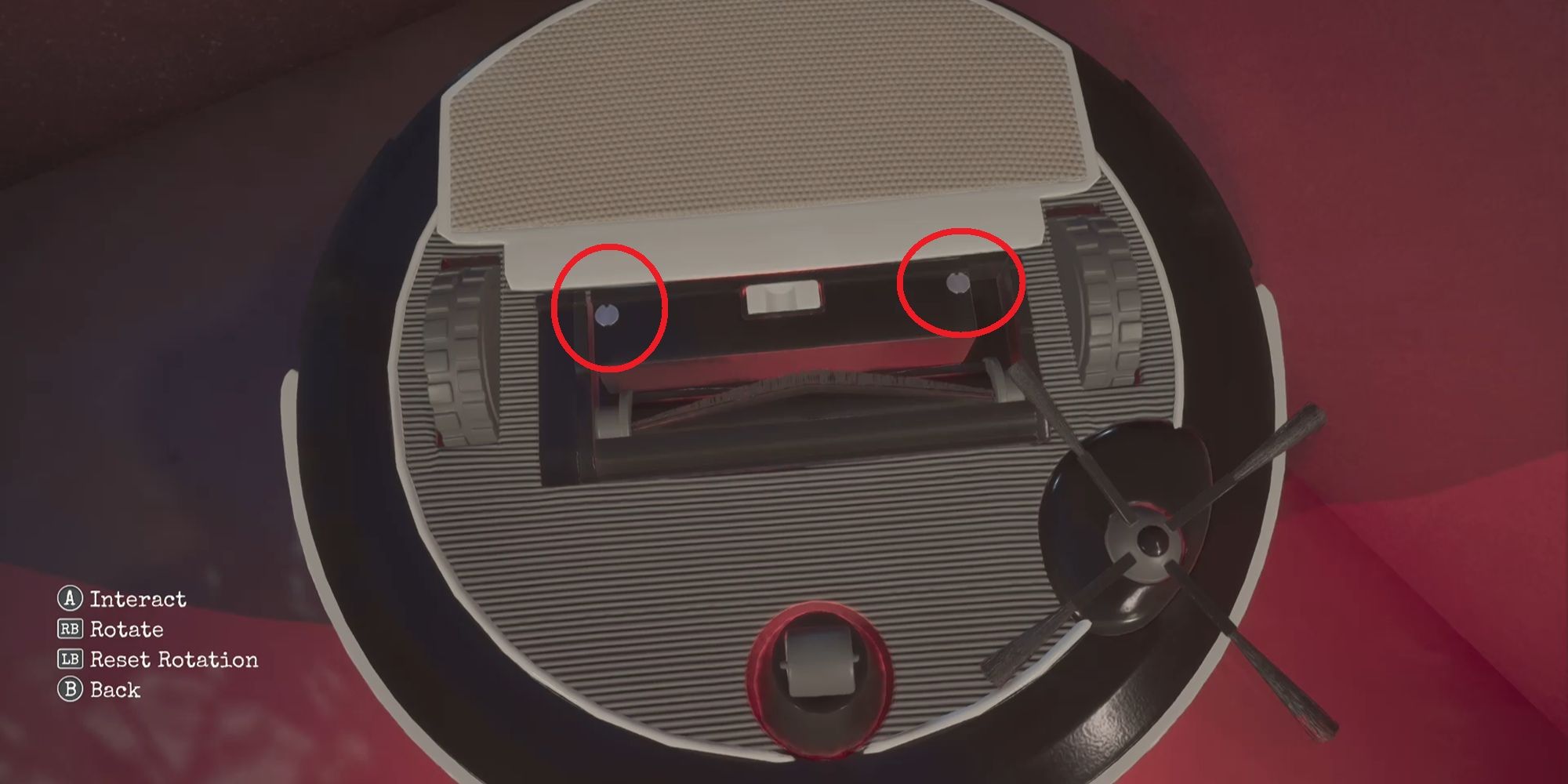
The first step of the puzzle is easy. On the floor behind the projector is a tool case. Open this up to find a screwdriver. Inspect the panel on the right side of the projector and an item select prompt will come up. Use the screwdriver and select the two screws shown in the picture above.
Related

10 Best Cozy Puzzle Games

Puzzles can be a real mental workout, but not all puzzle games need to be stressful!

This will open the panel. However, a new obstacle presents itself, as there’s a part inside the projector that’s broken. The player can’t remove this item – it needs to be replaced with a new piece. It’s here that players are going to be tripped up, as it’s unclear how and where they find a replacement.

Where To Find The Storeroom Key
Dead Take Projector 6 Roomba

Image Via Surgent Studio

The replacement projector part is found in the Storeroom. This is found near the mansion’s entrance, but the door is locked. The key is hidden in the most unusual of places: a Roomba.

Head to the empty gallery on the other side of the mansion and listen out for the robotic thumping noise. In the corner of the room, there’s a Roomba walking (well, driving) into the wall. The player can pick up the Roomba and interact with it.

Flip the Roomba over and look for the back panel. There are screws here that can be interacted with, causing the panel to be removed and revealing the Storeroom key.

Where To Find The Replacement Part
Dead Take Projector 8 Replacement Part

Image Via Surgent Studio

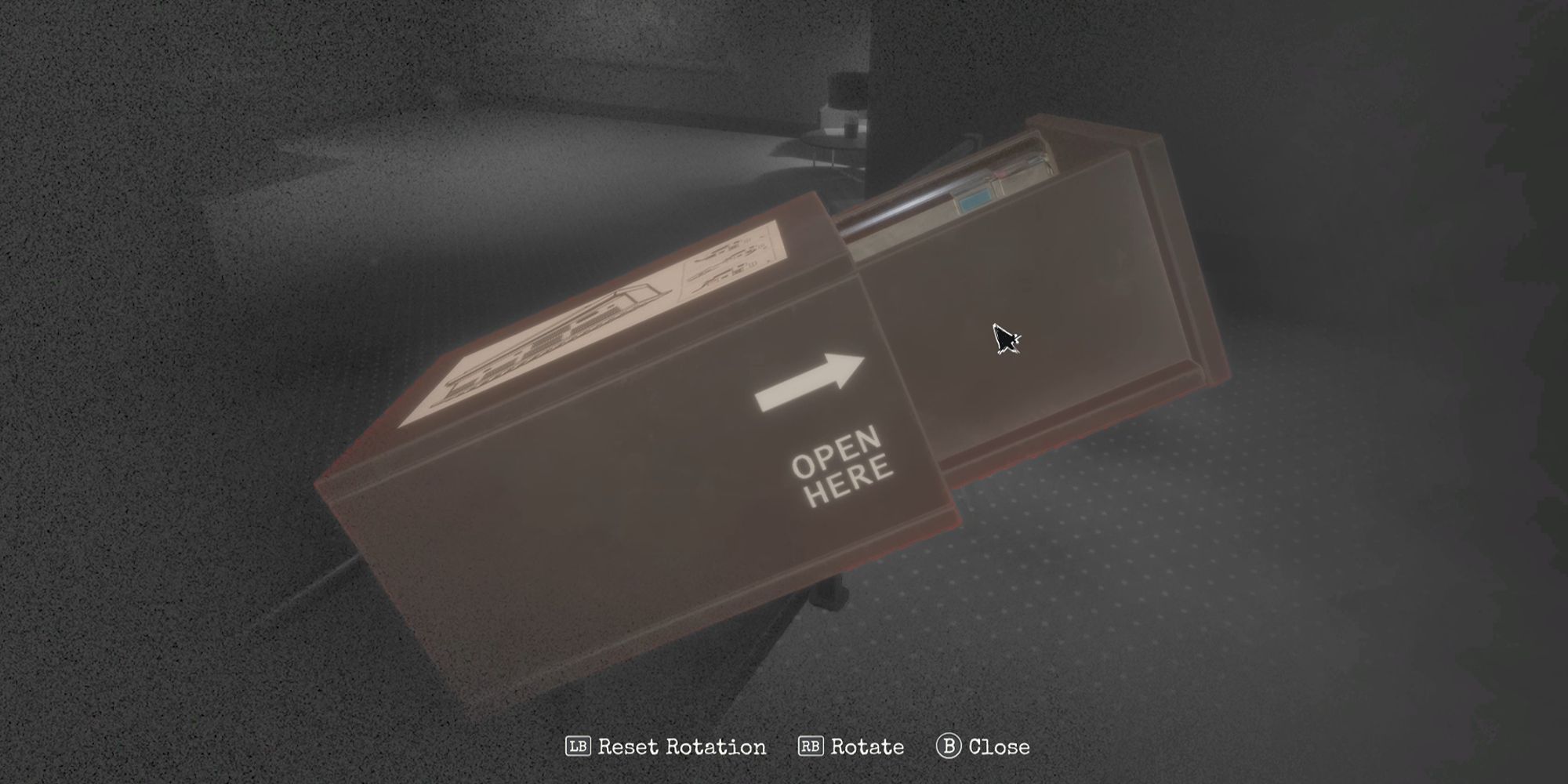
With the key in hand, head down the garage and watch out for the cheap jump scare that happens when the car alarm goes off. Unlock the Storeroom, look for the locker, and find the replacement part.

Unfortunately, the puzzle isn’t over, as the player needs to manually examine the replacement part and touch the panel marked by the sticker. This will take it out of the case. It’s now possible to return to the projector and use the replacement part on it to get the cinema room working again.
Next

We Need More Midwestern Horror Games

There is a distinct void of horror games (and video games in general) that take place in Midwest America – a void that needs to be filled.
dead-take-game-tag-page-cover-art.jpg

Dead Take

Systems

PC-1

Developer(s)

Surgent Studios

Publisher(s)

Pocketpair Publishing


Source link

Gigantamax Butterfree counters, weakness, and battle tips in Pokémon Go

Gigantamax Butterfree counters, weakness, and battle tips in Pokémon Go


Gigantamax Butterfree is the latest addition to the list of Gigantamax Pokémon introduced to Pokémon Go, and is available in Max Battles as part of the Gigantamax Butterfree Max Battle Day on Aug. 3 from 2-5 p.m. in your local time.

This big bug will only have niche uses (as is the way for bug-type Pokémon), but if you like to collect Gigantamax Pokémon, you’ll want one for your collection regardless.

Below, we list out some general Gigantamax Max Battle tips and counters for Gigantamax Butterfree in Pokémon Go.

Gigantamax Butterfree weakness

Gigantamax Butterfree has a ton of weaknesses: flying-, rock-, fire-, electric, and ice-type moves. On top of that, Butterfree actually has doubled weakness against rock-type moves, though we won’t be able to make much use of that yet.

You’ll want to avoid using ground-, fighting-, bug-, and grass-type moves, as Butterfree has a resistance against those types.

Gigantamax Butterfree best counters

With the above in mind, there’s a good number of counters to bring to Butterfree. We recommend the following to focus on offensive moves:

Gigantamax Cinderace with Tackle (G-Max Fireball)Gigantamax Toxtricity with Spark (G-Max Stun Shock)Gigantamax Charizard with Dragon Breath (G-Max Wildfire)Dynamax Darmanitan with Fire Fang (Max Flare)

You can also bring the Dynamax versions of the above Pokémon (though, yes, they will deal less damage than their Gigantamax counterparts). If you’re running D-Max versions of the above, Cinderace and Charizard will both want Fire Spin instead as their fast moves. Since D-Max moves pull typing from the fast move, it’ll want this over the listed attacks, which we only recommend on the G-Max versions because they’re faster and thus builds up the gauge more.

As a reminder, there is a set of Timed Research that will give you an encounter with a Dynamax Darumaka, Darumaka Candy, and some particles ahead of the weekend. It’s actually a pretty decent option if you don’t have Toxtricity, Cinderace, or Charizard, so don’t sleep on this Timed Research.

If you want to be an ally to your team, you can bring the following Pokémon with Max Guard and/or Max Spirit to help out defensively:

Crowned Shield Zamazenta with Metal ClawCrowned Sword Zacian with Metal ClawDynamax Corviknight with Sand AttackDynamax Blissey with Pound

These moves will allow you to build up shields quickly, and their bulk will let them last long against Butterfree.

Even if you don’t have these powered up, consider just bringing the strongest Dynamax Pokémon you have. If you have a maxed out Dynamax Gengar and your Dynamax Charizard isn’t leveled (and you don’t have the means to power it up), just bring your Gengar.

General Gigantamax Butterfree tips

If you’ve been struggling in Max Battles, here’s some general tips to survive — and make sure you’re an asset to your team. Gigantamax battles involve way more strategy than the usual rampant tapping that you do in raids, so make sure to know what you’re doing before jumping in.

Make sure you have enough players. High-efficiency groups with maxed out investments can take down the Butterfree with fewer people, but practically, if you don’t have hundreds of spare candy and even more Stardust laying around, this isn’t going to be an option for you. Make sure you have as many people as possible to ensure that you get your musically inclined cruise ship-shell creature.Don’t sleep on Max Spirit and Max Guard. Teams work best when there’s a variety of moves, not just maxed-out attacks. Each player should bring Pokémon with the defensive and healing moves unlocked as well. Max Guard will focus single-target damage towards you and reduce the damage taken and Max Spirit will heal the whole party, so these moves are really important to make sure your damage-dealers can keep dishing.Remember to swap to super effective moves when it’s time to Dynamax. For Dynamax Pokémon, their max moves will be whatever type their fast move is. This means if you have a Rillaboom with Razor Leaf, it will know Max Overgrowth. A Gengar with Shadow Claw will know Max Phantasm. Take advantage of this and make sure to swap to a Pokémon that will deal super effective damage to your target before Dynamaxing, if you can.Level up a few ‘mons, but you don’t have to go too hard. Depending on your group size, you absolutely do not need to max out all your Dynamax Pokémon to level 40-50. While this will make it easier on the rest of your group, if this isn’t an investment you can make, you don’t have to stress about it. Power things up as high as you can afford to, but don’t fret if you don’t have a maxed out Pokémon.That all being said, make sure to come as prepared as you can be. This is a team effort and there’s a reason why groups of 30-40 people can still fail. Do not just bring your unleveled Dynamax Wooloo expecting a free ride to a powerful Pokémon. After all, if everyone does that, then you certainly won’t clear the battle. Again, you don’t have to completely max out your Pokémon, but it will be better for everyone involved if you bring something helpful to the table.Keep your eye out for a shiny Butterfree! If you clear the raid, there is a chance that the Butterfree you catch will be shiny — which also means it’ll be a guaranteed catch. Use a Pinap Berry to score extra candy if you get lucky enough to find a sparkly Butterfree.

Graphic: Julia Lee/Polygon | Source images: Niantic


Source link

Monster Hunter Wilds Endgame Content Expansion Will Release Early

Monster Hunter Wilds Endgame Content Expansion Will Release Early


A planned expansion of Monster Hunter Wilds endgame content is going to be released early, the developers announced today.

The announcement was made on X where the official Monster Hunter account said: “The expansion of endgame content which was originally planned as part of Title Update 3 in late September will now be released ahead of schedule as part of the Ver.1.021 update. To accommodate this change, this update will be moving slightly out of its planned early August window to the date below”

It will now come out on 13 August 2025. It was originally planned for the end of September.

The update will also include a new difficulty level for quests, a new rewards system that uses Talismans, weapon balancing and a bunch of other unspecified things.

This will hopefully help address one of the biggest complaints players have had, which is the lack of endgame content. However, the single biggest issue facing Monster Hunter Wilds, at least on PC, continues to be the performance woes. It’s so bad that the Steam user reviews have dropped to “Overwhelmingly negative.”

The sudden desire to push out the endgame content is likely because sales of Monster Hunter Wilds have dropped significantly, as was revealed in Capcom’s latest financial results. While Wilds sold an impressive 10 million copies in its first month, it has only sold approximately 580,000 since then.


Source link

Donkey Kong Bananza Owes A Lot To A Longtime Xbox Studio

Donkey Kong Bananza Owes A Lot To A Longtime Xbox Studio


Donkey Kong may have been Nintendo’s first breakout star, but for decades, the character was more commonly associated with other developers than he was with his creators. While numerous studios have put out Donkey Kong titles over the years, the simian really came into his own under the stewardship of Rare, who reinvented the character with 1994’s seminal Donkey Kong Country. Though it hasn’t been involved with the series since the early 2000s, Rare’s work was so beloved that it effectively defined Donkey Kong for the next two decades–and that influence can still be felt throughout the newly released Donkey Kong Bananza.

It’s surprising how much of Rare’s DK survived in Bananza. Despite some visual references to past Donkey Kong titles, everything Nintendo had shown off leading up to the game’s launch suggested it would be a complete reboot of the series. Even beyond the lore implications of Donkey Kong teaming up with an inexplicably young Pauline, Bananza’s freewheeling, destructive gameplay and subterranean setting are a marked departure from the Donkey Kong Country of old, giving the game a flavor and identity that’s wholly distinct from every DK title before it.

This first impression is not entirely off the mark; right from the outset, Bananza feels like a new direction not just for the character, but the series as a whole. While the game boasts plenty of platforming challenges to overcome, its core loop revolves around smashing your way through dense environments, using DK’s mighty strength to carve up the terrain and unearth hidden collectibles. It makes for a decidedly different gameplay experience than previous Donkey Kong titles. And yet, despite this stark change in direction, Bananza still retains a number of elements that Rare’s Donkey Kong games pioneered.

Some of Bananza’s challenge stages are overt callbacks to iconic Donkey Kong Country levels.

You can see vestiges of the studio’s influence all over the game design. Many of the elements that have become hallmarks of Rare’s Donkey Kong reappear in Bananza. Balloons, initially your life counter in the Donkey Kong Country series, return in a similar role, ferrying you back to safety when you plummet into a bottomless abyss. DKC mainstays like Cranky, Diddy, and Dixie Kong make recurring cameos throughout the adventure, cropping up in unexpected places as you make your way to the planet’s core. Even the soundtrack pays homage to Rare’s games, interspersing iconic songs like DK Island Swing and the DK Rap amongst all the new tracks.

Rare’s lingering influence is even more prominent in Bananza’s challenge levels. Battle arenas, which task you with defeating a specific number of enemies against a time limit, take obvious inspiration from similar challenges in Donkey Kong 64, right down to their staging. Some of the platforming courses that DK encounters on his quest, like the fittingly named Nostalgia Country, are even more overt callbacks, playing out like traditional side-scrolling levels with iconic backdrops from DKC. These stages have the same impact as the 8-bit sections in Super Mario Odyssey, offering a pleasant, nostalgia-stirring surprise for longtime fans that lovingly harkens back to the series’ roots.

Bananza shares many other similarities with Odyssey, having been developed by the same team, but both games’ freeform structure was, in part, shaped by Rare. Though Super Mario 64 established the template that other 3D platformers would follow, Rare built upon it in novel ways with Banjo-Kazooie and Donkey Kong 64. Whereas Mario 64 divided up its courses into different “episodes” that each focused on a specific objective, the levels in Rare’s games were proper sandboxes, with all of their collectibles available right from the outset. Not all of them were immediately obtainable; some could only be acquired after returning with the appropriate skill. But players had the freedom to explore a stage and pick up as many collectibles as they could without immediately being kicked back to the hub area, which fundamentally changed the experience–and became the approach Nintendo would eventually adopt with Odyssey and Bananza.

Even Bananza's fossils reference characters and enemies from Rare's Donkey Kong titles.
Even Bananza’s fossils reference characters and enemies from Rare’s Donkey Kong titles.

Even ideas that initially seem unique to Bananza can be traced back to Rare’s Donkey Kong games. Bananza’s emphasis on music in particular owes a debt to Donkey Kong 64, which likewise incorporated music as a core component of its gameplay. Partway through the Nintendo 64 adventure, each Kong would add a different musical instrument to their repertoire of skills; DK, for instance, would get his (soon-to-be signature) pair of bongos, while Diddy would acquire an electric guitar. When the Kongs played these instruments in the appropriate spot, they’d send out a devastating shockwave attack that would destroy nearby enemies and activate something around the stage, often leading to a Golden Banana.

It’s easy to draw a throughline from DK64’s instruments to Pauline’s powerful vocal cords, which similarly serve multiple purposes in Bananza. On top of triggering the Bananza transformations, Pauline’s singing can disperse Void seals, opening up new parts of the level to explore. She can also launch powerful vocal blasts in co-op mode, which will destroy any terrain and enemies in their path.

For all the ways Bananza charts a fresh new direction for the series, the game is very much indebted to its past. In reclaiming the character, Nintendo could very well have wiped the slate clean and cast aside all traces of Rare’s Donkey Kong, making the character wholly its own. But by preserving so many hallmarks from Rare’s DK games, Nintendo has tacitly acknowledged that Bananza would not feel like a proper Donkey Kong title without them–that many of the elements Rare introduced have since become core to Donkey Kong’s identity.

With a rumored Donkey Kong movie on the horizon, Nintendo will likely lean heavily on the series moving forward. But regardless of where DK goes from here, there will always be bits of Rare in his DNA.


Source link

Watch the Battlefield 6 multiplayer gameplay reveal live to see if DICE can bring back the good ol’ days

Watch the Battlefield 6 multiplayer gameplay reveal live to see if DICE can bring back the good ol’ days


The moment many Battlefield fans have patiently awaited is nearly upon us. The worldwide multiplayer reveal of Battlefield 6 is close, and it’s one event that will no doubt mark a new era for the beleaguered franchise.

Can DICE and its co-development studios make a case for a major new Battlefield? Everyone – including those who don’t typically care about Battlefield – is eager to find out.

Manage cookie settings

The recent Battlefield 6 reveal trailer didn’t include a single scene of multiplayer footage, and was instead designed to pitch the game’s – reportedly troubled – single-player campaign. The Battlefield 6 multiplayer gameplay reveal, instead, was teased for tomorrow’s big event.

This is very much a Call of Duty approach, albeit at a more condensed timeline. That’s not surprising, considering how many former Call of Duty bosses EA hired to steer the Battlefield ship. The plan, supposedly, is to create a model to rival Activision’s own, with a big, premium AAA game, free-to-play modes, and a platform that supports a long tail of microtransaction sales.

The worldwide multiplayer revealed kicks off Thursday, July 31 at 11:30pm PT, 2:30am ET, 7:30am UK. It’s a bit of an unusual time slot, but considering it’s being streamed live from various locations around the world, it makes sense.

Will the multiplayer trailer also include a comical number of helicopters crashing into buildings? | Image credit: Battlefield Studios, EA.

The showcase will begin with a detailed walkthrough by the various Battlefield Studios behind the game, focusing on Battlefield 6’s new features, maps line-up, new and returning game modes, and more. This is where we also expect to get the game’s official release, and beta schedule.

Then – and very much in the style of Call of Duty: Next – the show will transition to flipping between the viewpoints of the many content creators in attendance, all of whom will be playing the game’s various modes live. Each content creator will also be livestreaming gameplay directly to their audience on their own channels.

You’ll be able to watch the Battlefield 6 reveal live on YouTube, and Twitch, and we’ve embedded the players below for your convenience. Come back to VG247 after the show to catch up on all the major announcements.

Watch on YouTube


Source link

Pokémon TCG Pocket Apologizes, Pulls New Cards Following Plagiarism Accusations

Pokémon TCG Pocket Apologizes, Pulls New Cards Following Plagiarism Accusations


When accusations of plagiarism are made, there’s usually an awful lot of back-and-forth, denials from all sides, and rarely clear-cut satisfaction. But after yesterday’s claims by a Chinese illustrator that his artwork had appeared in Pokémon TCG Pocket’s brand new set, Wisdom of Sea and Sky, the mobile app’s official X account has released a statement saying the affected cards have been removed entirely.

“We want to share an important update regarding the upcoming expansion, Wisdom of Sea and Sky,” says the statement from Pokémon. “It has come to our attention that there was a production issue regarding the illustration of Ho-Oh featured in the immersive card artwork for Ho-Oh EX (3-Star) and Lugia EX (3-Star).”

While the euphemistic “production issue” doesn’t bode well, the statement goes on to be a lot more direct. “After internal review, we discovered that the card production team provided incorrect reference materials as official documents to the illustrator commissioned to create these cards. As a result, both cards have been replaced with a temporary placeholder that the team is actively working to replace with new artwork as soon as it’s ready.”

It sounds like well-loved illustrator Sie Nanahara was provided references either by Creatures Inc (the team behind PTCG art) or DeNA (the developers of this app) that included fan-made art, rather than previous official Pokémon artworks. This explanation lifts responsibility from the artist which—as we’d suggested previously—would have been a very surprising move by a very established creator.

“Immersive cards” are the animated collectibles that appear in every set of the digital card game. They are one of the top selling-points of the app, offering magical cards that play out beautiful animated sequences when clicked on. As a committed player, I’ve collected all of the previous immersive cards (finally got Celestial Guardian’s Solgaleo’s Lillie card yesterday after months of trying), and so know that these being missing from the new set is a pretty big deal for players.

It also means that replacing them is no easy feat. PTCG Pocket uses a mix of freshly commissioned art and classic cards, and in pretty much any other circumstance could have switched the affected artwork out with anything from the colossal archive. However, given the Ho-Oh and Lugia cards are animated, these will take vastly longer to create, often requiring enormous artworks for the camera to pan around, or complex 3D animations. Neither can be rustled up in an afternoon.

Unfortunately, the “temporary placeholder” in question is literally just some “coming soon” text. When “played” it just shows a black rectangle.

So far, I’ve not seen any accusations made regarding the Lugia immersive card, although suspect that it’s been removed at the same time as a precaution. While no blame is being placed on the artist, it makes sense to be concerned that the same issues could have arisen for both cards given they came from the same creator.

The Chinese artist whose work was copied has posted a statement regarding the issue as well, albeit an ambiguous one, referring to a past commission but not who commissioned the work. “I solely delivered commissioned 2D artwork,” he says in his own translation, “with no involvement in subsequent model production, sales, or profit sharing. This revealed past gaps in copyright awareness.” He added “profound gratitude” that the artwork had been removed.

The artist responsible for the immersive cards, Sie Nanahara, has yet to make any statements, and hasn’t responded to a request for comment.

.


Source link

Proton 10.0-2 (beta) brings even more gaming improvements to Linux, SteamOS / Steam Deck

Proton 10.0-2 (beta) brings even more gaming improvements to Linux, SteamOS / Steam Deck


Valve have released the second major Beta for Proton 10, as we get closer to the stable release for gaming on Linux, SteamOS / Steam Deck.

This brings the Release Candidate build previously reported on by GamingOnLinux to a wider audience, with no extra opt-in needed. Just download Proton 10 from your Steam Library directly and then you can individually swap games to it for some testing.

Here’s all that’s in the Proton 10.0-2 Beta:


Now playable: Stardust Skate, STAR OCEAN THE DIVINE FORCE, Champions of Anteria, IL-2 Sturmovik Cliffs of Dover, Click&Fight, Tunnet, WRC Generations, Post Mortem.
Fixed Proton 10 regressions:

Warframe launcher should no longer have issues displaying titlebar elements.
Enshrouded no longer crashes when refreshing server list.
VRChat video playback issue that affected some instances is fixed.
The Sims 2 Legacy Collection is playable again.
Atelier Yumia: The Alchemist of Memories & the Envisioned Land is playable again.
Forza Horizon 4 and 5 no longer require focus change to not have black screen.
Oddworld: Stranger’s Wrath HD setting launcher renders correctly again.
OpenVR is working with 32 bit games again.
Digseum is playable again.
The Eminence in Shadow: Master of Garden, VRChat, VIDEO GAME and more should behave better with regards to window focus.


Fixed The First Berserker: Khazan wrongly displaying a warning about the drive the game is installed on.
Fixed The First Berserker: Khazan showing a warning about outdated OS/GPU drivers version.
Fixed scaling in Imperiums: Greek Wars in fullscreen mode.
Fixed games not starting when upgrading from a removed Proton installation.
Fixed The Finals showing EOS EAC updater window twice on start.
Fixed boss intro videos playback in River City Girls.
Fixed Black Desert launcher rendering all black on Nvidia + Wayland setups.
Mitigated OpenSSL-related issues with many games including Claybook, Gravel, SMITE that happen on newer Intel CPUs.
Enabled nvapi for The Last Of Us 2.
Improved rendering of Alpha Protocol’s launcher.
Improved situation with Once Human having bad stutter on certain setups.
Fixed Risk of Rain 2 and The Last of Us Part 2 Remastered not working on certains setups.
Fixed Monster Jam Showdown not being able to link Epic Games account.
Fixed Astroneer not being able to connect to an encrypted dedicated server.
Fixed transfer account option in The Eminence in Shadow: Master of Garden.
Fixed DLSS frame generation options being disabled in The Elder Scrolls IV: Oblivion Remastered.
Fixed radio not playing music in Fallout 3: GOTY.
Fixed game lag spikes in Mary Skelter Finale, Death end re;Quest, Death end re;Quest 2, Megadimension Neptunia VIIR and Dragon Star Varnir.
Fixed in-game screen capture in The Sims 2 Legacy Collection.
Fixed querying graphics settings in Marvel Rivals.
Fixed Tiny Troopers Global Ops, Zombie Derby: Pixel Survival and possibly more having focus issues when using Steam Overlay on Steam Deck.
Fixed The Elder Scrolls V: Skyrim Special Edition having wrong scaling with high DPI.
Fixed Tower Unite crashing in VR mode.
Fixed built-in web browser in Banter.
Fixed The Witcher 3: Wild Hunt having issue with Nvidia HairWorks – hair should no longer disappear.
Fixed Ghostbusters: The Video Game Remastered showing green line at the bottom of video in the main menu.
Fixed beginning of the Planet of the Apes: Last Frontier being a black screen.
Fixed the new Final Fantasy XIV Online launcher not working.
Fixed Xalia not being able to fully progress through prerequisite installation in MultiVersus using only the controller.
Fixed a crash late in game in Crysis 2 Remastered.
Fixed Defiance failing to connect to the game.
Fixed touch input not working correctly in menus of No Man’s Sky.
Fixed controller support in MySims Kingdom.
Fixed Space Engineers not registering trigger input with controllers.
Fixed Grand Theft Auto V Enhanced showing driver version warning with AMD GPUs.
Fixed screen darkening in e-Racer.
Fixed some games using DirectStorage not working with Intel GPUs.
Improved force feedback support in Assetto Corsa EVO.
Fixed Dead Island 2 not detecting Epic Online Services and not allowing cross-play.
Fixed controller detection issues with devices that do not have axes, only buttons.
Fixed DOOM (2016) having issues with window decorations on certain setups.
Fixed VRChat not being able to Alt+F4 out of game after playing some videos using Unity Player.
Fixed VRChat crashing on some setups when h264 playback is attempted.
Fixed Dune: Awakening DLSS support.
Disabled interacting via Xalia with the input rebinding section in Unity3D game launchers to prevent it from wrongly recognizing controller inputs used for navigation as the desired binding.
Enabled Xalia by default instead of only for selected titles. It should work with most launchers using builtin Win32 controls.
Disabled Xalia for Rockstar Launcher – aftar a recent update it got native contoller support which resulted in registering events twice.
Updated Wine-Mono to 10.0.0.
Updated Xalia to 0.4.6.
Updated vkd3d to vkd3d-1.16-194-g7c0da1747a89
Updated vkd3d-proton to v2.14.1-286-g2b766f7639cf
Updated dxvk to v2.6.2-5-g6873b37c6f90
Updated dxvk-nvapi to v0.9.0-8-g5fa4b3c7cddc

Source: GitHub


Pictured – Warframe

And again, this is on top of the initial Proton 10 Beta that contained:


Now playable (previously worked with Proton Experimental):

Batman: Arkham Asylum Game of the Year Edition
Black Ink
Factorio
Ignited Entry
Microsoft Flight Simulator 2024
MySims Kingdom
No Man’s Sky in VR mode (regressed after a game update)
Rising Storm 2: Vietnam
Sniper Elite: Nazi Zombie Army
Soul Interface
THE KING OF FIGHTERS XIII GLOBAL MATCH
VIDEO GAME (924310)
Willful
X Rebirth VR Edition


Fixed / improved video playback in:

Agony Unrated
All-Star Fruit Racing
Audiosurf
Bloodstained: Ritual of the Night
Gal*Gun 2
Greedfall
Indigo Park: Chapter 1
Omensight
SOULCALIBUR VI
TELEFORUM
Tintin Reporter – Cigars of the Pharaoh
Zero Escape: The Nonary Games


Reinstated hack from Proton 7 that helped with SpellForce: Platinum Edition, NieR: Automata, Sekiro: Shadows Die Twice and DARK SOULS III crashing with monitors exposing too many possible resolutions.
Improved performance in Dirt Rally 2.0.
Fixed Final Fantasy XVI demo displaying driver warning on launch.
Fixed Grand Theft Auto V Enhanced launcher hang and the game crashing on launch as well as not being possible to uninstall it via Steam.
Fixed XCOM 2 erroring out when trying to connect to my2K.
Fixed network issues in Hunt: Showdown 1896 after a game update.
Fixed Rivals of Aether II, Stalker 2, The Axis Unseen, Beyond Handwell, Marvel Rivals, The Finals, Creatures of Ava crashing with Intel GPUs.
Added support for game mods that load via custom dinput8.dll.
Fixed input not working with Studio System : Guardian Angel.
Fixed cursor not working in the menu of Amerzone: The Explorer’s Legacy (1999).
Fixed Deviator crashing with AMD GPUs shortly after launching.
Fixed Warhammer: Vermintide 2 showing prerequisite installer on every launch.
Re-enabled nvapi for Neverwinter, Star Trek Online and Champions Online.
Fixed full screen mode in The Bright Star Of Seraph-Katis.
Improved situation with audio crackling in Assassin’s Creed Shadows on Steam Deck.
Improved reliability of Proton Prefix creation.
Fixed Supermarket Together not detecting DLC on some systems.
Fixed extras video playback in Shadow Warrior 2.
Fixed VR mode in Evochron Legacy SE.
Fixed non-Steam Battle.net installations.
Fixed Sea of Thieves Xbox login window not working.
Fixed graphics scaling in Master Magistrate.
Fixed interface elements in Disney Epic Mickey 2: The Power of Two showing as solid green color.
Included initial work on speech synthesis – requires manual installation of Proton Voice Files (steam://install/3086180), confirmed to work with The Thief, the Witch, the Toad, and the Mushroom.
Fixed video playback in Twisted Sails.
Improved video playback in Max: The Curse of Brotherhood.
Added hack to allow Steam Overlay to function with EAC EOS games.
Fixed CPU topology override issues on machines with more than 32 logical cores.
Fixed Proton sometimes creating an empty window when running via XWayland.
Fixed Marvel Rivals displaying OS/drivers out of date warning.
Fixed desync issue with 60FPS AVPro videos in VRChat.
Fixed intermittent freezing in Spirit Hunter: NG.
Fixed The Finals crashing after a recent game update.
Improved Ubisoft Connect behavior when switching between Proton versions.
Improved video playback in Locoland on NVIDIA GPUs.
Improved video playback in Microsoft Flight Simulator.
Fixed Tiny Cauldron freezing when selecting some resolutions.
Fixed various crashes affecting Final Fantasy XIV launcher.
Fixed broken account creation in Final Fantasy XIV.
Fixed Nioh: Complete Edition hanging on a black screen when skipping videos.
Fixed Killsquad freezing on character selection screen.
Fixed Dread X Collection 3 Bete Grise minigame.
Fixed video playback in ATRI – My Dear Moments-.
Fixed Dark and Darker not being playable after a game update.
Updated libvkd3d-shader to vkd3d-1.15-179-g21e08955d3c3.
Updated dxvk to v2.6.1.
Updated dxvk-nvapi to v0.9.0.
Updated vkd3d-proton to v2.14.1-153-ga7159b80e165.
Updated wine-mono to 9.4.0.
Updated Xalia to 0.4.5 and enabled it for The TakeOver, Floppy Heroes, Whiskered Away, Himno, Survirus, The Adventure of Ninomae Ina’nis.
Rebased Wine on top of wine-10.0.
Added Steamworks SDK 1.62 support.

Article taken from GamingOnLinux.com.


Source link

Shrunk Again! Grounded 2 Brings Mystery, Survival and Massive Spiders to Game Pass, Xbox, PC | TheXboxHub

Shrunk Again! Grounded 2 Brings Mystery, Survival and Massive Spiders to Game Pass, Xbox, PC | TheXboxHub


Grounded 2
Grounded 2 – out now on Game Pass, Play Anywhere, Xbox and Game Preview

If you were willing to get to grips with its intricate crafting and survival mechanics (as well as get over the terror of absolute huge arachnids!) then the original Grounded was an absolute blast to play.

In a Honey, I Shrunk the Kids fashion, you and a bunch of co-op buddies were transported into an everyday household garden with just one twist – you were smaller than the ants!

Grounded 2 looks to expand on this core concept, making the world bigger, adding in more threats to contend with, and once again making Mother Nature spite you at every turn.

All Park, No Play

Now available on Xbox and PC via the Game Preview programme (as well as Game Pass and Play Anywhere), Grounded 2 expands the world from your humble backyard, to a sprawling park. What once was a world that was navigable by foot, the park requires you to get creative with your transportation, with the introduction of Buggy mounts, including rideable spiders!

As well as these, there’s brand-new weapons to craft, armour to produce, and multiple new ways of building bases; the key to any survival title. 

Whether you take to things as a solo player, or invite up to three online co-op friends into the mix, you’ll most definitely need your wits about you as you overcome the many, many threats the park has to offer. Of course, smaller foes like mites won’t pose too much of a risk, but throw in spiders, scorpions and more, and you’ll have a lot on your plate to contend with!

Game Preview, Explained

It’s certainly worth noting that, as Grounded 2 is released under the moniker of ‘Game Preview’, that the game is technically still in an unfinished state. Whilst players can expect to be able to take in a good chunk of the game, developers Obsidian Entertainment are keen to point out that the game may contain some bugs (not that kind!) that will be ironed out ahead of the game’s full release.

A large amount of content is also set to release in the future, as it’s just the first act of the game’s story present currently. The same can be said for those over on Steam, where Grounded 2 releases into Early Access.

Grounded 2 Key Features

Survive, Adapt, Overcome – The world is relentless, but so are you. Shape your adventure with unique archetypes, each offering distinct abilities to match your playstyle. Whether you rely on precision, cunning, or sheer strength, you’ll need every advantage to survive against the threats lurking in the park.  

Stronger Together – The perils of the park are daunting alone, but with friends, every challenge becomes an adventure. Work together to build, fight, and uncover the secrets buried beneath the grass. Whether you’re facing danger side by side or continuing your journey in a shared world, survival is always better with allies.  

Walking is Bogus – Introducing Buggies – They scurry, they fight, and now—they help you survive. Hatch, raise, and ride your own insect friends – buggies! Saddle up and ride through the park, command them in battle, or have them help gather resources. The right partner could mean the difference between thriving and barely surviving.  

A Shadow That Follows You – The threat is always there—watching, learning, waiting. You don’t know where it’s coming from, only that it never leaves. The deeper you dig, the closer it gets. Some mysteries should stay buried, but it’s too late now. It knows you’re looking. And it’s ready. Every answer drags you deeper, every step invites something closer. You were never alone. You thought you were in control. You were wrong. 

Play Today!

Grounded 2 can now be purchased on Xbox Series X|S and PC, with a day-one release onto Game Pass for both platforms allowing for many players to get their hands on this one for free. Otherwise, the Xbox Store will have you sorted for £24.99

Grounded 2 also benefits from the Xbox Play Anywhere feature: your saves will be conserved between Xbox and PC, allowing for seamless cross-progression.

Stay tuned for some initial thoughts from us soon.

Grounded 2 Description

Shrunk again, but the world is much larger. Survive a sprawling open world alone or in co-op with friends. Craft weapons, forge armor, and build bases while exploring the park on your trusty Buggy mounts. Unravel hidden mysteries and face unexpected threats. But something else is out there—and it hasn’t forgotten you.

Shrunk to the size of an ant, you’ll find once-familiar spaces turned into a sprawling, uncharted frontier. Survive alone or in co-op with friends, crafting weapons, forging armor, and building bases as you explore manmade playgrounds overgrown by nature. Traverse this new realm on trusty Buggy mounts—your capable allies—and uncover the mysteries lurking beneath bright colors and towering structures. But stay wary: something else is out there, and it hasn’t forgotten you.


Source link

How to Catch Fish in Tales of the Shire

How to Catch Fish in Tales of the Shire


Fishing is one of the main chores of the hobbits in Tales of the Shire. It is essential to learn how to catch fish as it will allow you to gather various fish, which you can then use to cook delicious meals. However, fishing in Tales of the Shire depends on various elements, including time of day, season, weather conditions, and the fishing spot. In this guide, we will tell you how to catch fish in Tales of the Shire.

How to Catch Fish in Tales of the Shire

There are numerous fish to catch in Tales of the Shire, but catching them will require a Fishing Rod. The Fishing Rod is one of the main tools in the game. To get a Fishing Rod, you must find “Old Noakes” and speak to him. If you follow the “Finding Your Feet” main quest, it will eventually lead you to Old Noakes. Go and speak to him, and he will give you a fishing rod to catch some fish.

After acquiring the Fishing Rod, you will be able to catch fish in the various fishing spots around Bywater. The fishing spots are recognized by the dark shadows moving in the water. Cast the line and reel in to catch the fish. However, there is a technique behind catching a fish in Tales of the Shire.

Fishing mechanics in Tales of the Shire

To start catching the fish in Tales of the Shire, go to any fishing spot on the map. Once there, you need to equip your Fishing Rod. Hold up on the D-Pad to open the tool menu and select the Fishing Rod. After equipping the rod, you need to cast the line close to a moving shadow in the water. Press and hold the RT button to ready your throw. Release the button when the casting spot is near the shadow to cast your line close to a fish.

Doing it right will immediately let a fish bite the hook. Once a fish bites the hook, you need to reel in the fish by pressing X (PlayStation 5) or A (Xbox). However, before you do that, you need to set the drag direction. The drag direction should always be in the opposite direction to the fish’s swimming. Use the movement stick to adjust the drag direction, and then press the reel-in button to start reeling in the fish.

However, it does not end here. There is a tension mechanic involved in this. You need to keep your eyes on the drag circle while reeling the fish. If the circle turns red, it means the tension is rising and the line can break. You need to let go of the reel to rest the tension and start reeling again. It will take a few turns before you catch the fish.

Things to notice while fishing

Cast the line close to the moving shadow in the water.

Adjust the drag direction opposite to the fish’s movement.

Reel in gently to not raise the tension.

Repeat the process of adjusting the drag direction and reeling to catch the fish.

Other than that, if you want to catch more types of fish, you need to try fishing at different times of day. Moreover, fishing during rain will let you catch unique fish. Furthermore, there are some seasonal fish as well. So, fishing in different seasons will let you catch different fish.


Source link

Helldivers 2 players take a bow, you have just achieved what everyone believed was impossible

Helldivers 2 players take a bow, you have just achieved what everyone believed was impossible


You can trust VideoGamer. Our team of gaming experts spend hours testing and reviewing the latest games, to ensure you’re reading the most comprehensive guide possible. Rest assured, all imagery and advice is unique and original. Check out how we test and review games here

To keep players occupied during their well-deserved vacation, Arrowhead tasked Helldivers 2 players with a daunting Major Order. However, as is almost always the case with the HD2 community, Super Earth soldiers rallied together. With barely any time remaining, Helldivers 2 players have just achieved what everyone believed was impossible, and players are rightfully celebrating their huge victory.

Helldivers 2 players conquer impossible Major Order

On July 22nd, Arrowhead started a new Major Order for Helldivers 2 that included the following objectives:

Kill 20,000,000 Shriekers

Kill 12,500,000 Impalers

Kill 6,250,000 Factory Striders

Kill 7,500,000 Fleshmobs

Kill 3,750,000 Leviathans

Upon seeing this Major Order, many players immediately claimed that it is “impossible” while also echoing Bill Paxton’s iconic line in Aliens, “Game over man”. However, in the face of adversity, the HD2 community has overcome the odds once again.

With only 4hrs remaining, players had completed all the objectives except for the Factory Striders. Super Earth soldiers had killed 94% but needed to defeat 371,968 more. The community then almost finished the task with only an hour remaining at 99.3%, and now it is official that Helldivers 2 players have conquered the Major Order.

It’s an incredible achievement, and, as you’d expect, the community is celebrating online. It was a tight victory, but it just shows the power of the community as Super Earth soldiers had to rally together to ensure the Factory Striders were obliterated.

As of writing, Arrowhead has not responded to the victory on socials. However, upon winning, an in-game message says, “construction has begun in earnest on three Maximum Security Cities”:

New Yearning City on the planet Fort Sanctuary

New Aspiration City on the planet Emeria

New Hope City on the planet Fort Union

For more Helldivers 2, check out our guide to the best warbonds ranked, along with the best stratagems and best throwables. We also have a guide to the best weapons, and, if you’re coming back to HD2 for the first time in a long while, we have a bunch of tips and tricks to help you get reaccustomed to the battlefield.


Source link

Popular Posts

My Favorites

Star Atlas and Shaga to Launch $100,000 Creator Campaign

0
Web3 grand strategy MMO Star Atlas has partnered with Twitch add-on layer Shaga to launch a $100,000 USD Creator Campaign, with rewards in...