On the hunt! Marketplace Los Angeles has become a designer vintage haven for celebs like Chris Brown, DDG, Gunna, and more, and founder Charlie Shanfeld sat down with ET to share exactly how he tracks down their conversation starting styles.
To begin, the stylist, 26, focuses on gathering a mix of luxury, pre-loved, and exclusive coveted items at his Los Angeles, California based shop, which opened in 2023.
“The store blends high-end fashion with ’90s vintage aesthetics. … It’s almost like walking through an art gallery, but instead of paintings and sculptures, the space is filled with carefully curated, one-of-a-kind clothing pieces,” he shares.
“I want to ensure that my inventory not only reflects current trends, but also carries a sense of nostalgia and authenticity,” Shanfeld continues.
Think: Statement clothes and accessories from Chrome Hearts, Balenciaga, Louis Vuitton, Enfants Riches Déprimés, Carhartt, and Marketplace Los Angeles’ own branded collection all set in an atmosphere that blends fashion, culture, and art together.
And the business owner is determined to get ahold of these rare treasures that come from far and wide.
“We source our inventory globally by leveraging relationships with brands and private collectors, which grant us access to limited releases and one-of-one items. We also handpick vintage pieces from trusted suppliers and private sellers worldwide,” he explains.
As for what grabs his attention? “A piece stands out to me when it has a combination of uniqueness, quality, and storytelling.”
Marketplace Los Angeles
“Hard-to-find items instantly catch my eye. If it’s something you don’t see often, it holds more value, and if a piece has historical or cultural relevance, it carries extra weight. … Design details like strong silhouettes, intricate stitching, hidden branding, distressing, unique hardware, and bold graphics also make pieces special,” the curator adds.
Beyond that, Shanfeld notes the importance of the quality and condition of his thrifted collectibles.
“I value material and craftsmanship and look for heavyweight cotton, premium leather, expertly faded denim, and well-constructed pieces with durability.”
Once the vintage seller gathers his exclusive stock, it’s time for some retail therapy.
“The shopping experience with celebrity clients is all about exclusivity, efficiency, and personalization. … Most of the time, celebrities don’t have the time to browse like regular customers, so I curate pieces specifically for their style before they arrive. Some prefer after-hours shopping for privacy, while others send their stylists to pull selections,” he dishes.
Regardless of their preferences, the California native is sure to have something on hand for everyone who visits his appointment-only boutique by offering versatile wardrobe staples that elevate outfits effortlessly.
“Style isn’t just about following trends, it’s about presenting yourself in a way that attracts the right attention. Your look should make people want to approach you,” he says.
To book an in-store shopping session, visit Marketplace Los Angeles and snag their latest drops at marketplacelosangeles.co.
I haven’t gotten much done this week because of real life issues.While last week was a lot of crap, this week I have been playing a great game that I will review now. Genome Guardian is a roguelite turret shooter with the upgrade elements of an auto-shooter. You have a thirty second wave to kill microbes and survive. In between there is a shop with you buy(and combine) weapons and upgrades, as well as heal yourself.
Genome Guardian’s Weapons and Upgrades
Most turrets you can hybrid up to three times.
The hook of the game is that each turret comes with weapon slots that can be filled with one of four weapons, corresponding to A,C,T and G(machine gun, pistol, bomb and shotgun). You guy extra weapon slots and combine. So lets say you combine A and C, you get a scout rifle weapon. A and G will get you an auto-shotgun. Note that in Genome Guardian, it doesn’t matter in which order you place the weapons, A and G or G and A will always get you the auto shotgun. Some of the weapons are obviously better than others, like I find the scout rifle(C and A) near useless in extract mode, while others seem overpowered(Shotgun + Bomb hybrids = Awesome). Note there are upgrades you can plug into the weapons to increase stats like damage and range.
Anything bomb = fun!
In addition to the weapons in Genome Guardian, there are turret upgrades you can purchase, like more shields, or better cooldown on your turret. After levels five, ten and fifteen, you get a mutation. This is where you pick the way things get harder, like increased damage and health, or have the microbes move in a spiral. There are also perks you can slot before you start, which can do interesting things, like reverse knockback effects into pulling the microbes towards you. The two currencies are Biomass, which are used in the shop, and research, which are used to purchase permanent upgrades in the research shop.
Depth and Breadth
Grab a snickers bar, you’ll be here awhile.
As you can see above, you’ll be playing Genome Guardian a while. There are six modes with six-difficulty levels(called Depths). I’ve currently only unlocked one extra mode, SHUMP, that turns the game into a vertical shooter. I’m sure the others are just as cool. There are awards, perks and turrets to unlock as well. There is a lot here to enjoy. Also noteworthy is the soundtrack, which has effects on the playing field and the microbes move in time to the move. There are other neat effects I’ll leave you to discover.
SCHMUP mode!
Genome Guardian is awesome. I love it. I’ll give it a must play with a nine back-end score. It doesn’t get a ten because of weapons being unbalanced and the graphics not really impressing me much besides the neat effect. Still, I highly recommend it and it is absolutely worth the money. With all the different options in weapons, upgrades, perks turrets, and mutations, how you play is up to you.
Overall: Genome Guardian is a roguelite turret shooter with a ton to unlock and hidden depth to find with its core weapons feature.
Published: February 14, 2025 at 3:00 pm Updated: February 14, 2025 at 7:00 am
To improve your local-language experience, sometimes we employ an auto-translation plugin. Please note auto-translation may not be accurate, so read original article for precise information.
Recently, the Dogecoin price has been on a persistent downtrend, hovering around $0.26, leaving many traders disheartened and in search of alternatives. This decline has been influenced by growing political instability and economic uncertainties, which have heightened investor fear and dampened market sentiment.
Amid this backdrop of underperformance, a new contender, RCO Finance (RCOF), has emerged as a promising alternative, drawing attention with its impressive 22,000% forecasted return. Through its unique real-world asset (RWA) tokenization and AI-driven crypto solutions, RCOF is set up for DeFi domination.
Dogecoin Price Uncertain Future: Can Long-Term Holders Keep the Price Afloat?
The Dogecoin price action has been stuck in limbo, hovering around $0.25 with no clear direction in sight. Traders remain on edge as the broader market fails to provide a definitive bullish or bearish signal.
However, one key factor preventing a steeper decline is the resilience of long-term holders (LTHs), who continue to maintain their positions despite the uncertainty.
The Mean Coin Age (MCA) indicator reflects this stability, as seasoned investors refrain from liquidating their DOGE holdings. This behavior suggests a level of confidence in the coin’s long-term potential, even as the short-term market outlook remains shaky.
Yet, with funding rates fluctuating between positive and negative, short contracts have begun to dominate, signaling growing bearish sentiment.
The Dogecoin price needs to reclaim $0.268 to regain its footing and target $0.311. Failure to do so could send the meme coin sliding down to $0.220, a move that would severely challenge the optimism of even its most dedicated supporters.
RCO Finance (RCOF): The AI-Powered Altcoin Revolutionizing DeFi
As Dogecoin price struggles with the bear market movement, RCO Finance (RCOF) is looking to help investors hedge against future uncertainties. Unlike speculative meme coins, RCOF is an AI-driven project that seamlessly integrates artificial intelligence with DeFi, offering investors more than just hype.
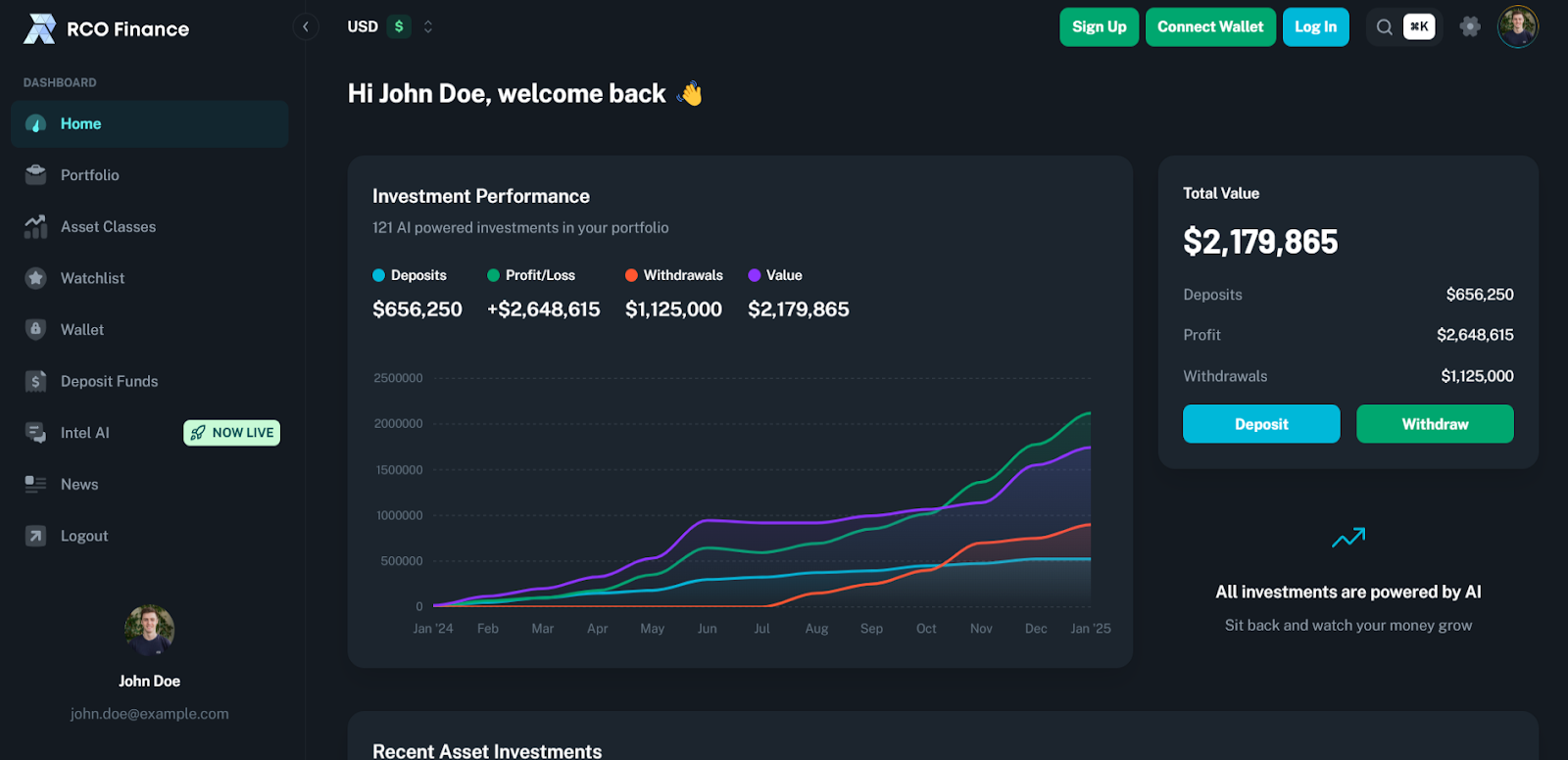
At the heart of RCO Finance is its AI-powered Robo Advisor, an intelligent assistant that personalizes investment strategies based on user preferences, market trends, and risk tolerance. This tool eliminates emotional trading biases by analyzing vast amounts of data from sources like Bloomberg and Reuters.
Operating in real-time, the Robo Advisor continuously scans the market and adjusts strategies, providing automation and intelligence unmatched in traditional cryptocurrency trading. More importantly, it mitigates potential losses during market uncertainties by dynamically reallocating funds to more profitable alternatives.
Beyond risk management, the Robo Advisor actively identifies high-potential projects and executes trades on behalf of users, ensuring optimal investment decisions. This process is powered by RCOF’s automated market-making feature, which operates autonomously to maximize profitability.
Beyond AI-driven trading, RCOF facilitates seamless borrowing and lending, allowing users to leverage their crypto holdings as collateral for low-interest loans. At the same time, lenders can generate attractive returns, increasing overall liquidity and accessibility within the ecosystem.
RCO Finance also broadens investment opportunities by bridging the gap between decentralized and traditional finance. Investors can access over 120,000 financial instruments, including cryptos, stocks, bonds, and tokenized real-world assets such as real estate and high-value commodities.
User privacy is a core principle of RCO Finance, with its KYC-free financial ecosystem ensuring that investors can engage without compromising their anonymity. Security is another major priority, with RCOF smart contracts undergoing rigorous audits by SolidProof to guarantee the integrity and safety of the project.
Recent milestones highlight RCO Finance’s rapid growth, with the beta platform surpassing 10,000 users and significantly driving up presale values. With an alpha launch in development and additional features on the horizon, anticipation is building among investors eager to capitalize on RCOF’s expanding potential.
The Lucrative RCOF Presale: A Rare Investment Opportunity
RCO Finance’s presale has entered its fifth stage, with tokens currently priced at $0.10. This phase presents a golden opportunity for early investors to secure RCOF at a lower valuation before the price increases to $0.13 in the next round.
Investors using the WELCOME40 code gain an exclusive 40% bonus on their token purchase, enhancing their holdings before RCOF enters the open market. With projections estimating a launch price of $0.60, early investors are poised for an impressive 600% return on investment.
However, the potential doesn’t stop there. Analysts foresee a staggering 22,000% increase by mid-2025, positioning RCOF as a game-changing altcoin with the potential to surpass meme coins like Dogecoin.
Beyond financial gains, RCOF holders unlock additional benefits, including reduced transaction fees, governance voting rights, and eligibility for quarterly dividends. Staking rewards also offer APYs of up to 86%, providing long-term holders with consistent passive income.
With the Dogecoin price movement affecting whale investments, now is the perfect call to join the RCOF to recover the losses. Those looking to move beyond speculative investments into a fundamentally strong, AI-powered altcoin have a limited window to get in at an early-stage valuation.
For more information about the RCO Finance (RCOF) Presale:
Visit RCO Finance Presale
Join The RCO Finance Community
Disclaimer
In line with the Trust Project guidelines, please note that the information provided on this page is not intended to be and should not be interpreted as legal, tax, investment, financial, or any other form of advice. It is important to only invest what you can afford to lose and to seek independent financial advice if you have any doubts. For further information, we suggest referring to the terms and conditions as well as the help and support pages provided by the issuer or advertiser. MetaversePost is committed to accurate, unbiased reporting, but market conditions are subject to change without notice.
About The Author
Gregory, a digital nomad hailing from Poland, is not only a financial analyst but also a valuable contributor to various online magazines. With a wealth of experience in the financial industry, his insights and expertise have earned him recognition in numerous publications. Utilising his spare time effectively, Gregory is currently dedicated to writing a book about cryptocurrency and blockchain.
More articles
Gregory, a digital nomad hailing from Poland, is not only a financial analyst but also a valuable contributor to various online magazines. With a wealth of experience in the financial industry, his insights and expertise have earned him recognition in numerous publications. Utilising his spare time effectively, Gregory is currently dedicated to writing a book about cryptocurrency and blockchain.
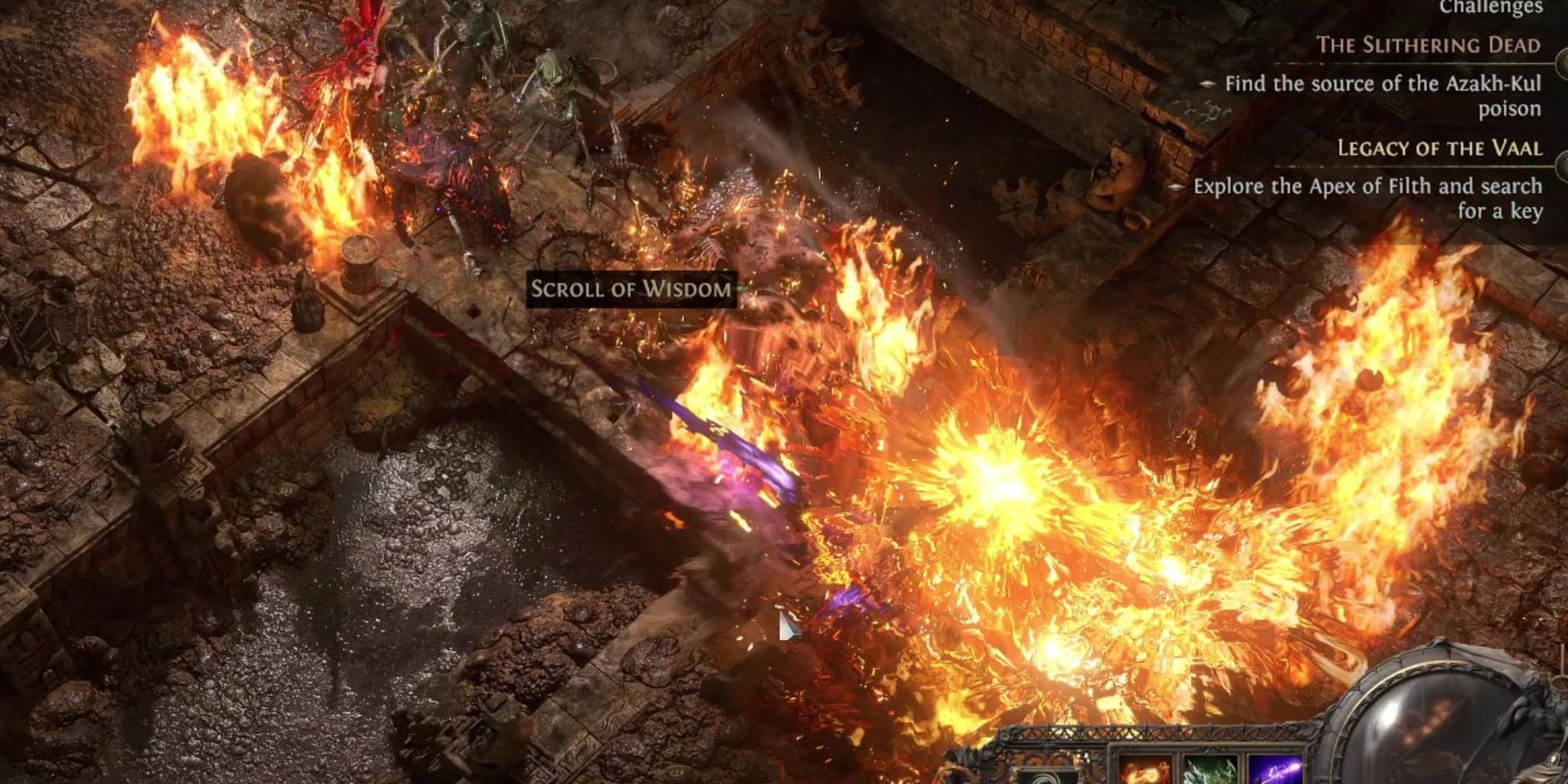
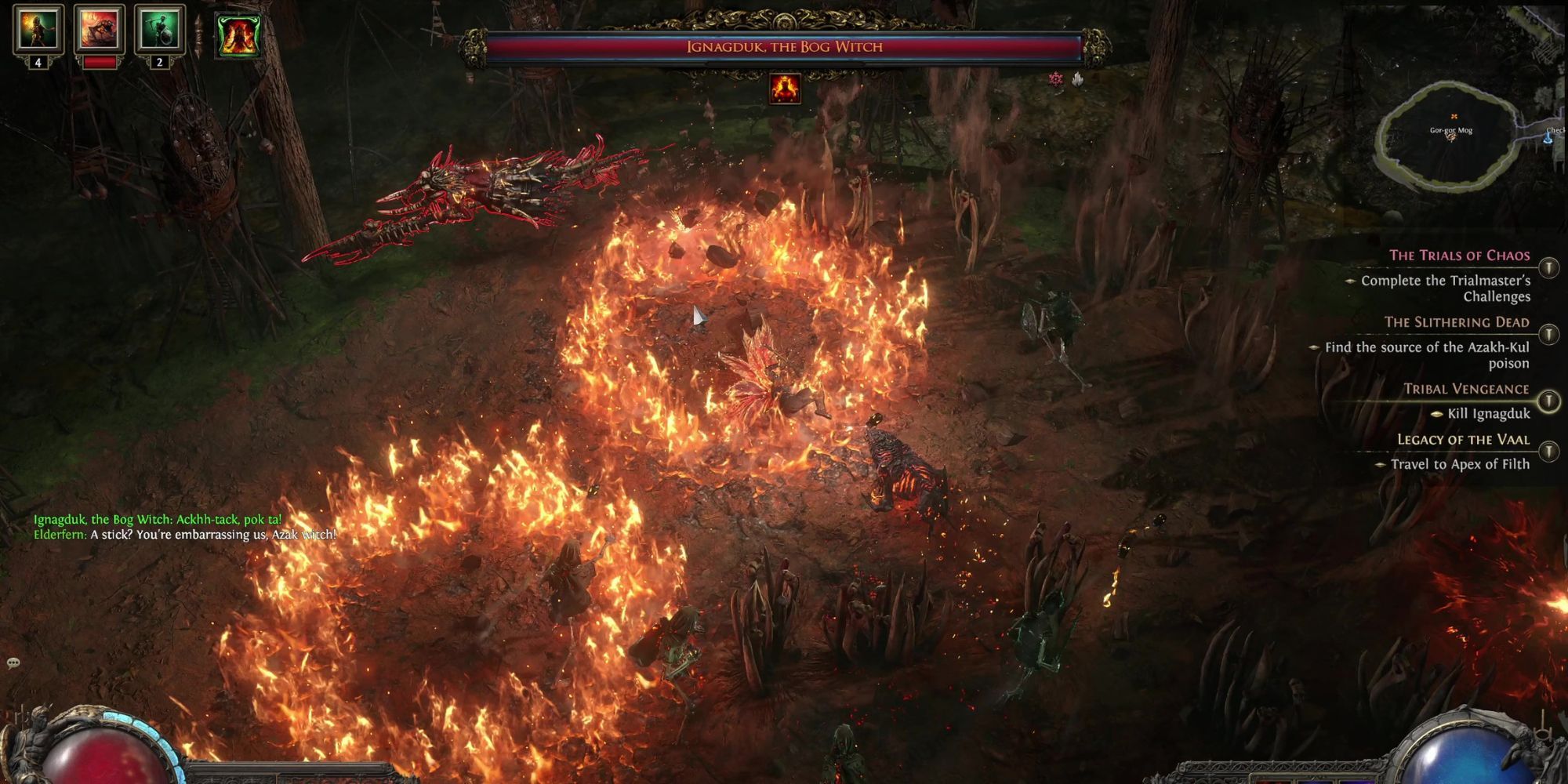
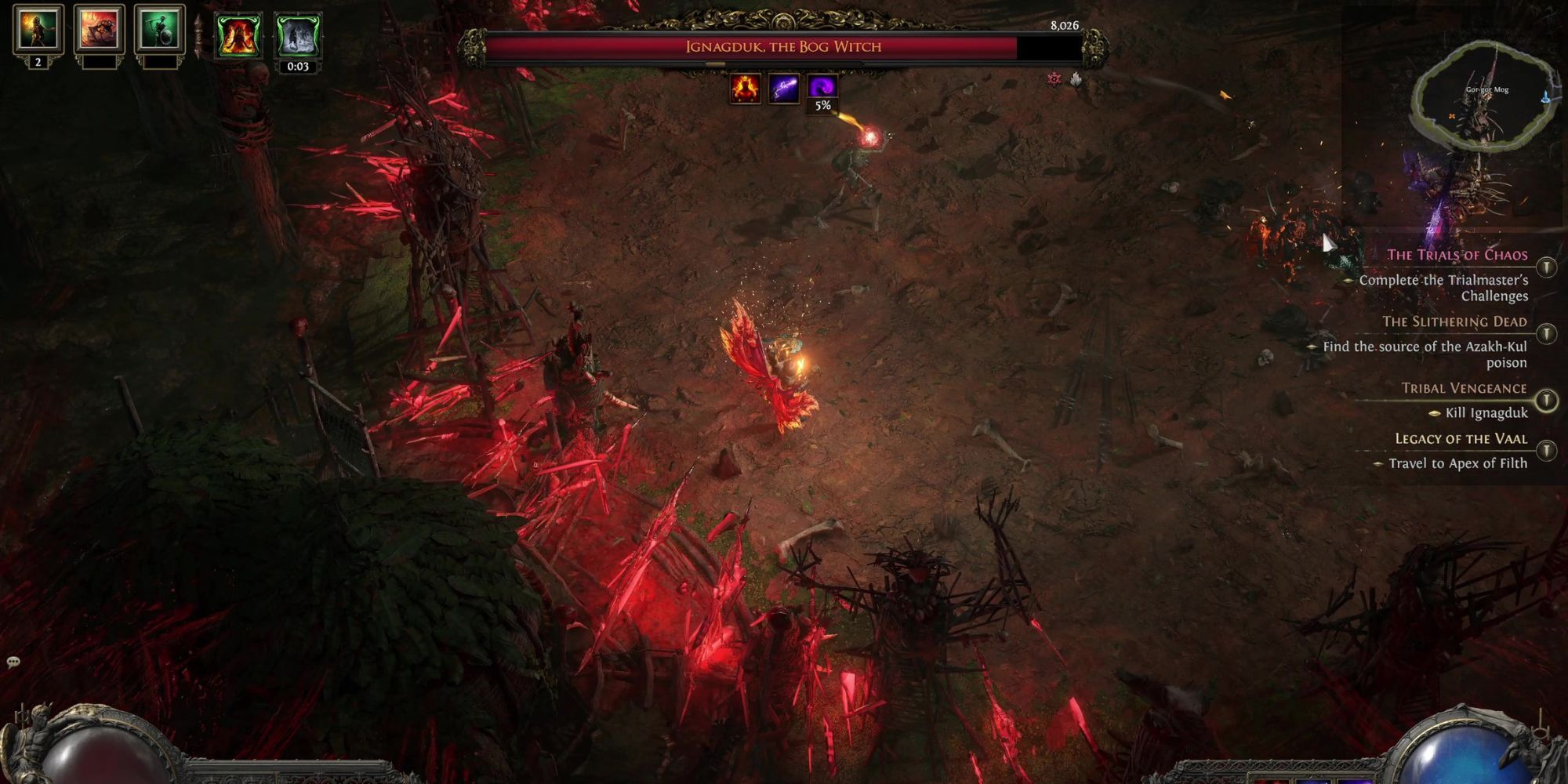
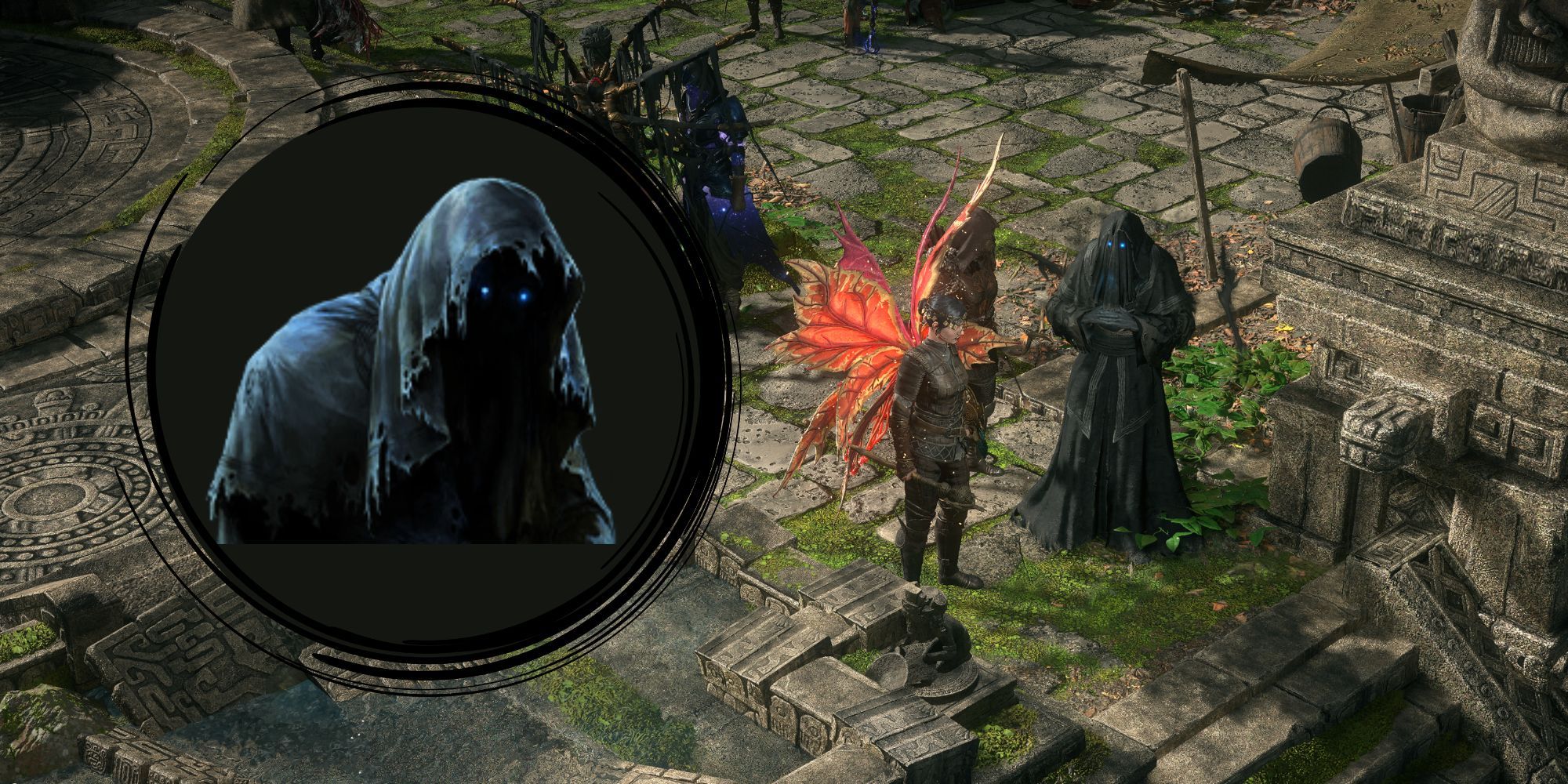
Ignagduk, the Bog Witch, is a powerful witch lurking in the Azak Bog in Path of Exile 2. While defeating her is optional, doing so is highly recommended.
Not only is defeating her part of the Tribal Vengeance quest for Servi, but she is also one of the very few bosses that bestow you with more Spirit once defeated.
Related
Path of Exile II: 8 Best Tips For Cruel Mode
If you’re having a hard time in Path of Exile II’s Cruel Mode, then this list is a must-read!
Spirit is an incredibly rare and valuable resource in Path of Exile 2, particularly if you are playing a Witch.
If you want more Spirit, or perhaps you just want to tick the Tribal Vengeance quest off your to-do list, you will find everything you need to do so in this Path of Exile 2 guide on how to defeat Ignadgduk.
Where to Find Ignagduk, the Bog Witch
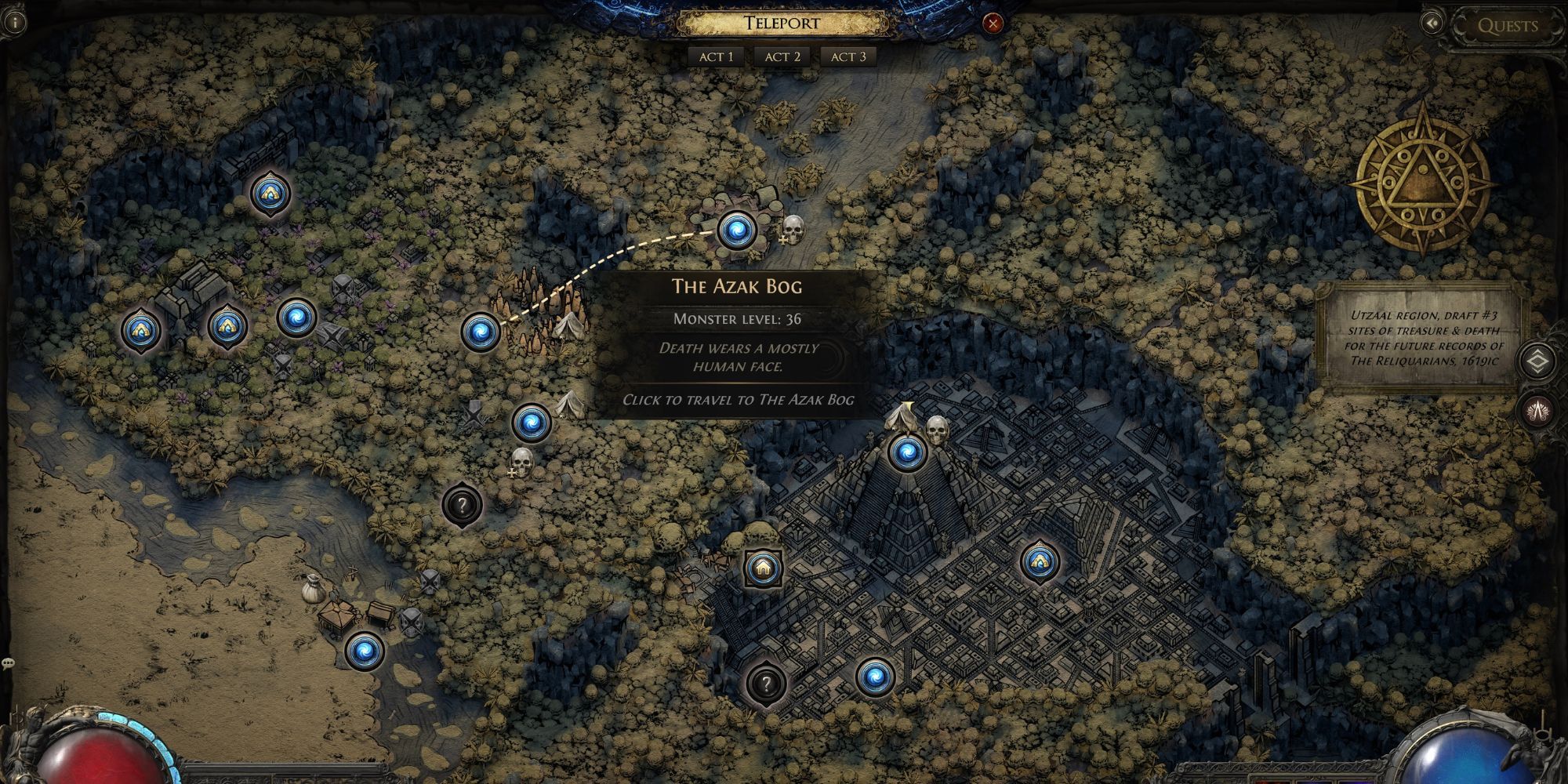
Ignagduk, the Bog Witch, lurks in the depths of the Azak Bog. To get there, you must first reach Act 3 of Path of Exile 2. Then, while exploring the Infested Barrens, search for the entrance to the Azak Bog.
Once there, you will have to fight through the hordes to reach Gor-Gor-Mog, the Lair of the Bog Witch.
Complete the Flameskin Ritual
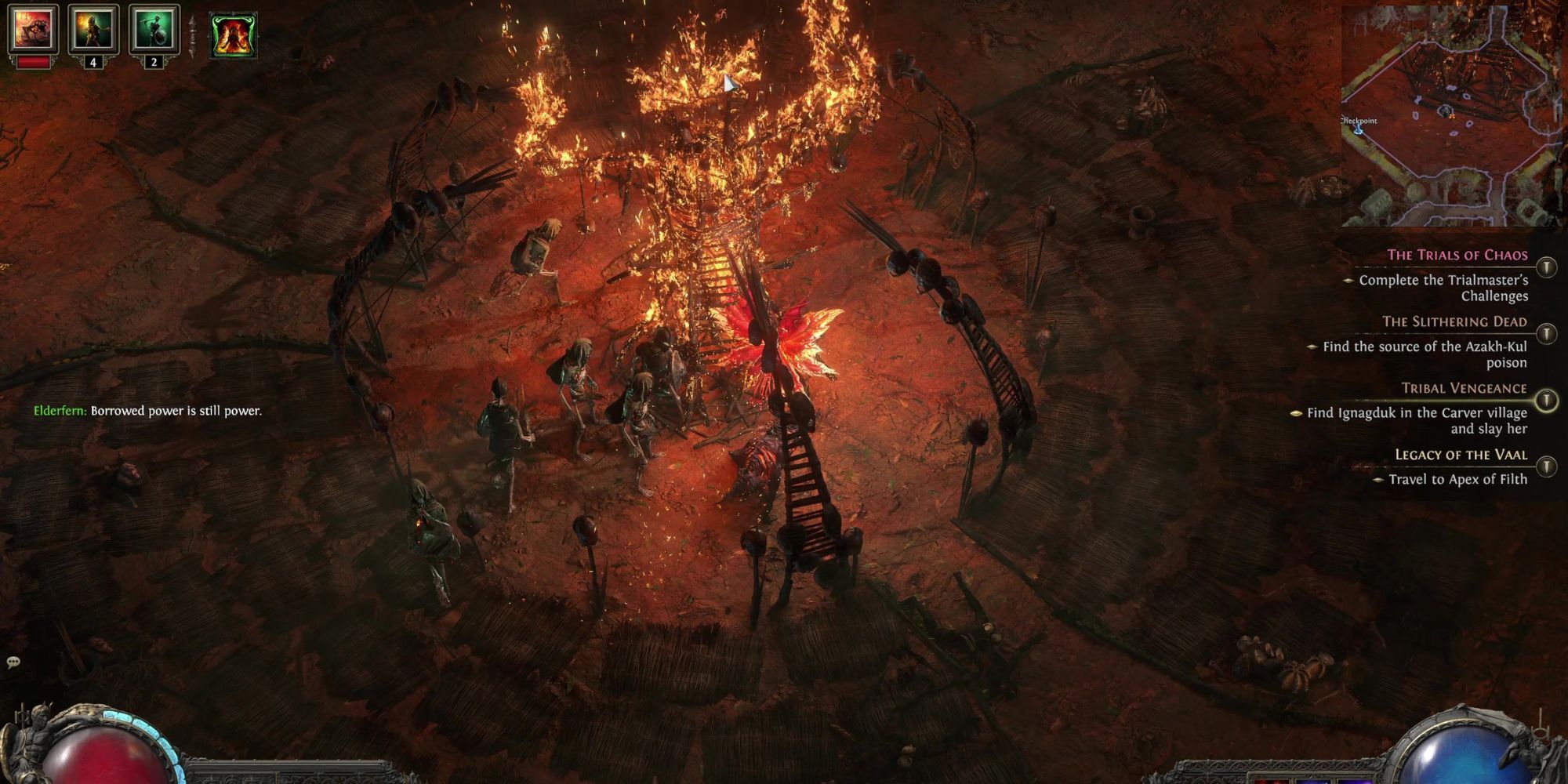
Before you infiltrate the lair, however, there is one task you might want to complete first. Slightly below the Lair of the Bog Witch lies another wide arena with five Pyres around its perimeter and another larger one in the center.
The arena is, unsurprisingly, guarded by waves of enemies. Once you take them down, light all the Effigies by interacting with them to complete the Flameskin Ritual and activate Ignagduk’s Harvest.
Completing the Flameskin Ritual will boost your fire resistance by 25%, which will help you out dramatically in your fight with the Bog Witch.
Best Builds to Take on Ignagduk, the Bog Witch
Ignagduk’s weakness is cold, so Cold Snap or Freezing builds will work wonders here. Cold Snap Witch, Cold Snap Sorceress, or Permafrost Merc would make taking Ignagduk down a breeze.
Changing your entire build to defeat one boss isn’t always viable in PoE 2, however, as respeccing your skill tree can be a costly endeavor.
Switching up your spells to channel more cold is a more cost-effective way of tailoring your damage to target Ignagduk, the Bog Witch.
While cold damage is best, however, it isn’t compulsory. We managed to take her down quite comfortably with our Infernalist Witch Build.
How to Beat Ignagduk, the Bog Witch
Weakness: Cold Recommended Resistance: Fire Resistance Recommended Level: Level 35
In terms of preparation for the Bog Witch, you will want to make sure you have some pretty hefty fire resistance. Any weapons or spells you have that deal cold damage will also be helpful, as cold is Ignagduk’s weakness. The Azak Bog as a whole is a level 35 area, so somewhere around level 35 is a good place to be before taking her on.
Related
Path of Exile 2: What to Do With the Relics in Act 2
Sick of lugging those relics around?
The Bog Witch has many tricks up her sleeve, but her attacks are mainly bone and fire-related.
Attack Name
Description
Melee Attack
Ignagduk thrusts at you with her spear-like weapon.
Bone Blast
Red ritual spells appear on the ground before razor sharp bones rip through the dirt.
Bone Storm
Ignagduk summons waves of bone projectiles that fly through the arena.
Bone Broomstick
Ignagduk rides her broomstick around the arena, leaving sharp bones in her wake.
Flame Tunnel
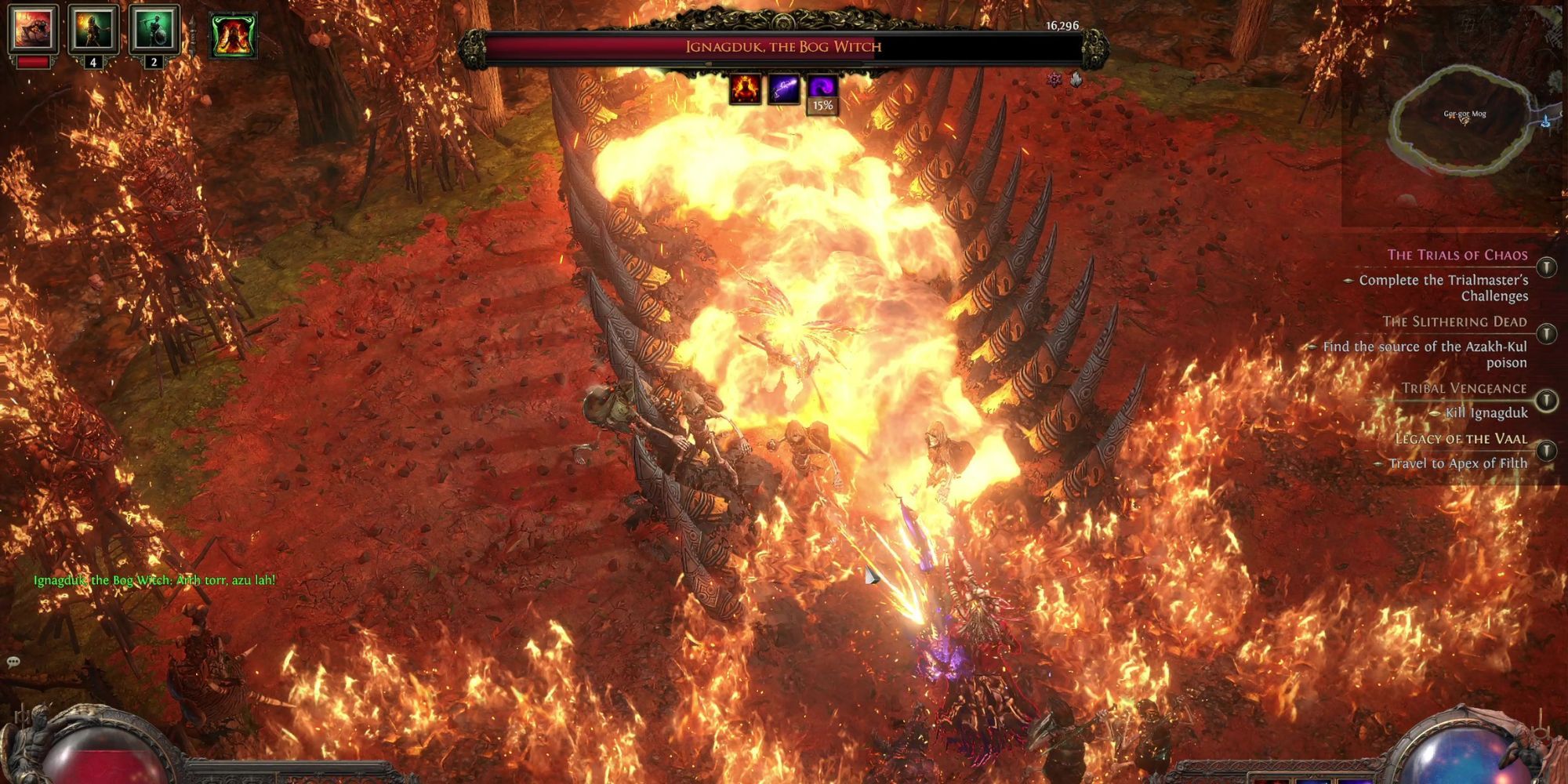
Ignagduk summons a funnel of bone that quickly fills up with flame.
Flamethrower
Ignagduk creates a beam of flame that she coats the battlefield with.
Fireball
A classic fireball move.
Flame Divide
This creates a cross of flame that divides the arena.
AoE Attack
Ignagduk summons sharp bones all over the battlefield. Destroy these so your movement isn’t hindered.
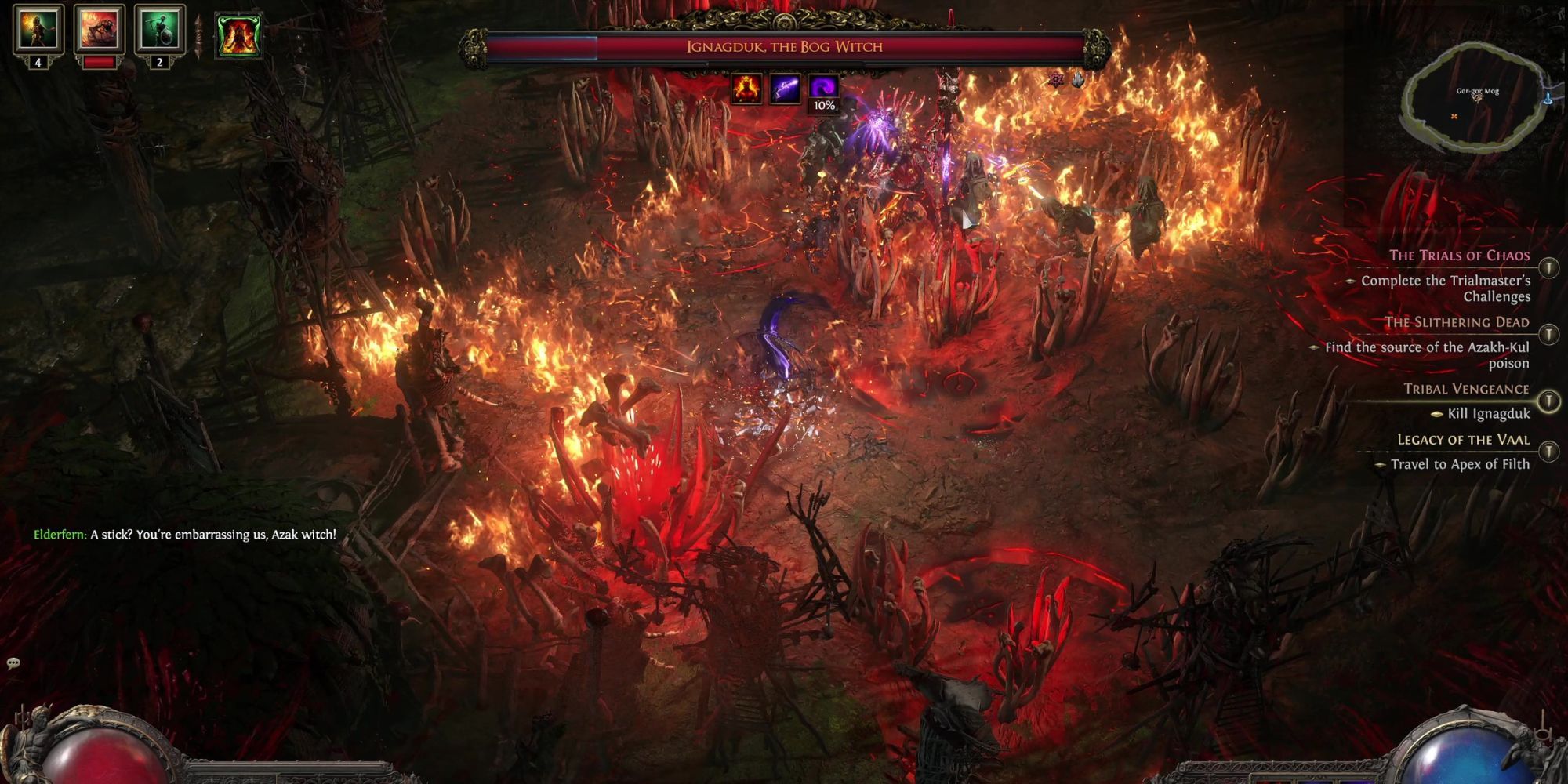
One of her most common attacks is a Bone Blast, which you can predict by looking out for the red ritual circles on the ground. Quickly dodge out of the way before they strike.
She will also hop on her broomstick and fly around the arena, leaving a trail of razor-sharp bones in her wake.
Her last bone spell is a Bone Storm-like move that summons projectiles that slice through the arena.
In addition to her proficiency with bone, Ignagduk has a couple of powerful fire spells that blanket the arena in flame.
Her most formidable spell is a large channel of bone that she summons from the ground.
If you get caught in the bone channel, make your escape as soon as possible, as within a few seconds, the entire area will be engulfed in flames.
When it comes to actually defeating Ignagduk, you have plenty of opportunities to strike. She is hard to target while flying on her broomstick, but other than that, she is relatively stationary. That gives you plenty of good chances to land hits.
The main things to look out for are her ritual circles on the ground, her bone channel attack, and any flying bone projectiles. As long as you keep your eyes on your surroundings as well as on her, you will be able to take Ignagduk down in no time.
Ignagduk, the Bog Witch Rewards
Defeating the Bog Witch will earn you a host of random rewards, as well as two special rewards. These are the Gemrot Skull and Ignagduk’s Ghastly Spear.
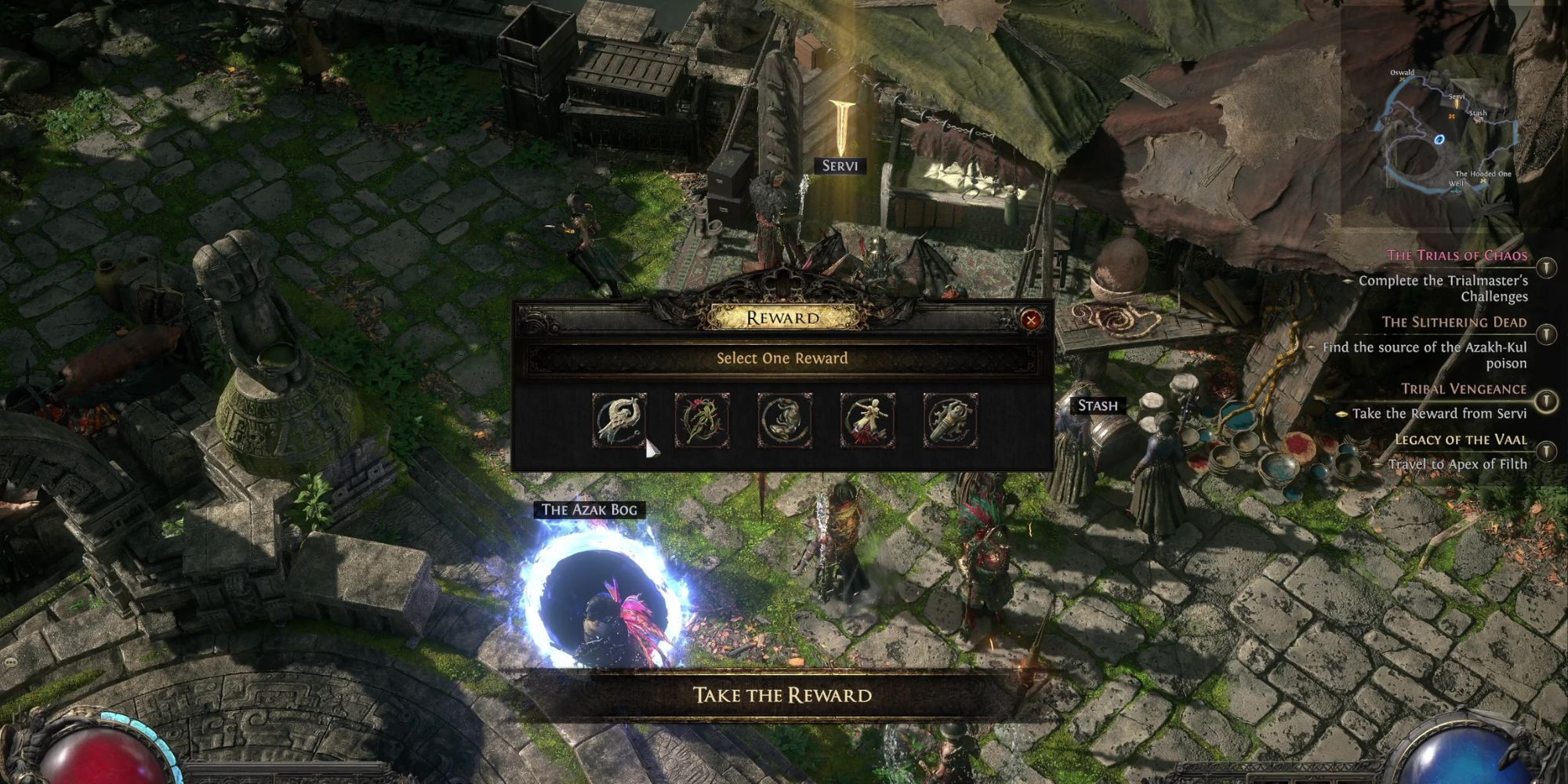
Ignagduk’s Ghastly Spear is an item you will need to take to Servi to complete the Tribal Vengeance quest. Servi will offer you five charms as a reward, though you can only pick one. Servi offers you the following charms:
Analyst’s Thawing Charm of the Plentiful: Grants Immunity to Freeze Investigator’s Staunching Charm of the Medic: Grants Immunity to Bleeding Antidote Charm of the Verdant: Grants Immunity to Poison Sprouting Dousing Charm of the Medic: Grants Immunity to Ignite Grounding Charm of the Doctor: Grants Immunity to Shocked
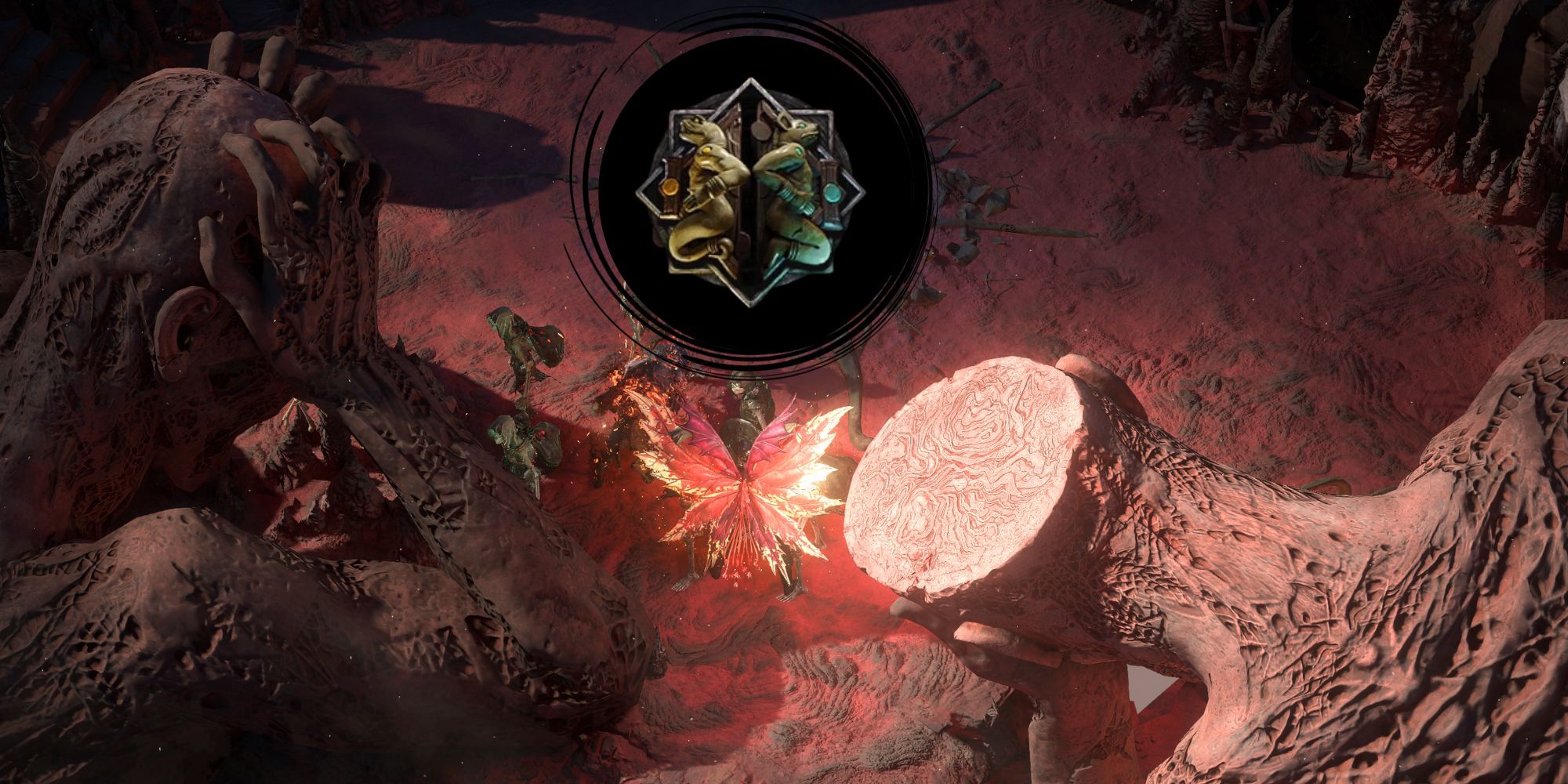
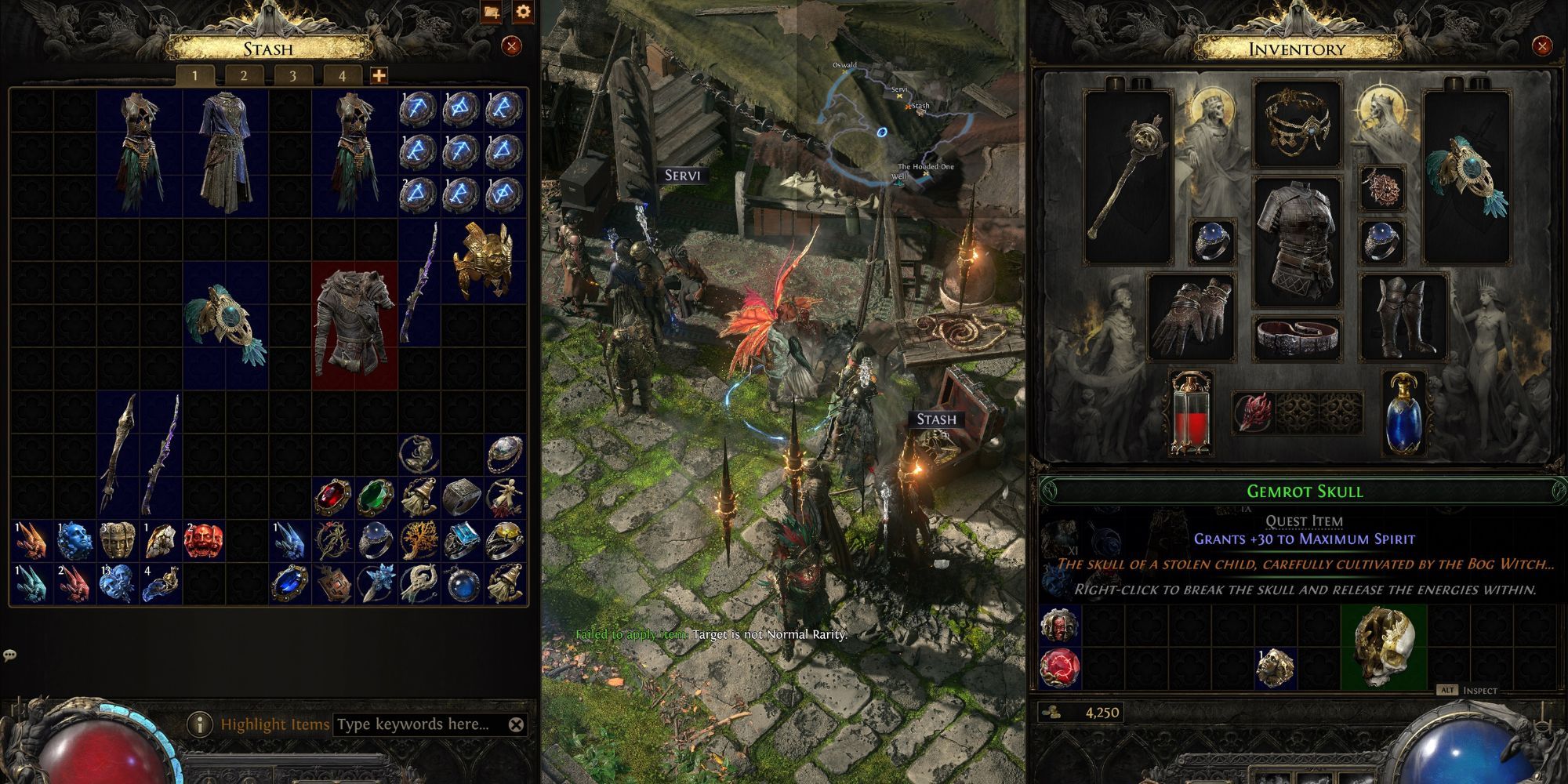
The Gemrot Skull is an item that you can right-click in your inventory to consume. Doing so will grant you 30 Spirit and an Uncut Spirit Gem, which you can use to get Buff Skill Gems.
Buffs are spells that run constantly in the background and can provide a whole host of different effects. Buffs do require Spirit to run, but thankfully, the Gemrot Skull provided you with some.
If you need more Spirit, there are a few other bosses you can defeat that will provide you with similar consumable items. The King in the Mists is an Act 1 boss that you can find in Freythorn that will also boost your Spirit.
Next
Path of Exile 2: How to Reset Passive Skills
Give yourself a fresh start.
Path of Exile II
Systems
Released December 1, 2024
ESRB M For Mature 17+ // Blood and Gore, Nudity, Violence
Published: February 14, 2025 at 2:39 pm Updated: February 14, 2025 at 2:39 pm
To improve your local-language experience, sometimes we employ an auto-translation plugin. Please note auto-translation may not be accurate, so read original article for precise information.
Wall Street Pepe Completes Presale, Projecting 10x Growth
Wall Street Pepe ($WEPE) has officially finished its presale, with expectations for a 10x return on its initial price. The token is scheduled to launch on exchanges at 2 PM UTC on Monday, February 17th. While the initial response is positive, some experts believe its potential might be limited unless it gets listed on major exchanges such as Binance.
Pepeto Aims for 100x Potential
Pepeto ($PEPETO) is positioning itself as a potential 100x performer. This is due to its resemblance to the widely popular Pepe token, along with rumors suggesting involvement from a former team member of Pepe. With its focus on utility and rapid momentum, analysts believe Pepeto is well-suited for listings on major platforms like Binance.
Pepeto’s Presale Raises Over $4 Million
Pepeto’s presale is still ongoing at a price of $0.000000110 per token and has already raised over $4 million. The project is generating significant buzz across social media platforms:
Instagram: 31.3K followers
X (Twitter): 18.1K followers
Telegram: 30.8K members
Key Factors Driving Analysts’ Interest in Pepeto
Staking Rewards: Pepeto offers an attractive 387% APY for long-term investors.
Successful Presale: Over $4 million raised, signaling strong community engagement.
Utility-Oriented Ecosystem:
PepetoSwap: A decentralized exchange with zero fees for meme coins.
DAO Governance: Giving the community the power to influence decisions.
Can Pepeto Outperform Wall Street Pepe on Binance?
While Wall Street Pepe is preparing for listings on exchanges like BingX, Gate.io, and MEXC, Pepeto’s successful presale and its ecosystem have sparked speculation about its potential Binance listing. The rumors about involvement from a former Pepe team member are intensifying market excitement, making Pepeto a strong contender for 100x growth in the upcoming market surge.
Official Links:
Website: pepeto.io
Twitter: x.com/Pepetocoin
Telegram: @pepeto_chann
Instagram: pepetocoin
YouTube: @Pepetocoin
Disclaimer
In line with the Trust Project guidelines, please note that the information provided on this page is not intended to be and should not be interpreted as legal, tax, investment, financial, or any other form of advice. It is important to only invest what you can afford to lose and to seek independent financial advice if you have any doubts. For further information, we suggest referring to the terms and conditions as well as the help and support pages provided by the issuer or advertiser. MetaversePost is committed to accurate, unbiased reporting, but market conditions are subject to change without notice.
About The Author
Gregory, a digital nomad hailing from Poland, is not only a financial analyst but also a valuable contributor to various online magazines. With a wealth of experience in the financial industry, his insights and expertise have earned him recognition in numerous publications. Utilising his spare time effectively, Gregory is currently dedicated to writing a book about cryptocurrency and blockchain.
More articles
Gregory, a digital nomad hailing from Poland, is not only a financial analyst but also a valuable contributor to various online magazines. With a wealth of experience in the financial industry, his insights and expertise have earned him recognition in numerous publications. Utilising his spare time effectively, Gregory is currently dedicated to writing a book about cryptocurrency and blockchain.
Published: February 14, 2025 at 1:00 pm Updated: February 14, 2025 at 3:18 am
by Ana
Edited and fact-checked:
February 14, 2025 at 1:00 pm
To improve your local-language experience, sometimes we employ an auto-translation plugin. Please note auto-translation may not be accurate, so read original article for precise information.
In Brief
Gate.io introduces an overview of its futures trading AI tools–smart support and resistance lines, AI Crypto Picker, and Ultra AI Trading Bot–as the integration of AI and Web3 transforms the financial sector.
Cryptocurrency exchange Gate.io has released an analysis of its futures trading AI tools, highlighting technological innovations as the integration of AI and Web3 technology increasingly drives transformation in the financial sector.
In the Web3 space, contract trading—an essential application of blockchain technology—is encountering opportunities and challenges. This form of trading is marked by high volatility and data intensity, which can make traders vulnerable to various issues when navigating complex and fluctuating markets. These challenges include emotional decision-making, delayed strategies, inadequate risk management, and more.
However, the rise of AI technology presents promising solutions to these obstacles. AI’s ability to process vast amounts of data in real-time, combined with pattern recognition and probability forecasting, allows for more accurate and informed contract trading decisions. Key benefits of AI in contract trading include real-time data processing, which helps alleviate information overload, pattern recognition to identify market opportunities, and probability forecasting to support strategy development, among other advantages.
In contract trading, support and resistance lines are fundamental technical analysis tools used to identify price reversal and breakout points. However, traditional support and resistance lines require traders to manually draw them, which can be time-consuming, labor-intensive, and often imprecise.
As a leading cryptocurrency trading platform, Gate.io has introduced Smart Support & Resistance Lines, marking an advancement in AI-driven precision trading.
By combining advanced AI algorithms with the BOLL20 indicator, Smart Support & Resistance Lines can accurately identify key market levels, enabling users to quickly assess potential price ranges. This provides valuable data for setting effective stop-loss and take-profit points, ultimately optimizing trading strategies. This innovation boosts trading efficiency and reduces risks. With Smart Support & Resistance Lines, users can monitor crucial market levels in real-time, allowing them to capitalize on trading opportunities more effectively.
Selecting the right cryptocurrency is crucial for successful trading. However, with the vast array of tokens and complex market data, investors often find it challenging to make informed decisions.
To help with this, the Gate.io app has introduced two new powerful modules in its “Opportunities” section: AI Crypto Picker and the Fear & Greed Index.
The Fear & Greed Index is a real-time sentiment analysis tool that reflects market emotions, including fear, greed, and neutrality. By tracking sentiment changes, users can quickly understand the overall mood of the market and make more rational, data-driven decisions. This feature serves as an intuitive guide to market sentiment, helping users remain calm during volatile periods and avoid emotional trading mistakes.
Meanwhile, the AI Crypto Picker, powered by advanced AI algorithms and a variety of technical indicators, helps identify cryptocurrencies with high growth potential. It provides in-depth market analysis and intelligent trading recommendations by evaluating factors like sustained price increases, fluctuations in trading volume, short-term bullish trends, and market sentiment. This tool assists users in spotting potential investment opportunities and creating optimal strategies based on objective data.
In contract trading, developing and executing strategies is essential for success. However, traditional strategies are often influenced by human emotions, which can reduce the accuracy and effectiveness of trading decisions. To address this, Gate.io has fully optimized and upgraded its Ultra AI Trading Bot, designed to provide more efficient and intelligent strategy support.
The Ultra AI Trading Bot assists users in creating precise and reliable strategies through AI-driven backtesting and market data analysis. It offers objective market insights and automatically generates tailored strategies based on current market conditions. Users can choose from three distinct strategy types: High-Yield, Stable Growth, and Asset Accumulation.
The Ultra AI Trading Bot is user-friendly—simply select a strategy, input the investment amount, and the bot takes care of the rest. This streamlined process makes efficient trading more accessible to a broader audience. The launch of the Ultra AI Trading Bot represents a step forward for Gate.io in intelligent trading, setting new standards for efficiency, accuracy, and innovation.
Web3 And AI Integration: The ‘Smart Brain’ Of The Decentralized Future
As AI technology advances, its integration with Web3 is progressing in various directions, with a particular focus on the synergy between on-chain data and AI training. In the Web3 space, applications like DeFi protocols and NFT trading generate large volumes of on-chain data, which is not only highly transparent and immutable but also serves as valuable input for training AI models.
By utilizing on-chain data to develop domain-specific large models, AI can better analyze and predict market trends. For example, AI can study data from Uniswap’s liquidity pools to predict price slippage and optimize trading routes. Training AI with on-chain data enhances trading efficiency, reduces transaction costs, and ultimately improves the user experience.
In DAO governance, AI shows great promise as well. By examining historical proposals and voting patterns, AI can provide governance recommendations that enhance both efficiency and transparency. Platforms like Aragon have already integrated AI governance assistants, offering data-driven support for DAO decision-making through intelligent analysis and forecasting.
Privacy computing breakthroughs are another vital aspect of AI and Web3 integration. Using technologies such as federated learning and zero-knowledge proofs (ZKPs), AI models can be trained without exposing user data, allowing for data to be “usable but invisible.” This addresses the tension between AI model training and Web3 privacy concerns, creating a more secure and privacy-focused environment for decentralized applications.
The seamless integration of AI and Web3 will open up many innovative possibilities for the decentralized finance (DeFi) ecosystem. In the derivatives market, AI-powered volatility forecasting and the issuance of structured derivatives will become achievable. By combining oracle data with AI technology, market participants can predict market fluctuations with greater accuracy, enabling the design of derivatives that better meet market demands.
In DeFi protocols, AI’s real-time adaptability will improve capital efficiency and risk management. AI can dynamically adjust lending rates and liquidation thresholds based on changing market conditions, optimizing capital use while minimizing systemic risks within DeFi protocols.
Personalized wealth management stands out as one of the most promising applications of AI-Web3 integration. By analyzing users’ on-chain activities and risk preferences, AI can create dynamic investment portfolios tailored to individual needs. This approach not only meets diverse user requirements but also improves asset allocation efficiency.
Ultimately, the fusion of AI and Web3 will transform financial ecosystems, making them more adaptive, intelligent, and user-centered in the decentralized future.
Disclaimer
In line with the Trust Project guidelines, please note that the information provided on this page is not intended to be and should not be interpreted as legal, tax, investment, financial, or any other form of advice. It is important to only invest what you can afford to lose and to seek independent financial advice if you have any doubts. For further information, we suggest referring to the terms and conditions as well as the help and support pages provided by the issuer or advertiser. MetaversePost is committed to accurate, unbiased reporting, but market conditions are subject to change without notice.
About The Author
Alisa, a dedicated journalist at the MPost, specializes in cryptocurrency, zero-knowledge proofs, investments, and the expansive realm of Web3. With a keen eye for emerging trends and technologies, she delivers comprehensive coverage to inform and engage readers in the ever-evolving landscape of digital finance.
More articles
Alisa Davidson
Alisa, a dedicated journalist at the MPost, specializes in cryptocurrency, zero-knowledge proofs, investments, and the expansive realm of Web3. With a keen eye for emerging trends and technologies, she delivers comprehensive coverage to inform and engage readers in the ever-evolving landscape of digital finance.
The death of Liam Payne left Simon Cowell in pieces, his pal Sinitta has revealed, with the star declaring that the One Direction boys were “like his babies”.
The group shot to fame on Simon’s show The X Factor in 2010. At the singer’s funeral, Simon was seen in floods of tears, being consoled by Liam’s devastated parents.
Now, the music mogul’s close friend Sinitta has shared just how heartbroken Simon was when he heard about Liam’s death.
Liam Payne fell to his death in October (Credit: Splash News)
Simon Cowell inconsolable over death of Liam Payne
Speaking on the Nicky Byrne HQ podcast, Sinitta revealed: “He was absolutely devastated. I spoke to Simon, obviously it was a private conversation, but he usually contains his emotions, he’s quite stoic isn’t he. But he was absolutely gone.
“Just holding the phone, he was just sobbing. It’s the first time in my life I thought, well we normally come to you when we don’t know what to do. But he was absolutely devastated.”
Speaking about his bond with the 1D boys, Sinitta added: “They were like his babies. He went on this journey with them, he was part of it – he was almost the sixth member.”
Simon was seen breaking down with Liam’s parents at his funeral (Credit: Splash News)
‘Unfair to blame Simon’
On Simon being blamed for his death, she added: “I think it was a bit unfair because some people were blaming him, saying he should have done something but even though he was very young, he was still a grown man and in charge of his own life. You can’t bubble wrap everyone.”
She then continued: It was just the saddest, most awful thing. His poor parents and family. It’s the worst phone call you never want to get.”
Simon Cowell was blamed by some for Liam’s death (Credit: Splash News)
‘Being a pop star was in his bones’
Sinitta also said she believes it’s wrong to say fame brought so many negatives into Liam’s life.
“He knew he wanted to be a pop star – it was in his bones,” she said. “People blame a lot of it on his success, you know, ‘if he hadn’t been a big pop star…’.
“But then if you rewind and try and erase that part, you’re erasing everything else as well. You’re erasing Bear, you can’t do that.
“But of course you would trade it, just to have him at home playing football in the garden – no fame, no money,” she then added sadly.
Read more: Liam Payne’s ultimatum to ex over terminating pregnancy
Share your thoughts on our Facebook page @EntertainmentDailyFix.
Kim Kardashian has seemed to shed light on her divorce from Kanye West, whom she officially split from in 2022. The pair had been married for eight years.
Now, as headlines swirl over whether Kanye and his wife Bianca Censori are separating, Kim has hinted at what really went down between her and the rapper.
Kim Kardashian opened up about her past relationship on The Kardashians (Credit: GQ / Youtube)
Kim Kardashian discusses divorce with Kanye West
During the February 13 episode of the The Kardashians, the Skims founder chatted with her mum Kris Jenner and her younger sister Khloe Kardashian about Khloe’s awkward reunion with ex-husband Lamar Odom.
Khloe has endured her own marriage struggles previously and after tying the knot with basketball star Lamar Odom in 2009 after just one month of dating, the pair split four years later.
Khloe discussed her marriage with Lamar Odom (Credit: Youtube)
Discussing her split, Khloe explained: “That was the love of my life. And if it wasn’t for drugs, I know we would still be married ’til today. I know I picked the right person at that time.
“None of us knew he was on drugs until it was at least a year in. That’s what was so terrifying.”
Khloe also admitted she “got married way too quickly.”
Lamar and Khloe’s relationship broke down as the star struggled with addiction and infidelity.
It was here that Kim chimed in and admitted that she related to Khloe’s distress in the breakdown of her own marriage. Although she didn’t say whether she was alluding to her marriage with Kanye, it was clear that was the case.
Especially as she acknowledged being unable to live with the musician, an issue that the fashion mogul previously shared on the show when she and Kanye were living in separate states.
Kim and Kanye shared four children (Credit: Lumeimages / SplashNews.com)
Kim Kardashian details ‘hardest part’ amid split from Kanye West
She said: “That’s the hardest part. I’ve been there. When you don’t foresee something happening that really changes a person’s personality and then they’re not the same person and you can’t ever get that person back, but you can’t live with the new person. I get it.”
Later in the episode, Kim mused: “It’s tougher when you don’t want your marriage to end off of personal reasons but circumstances change that force your marriage to end.
“When you weren’t planning on that and that’s not really the outcome you want but there’s no other option, I think it makes it harder to get over.”
Kim had previously tearfully admitted on reality TV that she “she couldn’t do it anymore,” referring to her marriage with Kanye.
She went on to describe how the star would up and leave her for years to live in another state, due to drastic changes in what he wanted to do in his own life.
Kim broke down at the time and admitted that due to their split she felt like a “[bleep] failure.”
Kim’s reflective comments on her split from Kanye come days after the rapper posted a string of homophobic, antisemitic, and misogynistic messages online.
Kanye West rumoured to be separating from wife Bianca Censori
In the past couple of days Kanye and his wife Bianca Censori have also been facing headlines claiming they are heading to divorce.
Kanye has since been forced to respond to the rumours.
The Independent reported that Kanye’s representative Milo Yiannopolous claimed on his behalf: “Ye and Bianca are in Los Angeles, about to enjoy Valentine’s Day together.
“Announcements about their private life will come from them directly, not unsourced rumour in the tabloid press.”
He added: “Is this the fifth or is it the sixth time the press has wrongly reported that Ye and Bianca are separating? I’ve lost track.”
Read more: Kanye West forced to issue statement following Bianca Censori divorce claims
So, what do you think? Are you a Kanye West fan? Let us know by leaving a comment on our Facebook page @EntertainmentDailyFix.
Emily loves to write about the latest trending news, whether it’s reality TV chaos or Royal drama. She also has a passion for translating editorial content into share-worthy social media posts after spending two years as a social media manager and marketing executive.
The much-awaited unbox date for NFT Legends Season is finally here. Mark your calendars for February 16, 2025, at 12 PM UTC. This is your chance to join an exciting celebration of NFT pioneers with Mint Blockchain. NFT Legends Season promises rewards, surprises, and a journey that honors the legacy of those who shaped the NFT ecosystem.
NFT Legends Season is more than just an event. It’s a tribute to the contributors, creators, and OGs who helped build the NFT space. To honor these legends, Mint Blockchain is dedicating 1% of its total $MINT supply to express gratitude. This season stands as the biggest prelude to Mint’s highly anticipated airdrop event, where the entire rollout of $MINT rewards will take place in Q1 2025.
The Massive $MINT Airdrop
Mint Blockchain is hosting one of the largest $MINT airdrops to date. With a total supply of 1 billion $MINT tokens, 12% has been allocated for rewarding the community. Out of this, 1%—equivalent to 10,000,000 $MINT tokens—is reserved exclusively for NFT Legends Season participants. With this initiative, we are really trying to honor those who have contributed significantly to the development of the NFT sector. Looking back on the past and anticipating the future is exciting at this time.
Source: Mint
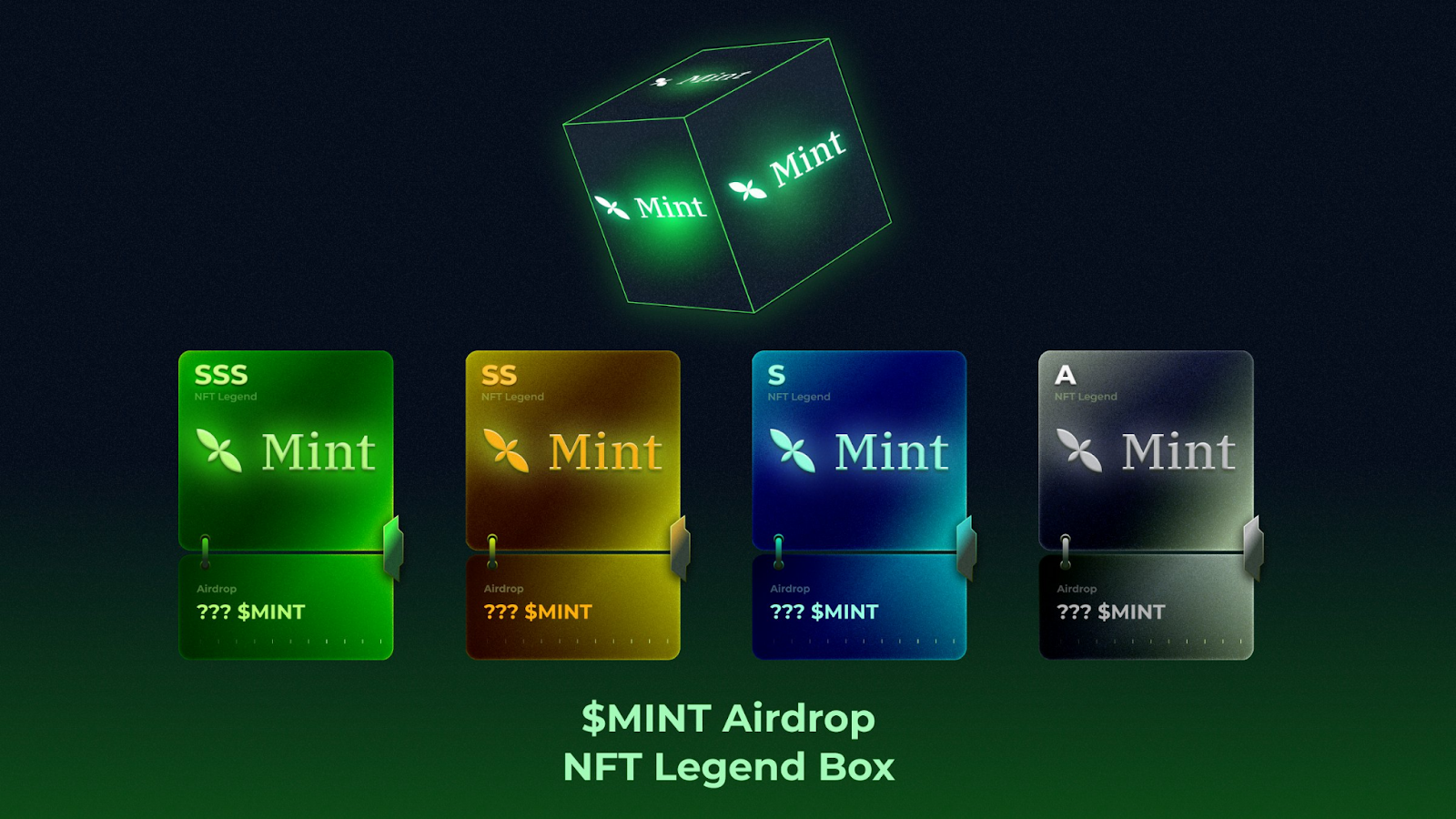
During NFT Legends Season, the NFT Legend Box is the main draw. These boxes represent an event that is both exciting and promising, and they are more than just awards. The claiming period is January 2–February 15, 2025. Participants can pick up their boxes by visiting Mint’s official website. Once claimed, each box acts as a ticket to a prize draw for $MINT tokens.
Source: Mint
Every box holds one of four NFT Legend Card tiers:
A: Standard
S: Premium
SS: Rare
SSS: Legendary
Higher-tier cards come with higher token rewards. The thrill of discovering what lies inside makes the unboxing experience unforgettable.
Timeline for NFT Legends Season
Here is all the information you require regarding the timeline:
Claim Period (Jan 2 – Feb 15, 2025): On Mint’s website, players can pick up their NFT Legend Boxes.
Unbox Period (Feb 16, 2025): When you open your boxes, you may check the gifts inside and discover your NFT Legend Card tier.
Mint Airdrop and TGE (Q1 2025): Participant distribution of $MINT tokens will mark the beginning of a new era for Mint and the NFT community.
The goal of NFT Legends Season is to commemorate those who laid the groundwork for the NFT area, not merely to give out prizes. By taking part, you join a celebration that combines community, creativity, and history.
Get ready to claim your box, unbox incredible rewards, and join the largest NFT airdrop event yet. Together, we’ll shape the future of NFTs with Mint Blockchain.
The network test for Elden Ring Nightreign gives you (potentially) a chance to journey back to The Lands Between and experience what a fast-paced multiplayer Soulslike can feel like. There are five sessions for the test during the weekend of Friday, Feb. 14th.
Developers FromSoftware described the network test as a “preliminary verification” where selected users will get to play a portion of the game before its launch on PlayStation 5 and Xbox Series X on May 30. As the developers put it, the test will verify “Various technical verifications of online systems will be examined by large-scale network load tests.” In other words, this step will be an important stress test to make sure the online elements are all up to speed.
Here’s the Elden Ring Nightreign network test schedule in your time zone, plus details about accessing the test. And for more about how the game plays, don’t miss Polygon’s Elden Ring Nightreign preview.
Can you still get into the Elden Ring Nightreign network test?
If you want to sign up for the network test and haven’t done so already, there’s some bad news: Registration closed for the test back in January. And as of this writing, publisher Bandai Namco has not announced anything along the lines of a second test or open beta.
However, if you’re among the lucky ones who get to try the game this weekend, we’ve got you covered. Below, see all the dates and times for all five sessions of Elden Ring Nightreign network test.
Elden Ring Nightreign network test schedule in your time zone
The development team originally said the Elden Ring Nightreign network test would have five different sessions. However, game server issues affected those who logged on for the first network test, and the developer said on social media that it’s considering adding a sixth session. If the developers add any additional network tests, Polygon will update the post with the most up-to-date information.
Each network test session lasts only a few hours. If a specific session branches two days in a time zone because it happens so late, we’ve listed the date that the session starts. Given that, here is every session with the times listed in several time zones.
Update (Feb. 14): This article was updated to include an update from the developers following the first network test.