Gaming

Home Gaming Page 45

How to Get a Backpack in Hytale

0
How to Get a Backpack in Hytale


Exploring the big world and its various biomes in Hytale will let players pick all sorts of materials, resources, tools, and gear items. The inventory space can fill up easily, which can slow down the overall progress, as the player will have to either store some items at the base or drop them. Fortunately, the game has a Backpack that offers nine slots initially. Moreover, the Backpack can be upgraded two times, increasing the overall capacity of the Backpack. In this guide, we will tell you how to get a backpack in Hytale.

How to Get a Backpack in Hytale

A backpack is one of the Tinkering tools in Hytale. The players can craft the backpack at a Tier 1 Workbench. Interact with the Workbench and navigate to the Tinkering tab to find the recipe for “Unlock Backpack”.

Craft the backpack using the following materials.

8x Iron Ingot: Craft at a Furnace using Iron Ores.

8x Medium Leather: Craft at a Tanning Rack using Medium Hide.

Once you have the backpack, place it in one of the hot slots. After that, press the corresponding number key to equip the backpack and then press RMB to use it. Using the backpack will unlock a new “Backpack” tab in your inventory. Initially, the Backpack will offer 9 slots. You can place any item in these slots, and these slots are independent from the regular inventory slots.

How to Upgrade the Backpack to Increase Space

Backpack Upgrade I

In addition to unlocking a backpack, the players can upgrade it two times to increase its maximum capacity. For the Backpack Upgrade I, the players must have a Tier 2 Workbench. It will require you to deposit the following materials for the tier upgrade.

30x Copper Ingot: Craft at the Furnace using Copper Ores.

20x Iron ingot: Craft at the Furnace using Iron Ores.

20x Linen Scrap: Drop from the zombies.

After the workbench tier upgrade, players can craft the first backpack upgrade from the Tinkering tab. It will require the following materials for the Backpack Upgrade I.

40x Cindercloth Scraps: Drop from the enemies in the Volcanic biome.

8x Cobalt Ingot: Craft at the furnace using the Cobalt Ores.

24x Heavy Leather: Craft at the Tanning Rack using the Heavy Hide.

Upon getting the upgrade, you need to use it the same way you used the backpack. Equip it and press RMB to apply the upgrade. It will double the slots, making them 18.

Backpack Upgrade II

For the second and final backpack upgrade, the players must have a Tier 3 Workbench. Moreover, it will require the players to gather 100 Memories. After fulfilling the requirements, they will be able to craft the Backpack Upgrade II at the workbench. Here are the crafting materials necessary for Backpack Upgrade II.

1x Voidheart: Drop from the void enemies in the night.

8x Adamantite Ingot: Craft at the Furnace using Adamantite Ores.

16x Storm Leather: It is currently unavailable in Adventure Mode. You can get it using console commands or in creative mode.

After getting the Backpack Upgrade II, use it to increase the maximum backpack capacity to 27 slots.


Source link

From Project Zomboid modders – the survival-horror Dandelion Void will have multiplayer

0
From Project Zomboid modders – the survival-horror Dandelion Void will have multiplayer


Now I’m even more interested in Dandelion Void! It looks like Project Zomboid in space with plant-based horrors and now it will get multiplayer. They originally announced it as a single-player experience last year but in the latest update they’ve confirmed the team has scaled-up, and so they can bring out a much bigger game as a result.

What actually is it? An open-world survival game set aboard the starship Pergola, what was supposed to be a generations-long voyage to a new planet for a fresh start. Something clearly went wrong a very long time ago, and the jungle has somehow taken over — and, it’s all alive.

MrAtomicDuck recently put up a a new video, which includes “footage of never-before-seen features, enemies, and hazards” the developers noted. Have a look below:

In the update the developers did a small FAQ on how multiplayer will work:

How will adding multiplayer affect the game’s development?

Adding multiplayer is no small task. Very soon, the multiplayer conversion will be the full-time focus of our entire engineering team. We have given this task a generous amount of room in our schedule to reflect its complexity.

During this period, these devlogs will be a little lighter on gameplay features. But we will still have plenty of treats to show you from the art side!

How will multiplayer be hosted?

Our plan is to have player hosted, peer-to-peer multiplayer.

How many simultaneous players will be supported?

The exact number will depend on a number of technical questions that we are in the process of answering, but we hope to support as many as possible while still maintaining a stable and well-balanced game experience.

Will couch co-op be Supported?

While we love us some couch co-op, we don’t think it’s a proper fit for the gameplay we are pursuing, and it would be a big technical lift for developers (and future modders) compared to a relatively small number of players taking advantage of the feature. We won’t stop you from setting up a proper LAN party though!

Will Multiplayer be co-op or PvP?

Like many survival-crafting games, co-op is our main focus for multiplayer. You and your friends can work together to build bases, scrub areas of harmful vegetation, and cover each others’ backs in combat!

PvP will exist in the sense that your attacks can hurt and kill other players, but it will not be a major design focus for us. We believe a big part of survival is co-operation, and we’d like to explore mechanical incentives and rewards for players banding together against the hazardous environment of Dandelion Void.

Very keen to see a lot more of this.

Platform: ⚛ Proton / Wine

Article taken from GamingOnLinux.com.


Source link

6 Best JRPGs with Both Real Time and Turn-Based Combat

0
6 Best JRPGs with Both Real Time and Turn-Based Combat


The JRPG genre is pretty stacked, having some of the best games ever made. Within this genre, games are either turn-based or real time combat, but they are rarely both. However, there are a handful of games that have figured out unique ways to blend real time and turn-based combat into one adventure, making for some unforgettable moments.

Including both real time and turn-based combat into one game is no easy feat, as they are essentially completely different from one another and don’t feel remotely similar. Turn-based is when you select abilities and actions from a menu while the enemy waits for you to do so, and real time is attacking enemies who are also attacking you in fast-paced action. They are completely different.

Related

8 Most Revolutionary JRPGs Every Fan Needs to Experience

These are games for those who want to dig deeper into the genre.

Surprisingly, there are some games that managed to make it work and combine the two combat systems for exciting action that requires strategy. Here are the six best JRPGs with both real time and turn-based combat.

6

Final Fantasy XII: The Zodiac Age

Wait Mode Adds Turn-Based

Final Fantasy 12 The Zodiac Age

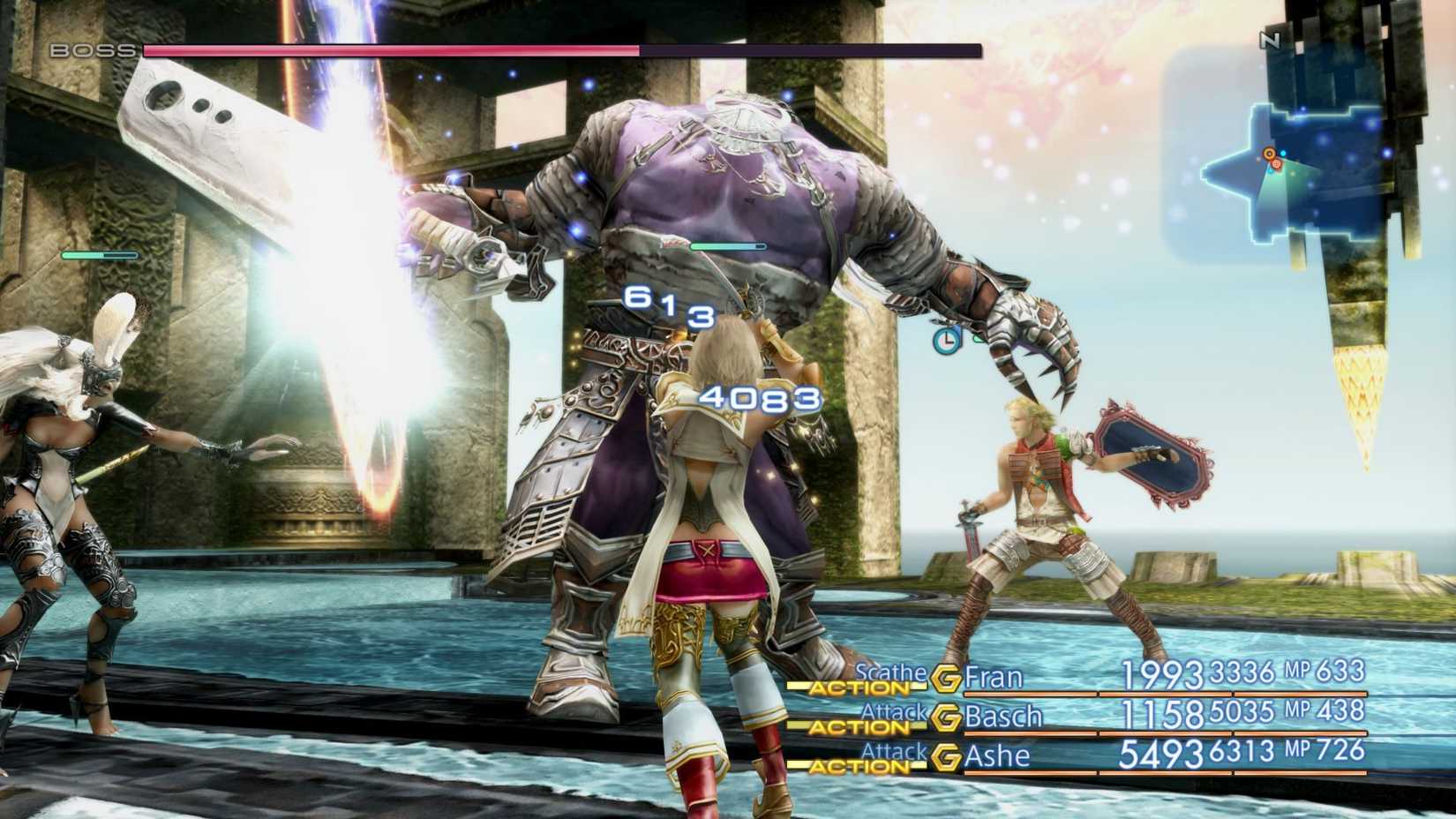
Final Fantasy XII: The Zodiac Age features a unique fusion of real time and turn-based combat. Similar to the Final Fantasy VII Remakes, FF12 combat is primarily in real time, but abilities and other actions can be selected from a turn-based style menu. While selecting actions in FF12 doesn’t completely stop the combat by default, the game does offer a “Wait” mode, which allows you to completely pause the game when selecting your next move. This essentially turns the game into a blend of real time, where you position yourself on the field to avoid danger and attack, and turn-based when selecting abilities, healing, etc.

I highly suggest playing Final Fantasy XII: The Zodiac Age with the Wait mode active, especially if this is your first time playing. The game is no cakewalk, and it can become overwhelming, so the ability to pause when selecting actions gives you more time to think and strategize in the heat of battle. The game also offers the unique Gambit System, which essentially helps players perform better during real time combat. The Gambit System makes each party member automatically complete an action if certain conditions are met. For example, if your character reaches below 30 percent health, then they will automatically use a potion.

5

Like a Dragon: Infinite Wealth

Dragon’s Resurgence

Like a Dragon Infinite Wealth

The main form of combat in Like a Dragon: Infinite Wealth is turn based, but players can access real time combat once they reach Chapter 8. Reaching this point in the game will unlock a Brawler-like mode, called “Dragon’s Resurgence”, which allows Kiryu to fight in real time instead of turn-based. When activating Dragon’s Resurgence, a large meter appears at the top of the screen that slowly starts depleting. Players can remain fighting in real time for as long as it takes for the meter to reach zero.

Even after unlocking real time combat, you won’t be using it too much, and it isn’t as important compared to the other games on this list. However, it’s nice to have it as an option as it helps keep combat fresh, which is important in a game that is extremely lengthy like Infinite Wealth. Being able to break from the turn-based combat and switch to real time to unleash a series of fist attacks on groups of enemies is very satisfying and makes you feel like an unstoppable beast. I just wish Dragon’s Resurgence lasted longer as it only lasts about 20.

4

Trails in the Sky 1st Chapter

Seamless Transition

Trails in the Sky First Chapter

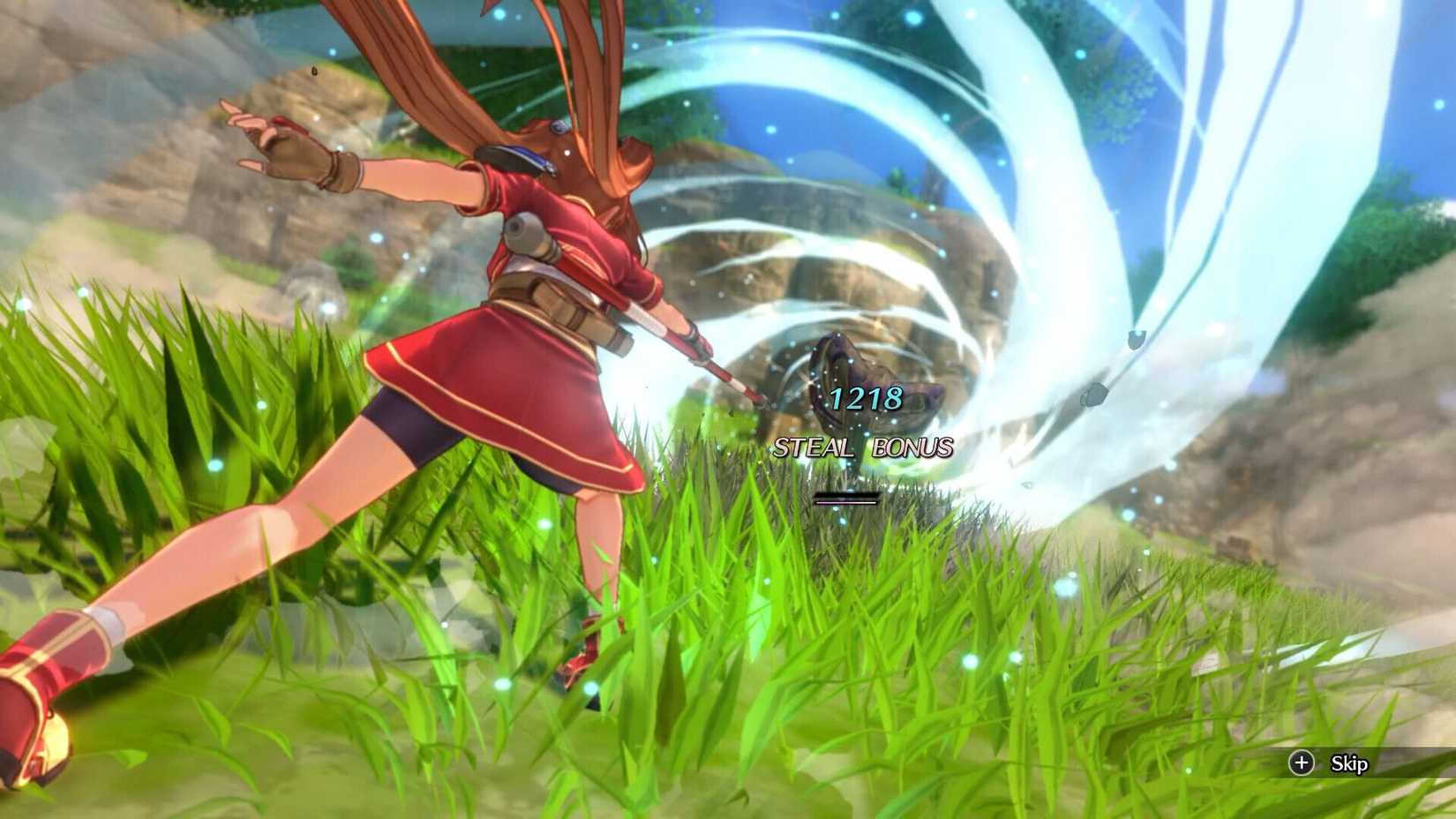
Out of all the games on this list, Trails in the Sky 1st Chapter probably features the most seamless blend of real time and turn-based combat. Players will engage in real-time combat primarily during dungeon and field exploration, but can switch to turn based in an instant with the press of a button. It’s important to switch between the two, especially after stunning enemies in real time combat, as it leads to maximized damage output and taking advantage away from your opponent. While this combination of both combat types is crucial in dungeons, boss fights are only completed in turn-based fashion.

10 JRPGs That Don't Feel At All Like Anime

Related

10 JRPGs That Don’t Feel At All Like Anime

Just because they’re RPGs inspired by Japanese culture doesn’t mean they automatically have anime aesthetics.

The greatest part about the combat in Trails in the Sky 1st Chapter is that both real time and turn-based are complex, incredibly fun to learn, and feel completely different than one another. In other words, players are essentially getting two completely different combat systems in one game, making this remake well worth its price point. This isn’t the only Trails game to blend two combat systems in such a seamless way, either. The recent Trails Beyond the Horizon did a fantastic job at it as well, so I recommend checking that out too.

Quick and Easy Grinding

Metaphor ReFantazio

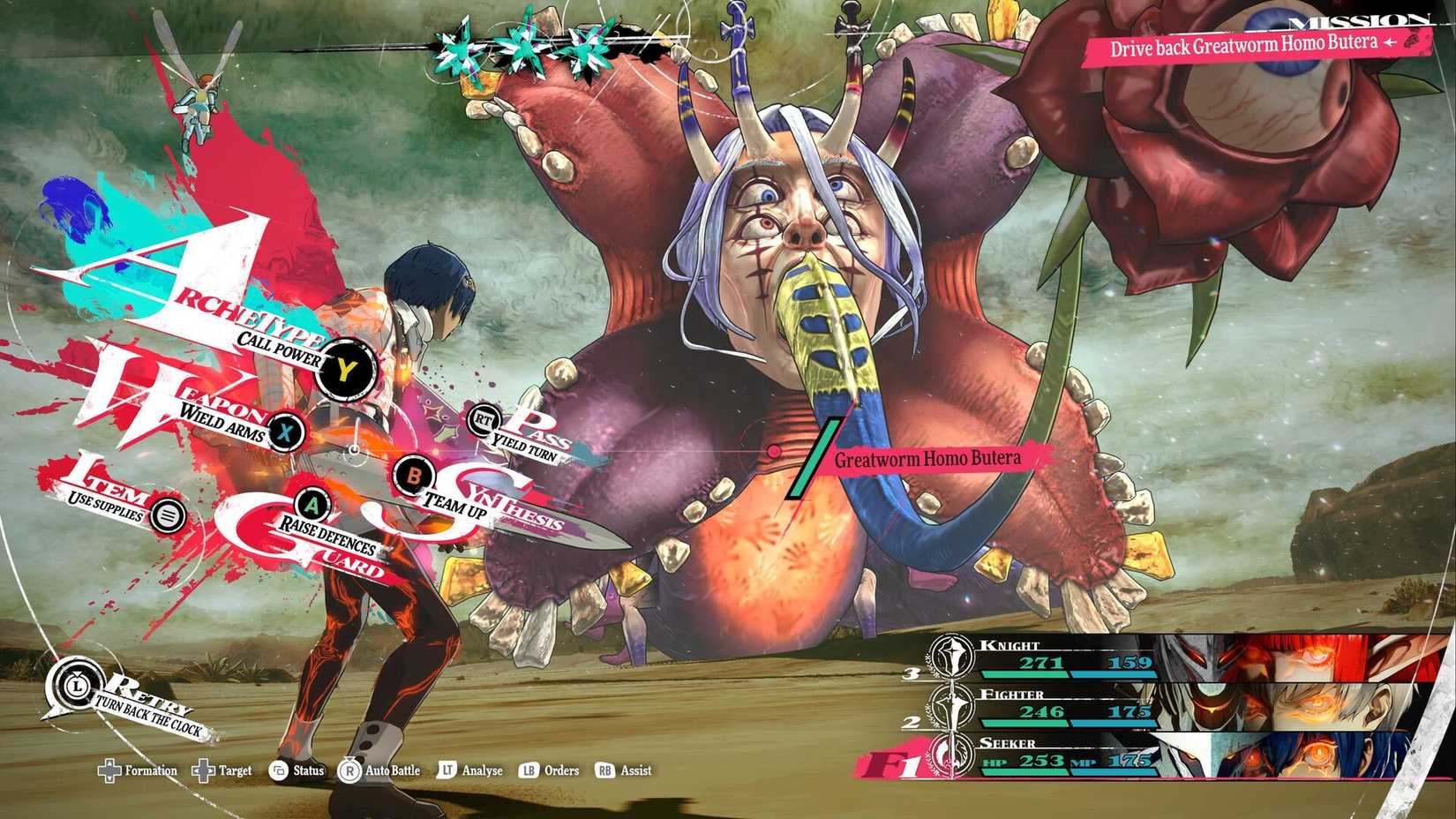
Metaphor ReFantazio is Atlus’ newest IP, and unlike the Persona series, it includes both real time and turn-based combat. While most of your playthrough will be played turn-based, especially against major bosses and elite enemies, players have the opportunity to fight weaker enemies with real-time action. While the real time combat is fairly simple, only consisting of standard attacks, it is a great way to grind for experience points and quickly acquire tons of items from defeated enemies. This system made grinding feel less like a chore and more exciting.

Also, considering that the turn-based combat of Metaphor: ReFantazio requires a ton of skill and strategy, having a change of pace for smaller enemies is refreshing and prevents the game from becoming stale or too frustrating. The worst part about the Persona series was having to fight every single battle in turn-based, especially when it’s against an easy enemy that you know won’t reward much XP or valuable items. This simple change in Metaphor: ReFantazio is the sole reason why I like it a bit more than other Atlus games.

2

Final Fantasy VII Rebirth

Active Time Battle

Final Fantasy 7 Rebirth

Final Fantasy 7 Rebirth primarily uses real time combat, but it also features a form of turn-based through its unique ATB system. ATB, otherwise known as Active Time Battle, utilizes a gauge that fills up when attacking enemies in real time. Once the gauge is filled, the ATB menu allows players to slow down time in combat to select specific abilities, skills, items, etc. While this isn’t necessarily considered turn-based in the traditional sense, it definitely still feels like it as you’ll constantly be opening the action menu to select your next move. It requires a ton of strategy and is incredibly satisfying to master.

For players who feel that Rebirth didn’t have enough turn-based mechanics, you can select the classic mode difficulty, which automates the real time action. This makes it so players don’t have to manually attack to fill up the ATB gauge, and instead, the computer does it for you. This will make the combat feel even more turn-based, as all you need to focus on is opening the ATB menu and selecting the attack you want to execute. All in all, the combat system in Final Fantasy 7 Rebirth is the perfect blend of real time and turn-based, making it one of the best JRPGs to date.

1

Grandia HD Remaster

Such a Classic

Grandia Remaster

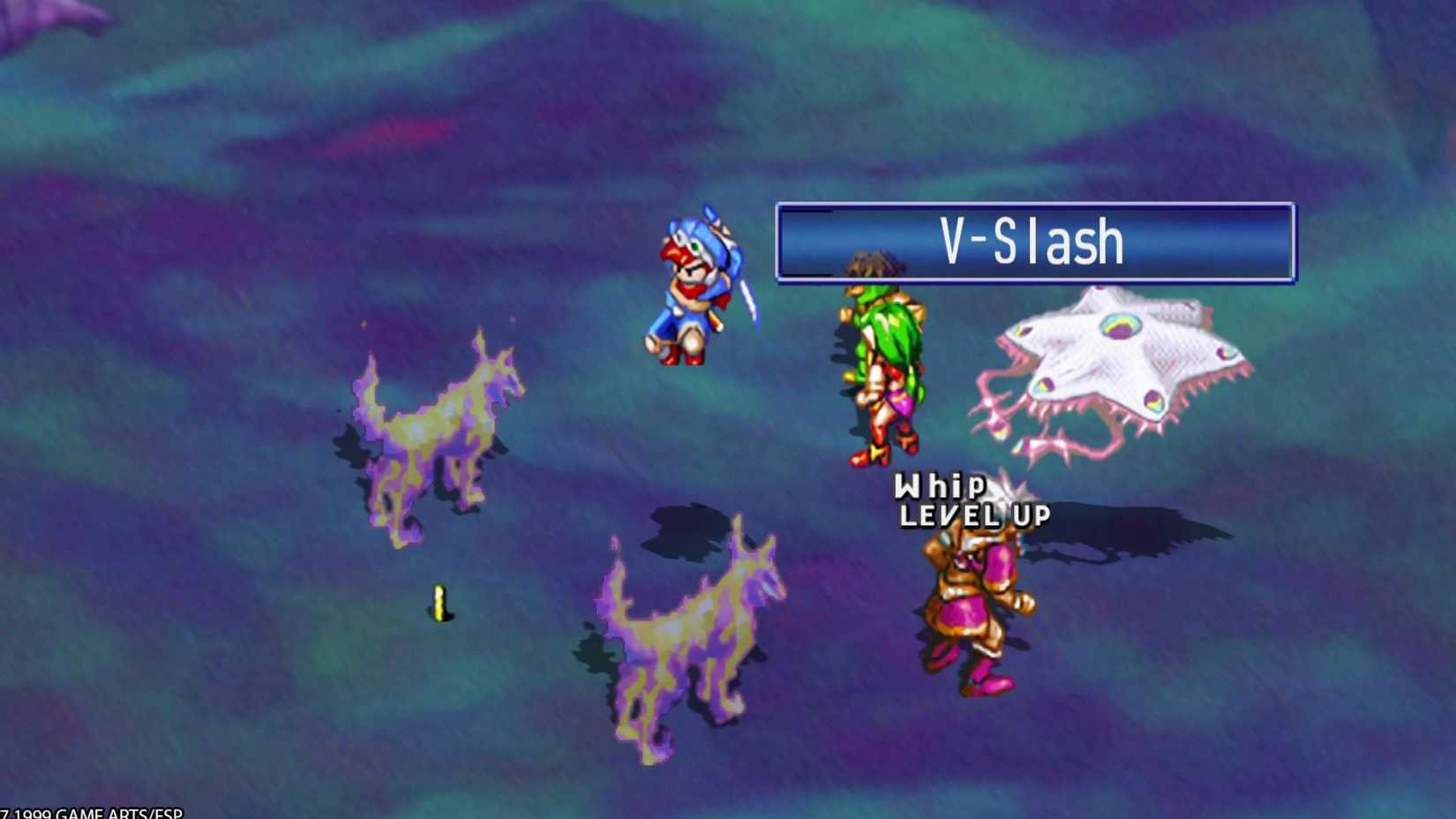
While players may think that combining real time and turn-based combat systems is a modern idea, there are actually some classics out there that adopted the idea. For example, the PlayStation 1 hit, Grandia, found a way to make it happen. Grandia has a unique blend of real time and turn-based combat through its IP Bar mechanic, otherwise known as Initiative Point Bar.

The way this system works is all character icons appear in a line on the bottom right side of the screen with the words “COM” and “ACT.” When a character icon reaches COM, the game pauses and you select an action. Once you select an action for a character, such as ability, attack, etc., they then have a waiting period until their icon reaches ACT, which will then execute the action you selected.

This happens in real time for all party members and enemies too. In other words, all characters are moving around the battlefield simultaneously, completing actions once their icon reaches the end of the IP Bar. So, instead of selecting an action during a turn and executing it immediately like traditional turn-based games, there’s a real time element to it all. This unique system makes combat encounters more cinematic, as there is more movement happening on the battlefield as everyone is completing an action back to back.

JRPGs For People That Hate JRPGs

Next

10 Best JRPGs For Non-JRPG Fans

JRPGs are an acquired taste for some, but these games are tasty no matter what.



Source link

Heartopia surprise launches on Steam and shockingly, everyone seems to be happy

0
Heartopia surprise launches on Steam and shockingly, everyone seems to be happy


Heartopia has officially arrived on Steam, only a little over a week after it launched on iOS and Android. When the game’s release date was announced back in December, developer XD said it was pushing back the Steam release without offering any hints about how long the delay was going to be.

While the game can be played on PC through TapTap, the developer’s own emulator, many had been anticipating the Steam launch. So you can imagine that when the free-to-play life sim game surprisingly showed up on Valve’s platform on Saturday, there were a lot of happy people.

Manage cookie settings

Heartopia’s Steam release has, much like mobile launch, been a success. We do know that the game reached the number one spot across app stores in over 50 countries, and though the Steam numbers may not be as record-breaking, everything is looking pretty good.

The game peaked at a decent 28,815 concurrent players (via SteamDB) on Steam one day after it launched, and considering how sticky it has been with the majority of those players so far – and the fact the launch itself was a surprise – there’s every chance those figures will improve over the course of this week as it picks up momentum.

Steam user reviews have similarly been quite positive, with the overall rating currently sitting at Mostly Positive, based on over 1,400 reviews.

Image credit: XD Games

You’re still need either a Google, Facebook, or Apple account to log into the game, same as you would on mobile. The Steam version does support cross-play with other platforms, so you’ll be able to play with your friends on mobile.

We’ve been playing a lot of Heartopia ourselves, and have been updating and expanding our guides. If you’re looking to get started, such as with how to add and play with friends, how to regain Energy, and how to unlock home plots, our guides offer the best place to start.

Once you’re past the initial hump, you’ll probably be looking for where to find things like mushrooms, bugs, fish, and birds, so definitely bookmark those, too. If you simply like free stuff, our Heartopia codes page is a must read before playing.


Source link

Tomorrow’s Battlefield 6 patch somehow makes jets more useless, improves armor bar visibility in Redsec

0
Tomorrow’s Battlefield 6 patch somehow makes jets more useless, improves armor bar visibility in Redsec


Battlefield 6’s promised, season-extending update has been officially detailed. The patch, version 1.1.3.5, arrives tomorrow, January 20 right when Season 1 was supposed to end. Part of the update’s goal is to extend the current season, until Season 2 kicks off in the middle of February.

Update 1.1.3.5 does, of course, have a change log of its own that goes beyond just the season’s extension, but the changes fall somewhere between not very exciting, and a bit puzzling.

Manage cookie settings

Patch 1.1.3.5 is, for all intents and purposes, a smaller update. When Battlefield Studios announced it earlier last week, the developer didn’t promise any major changes or fixes, so expectations never got out of hand.

The patch is mainly made up of bug fixes, but it does have three key areas of improvements to gameplay. There’s a big focus on melee combat, how responsive/unresponsive it is with the various melee tools, and how melee behaviour interacts with sprinting and other animations.

The end result should be faster attack speeds for the knife, and clearer wind-up animations for both the knife and the sledgehammer. The timing dictating when melee damage gets credited has also been made more consistent in different environments.

Interestingly, sprint is now only interrupted when the melee attack reaches its target. As it stands, sprinting is only interrupted after the full duration of the animation has been completed, which adds to the that perceived feeling of sluggishness.

Image credit: Battlefield Studios, EA.

The other major, and arguably most confusing is the nerf to jet cannons. The patch is going to make jets far less stronger against other air vehicles, requiring 40% more hits to destroy a target. This is puzzling because jets – and air vehicles in general – are already the least survivable in Battlefield 6.

And, considering how the rest of a jet’s arsenal is either situational or nearly ineffective, the cannons were really the one guaranteed way of downing other air vehicles, so long as you manage to land your shots consistently. While the change is wellmeaning, the percentage will likely be reduced in future patches.

Finally, the update makes a few refinements to UI across the game, though mainly aimed at Redsec and modes where players wear armor. Armor bar visibility has been improved, and there’s a fix for the annoying bug that sometimes caused the armor bar to disappear every few seconds.

Image credit: Battlefield Studios, EA.

Read on below for the 1.1.3.5 change log.

Vehicles

Fixed an issue where vehicles could explode when a takedown was performed on an enemy soldier lying on top of them.
Reduced jet cannon damage against other jets and helicopters, requiring approximately 40% more hits to destroy enemy air targets.

Weapons

Bipod attachments no longer display as always providing a hipfire accuracy bonus, as this bonus only applies while the bipod is deployed.
Fixed an issue where the GRIM 1.50x optic on the DB-12 cost fewer loadout points than intended (15 instead of 25).
Fixed an issue where the RPKM iron sights would shoot low when using the short barrel.
Fixed an issue where the TR-7 Light Barrel incorrectly improved muzzle velocity.
Fixed bipod mount input behaviour for Alternate, Lefty Alternate, Southpaw, and Legacy Southpaw presets so the bipod mount now follows the melee button.
Improved attack speed for knife melee attacks.
Improved buffering behaviour for knife and sledgehammer attacks.
Improved consistency of melee damage timing against enemies and the environment.
Improved consistency of recoil modifiers when using a controller across different weapons.
Improved how sprint is interrupted when performing melee attacks. Sprint is now only interrupted until the attack reaches its target, rather than for the full duration of the animation.
In the Firing Range, target dummies can now take damage while in the process of getting back up.
Shooting with a suppressor now emits a small muzzle flash when viewed from close range only.

Gadgets

Fixed an issue where the GDPIS was not destroyed when targeted by the XFGM-6D Recon Drone, Defibrillators, or the Repair Tool.
Fixed an issue where the Sniper Decoy did not properly hide scope glints from nearby snipers.

-Assault Ladder

Fixed an issue where ladders positioned above the player could not be entered.
Fixed an issue where soldiers could be launched unexpectedly when attempting to enter a ladder.
Improved the soldier animations while climbing ladders.

UI & HUD

Added a new option allowing players to customize the reticle colour inside weapon and gadget scopes.
Fixed an issue where home screen focus navigation could become locked to the bulletin.
Fixed cases where weapon menus displayed incorrect Reload Time stats for LMGs.
Soldier lightning improvements to the front-end
Improved front-end lighting to enhance the visual quality of soldier characters.
The Reticle Colour option now correctly updates reticle colours for Thermal Scopes and other supported gadgets.

VFX & Audio

Adjusted explosion particle effects by lowering the shockwave force.

Redsec

Fixed an issue where jump landing movement speed reduction behaved inconsistently in REDSEC compared to other multiplayer experiences.
Fixed an edge case in Gauntlet mode “Data Extraction” where the drone could disappear permanently if drives were deposited at the exact moment it landed.
Fixed an issue where the armor bar could disappear intermittently.
Fixed an issue where the Airburst Incendiary Launcher icon appeared as a grenade in the loot feed.
Fixed an issue where the armor bar could disappear after quickly editing a loadout.


Source link

Finally, a winners list that proves 2025 was bigger than one consensus favorite

0
Finally, a winners list that proves 2025 was bigger than one consensus favorite


Gaming’s awards season ain’t over yet (in fact, it’s not even close). And on Sunday night, the New York Videogame Critics Circle reminded onlookers why there can’t just be one definitive winners list in this town.

Clair Obscur: Expedition 33 snagged yet another Game of the Year trophy, but the full list of winners included titles like Blippo+, Ball x Pit, and Lumines Arise; the types of games you might only see on comprehensive best-of lists curated by the best minds of a generation (ahem).

No shade to Clair Obsur, which has unfortunately become the easy-to-roll-your-eyes-at villain of gaming’s inverted GOTY conversation. When the loudest, flashiest verdict lands first — The Game Awards looming in December like an Oscar night that forgot to wait its turn — the rest of the year becomes a kind of extended epilogue, a series of ceremonies deciding whether to affirm the obvious or zig where Geoff Keighley’s voting body already zagged.

Expedition 33 has turned that structure into a victory lap. Its nine-win sweep at The Game Awards, including Game of the Year, shattered records and cemented the debut RPG from Sandfall Interactive as the rare indie-adjacent production that flattened the field. As awards season grinds on through DICE, GDC, and beyond, the game remains the prohibitive favorite. The New York Game Awards couldn’t deny Expedition 33 the top prize — remember, it’s good! — but its voters weren’t ready to gift it a sweep either.

Here is the full list of this year’s 2025 New York Game Awards winners, which should frankly win their own award for Cheekiest Dad Joke Category Names:

Big Apple Award for Best Game of the Year

Clair Obscur: Expedition 33

Off Broadway Award for Best Indie Game

Blue Prince

Herman Melville Award for Best Writing in a Game

Blippo+

Statue of Liberty Award for Best World

Hades II

Tin Pan Alley Award for Best Music in a Game

South of Midnight

Great White Way Award for Best Acting in a Game

Jennifer English as Maelle in Clair Obscur: Expedition 33

Excelsior Award for Best NY Game

Ball x Pit

Coney Island Dreamland Award for Best AR/VR Game

Lumines Arise

Central Park Children’s Zoo Award for Best Kids Game

Donkey Kong Bananza

A-Train Award for Best Mobile Game

Is This Seat Taken?

High Line Award for Best Remake

The Elder Scrolls IV: Oblivion Remastered

Chumley’s Speakeasy Award for Best Hidden Gem

News Tower

NYC GWB Award for Best DLC

Lies of P: Overture

Knickerbocker Award for Best Games Journalism

People Make Games

Andrew Yoon Legend Award Recipient

The Pokémon Company


Source link

Ubisoft Randomly Gives Far Cry 3 A 60FPS Current-Gen Upgrade

0
Ubisoft Randomly Gives Far Cry 3 A 60FPS Current-Gen Upgrade


Despite all the company’s various issues and flaws, one thing Ubisoft does that’s rather nice is randomly spitting out updates for its older titles and this time it’s Far Cry 3: Classic Edition getting the love.

On January 21st, Far Cry 3: Classic Edition will get a 60FPS update for “current-gen consoles”. That is PS5, PS5 Pro, and Xbox Series X/S, if are unsure.

The news was revealed on Ubisoft’s official X account.

If you were hoping for more, better hit the brakes. This is purely a framerate update – no improved resolutions, textures or anything else.

Interestingly, anybody who owns an Xbox Series S/X could already play the original version of Far Cry 3 at 60FPS via backwards compatibility and the excellent FPS Boost. However, the updated Far Cry 3: Classic Edition was capped at 30fps on Xbox and PlayStation, although in return, you get improved graphics.

While some on social media are already acting disappointed by how small the update is, I’m very happy with it. Going back and enabling higher framerates on older games is something I’d like to see a lot of other companies do. I’ve actually been pondering giving Far Cry 3: Classic Edition a go to see how the game holds up these days, so this is just an extra reason to jump in.

In other Ubisoft news, they are still busy laying people off to help slow the sinking of the ship, and remasters/remakes of both Assassin’s Creed 4: Black Flag and Prince of Persia: The Sands of Time are expected within the next few months.


Source link

GothicVania – A Castlevania inspired work in progress game for the Amiga

0
GothicVania – A Castlevania inspired work in progress game for the Amiga


Amiten Games upcoming Castlevania inspired game called ‘GothicVania’ has been updated with a new 2026 preview that can be downloaded right now. A new preview that features some of the levels within the main game, as well as many of the baddies that you’ll have to deal with. Do beware however one of the levels does feature a lot of screen flashing, which may be too much for some of our light sensitive readers (me included).

Here’s the full details. “Year 200 AD… The inhabitants of Valenia are suffering from a horde of beings from beyond the grave, evil creatures. Your mission is to cleanse the village of these evil creatures and restore peace to this land. With the fire of your sword, you will carve your way through, vanquishing all hostility and eliminating the evil that lurks within…”

Minimum Requirements

Credits

Game Programming: Johnny Acevedo.Graphics: Ansimuz.Original Music : Aegis. Rewritten to Amiga:Johnny Acevedo.Intro Song: p.c. of flying cows.Sound fx: Johnny Acevedo.

Notes:

Game still under development.

Links :1) Source 


Source link

More Ubisoft Layoffs + Meta Shuts Down VR Studios | Kurt & Lucy Gotcha Covered

0
More Ubisoft Layoffs + Meta Shuts Down VR Studios | Kurt & Lucy Gotcha Covered


This week Kurt and Lucy gotcha covered with their thoughts on Meta shutting down 3 VR Studios, Ubisoft Layoffs at Massive Entertainment, what games to check out from the Steam Detective Fest sale, and more.

Email your letters to gotchacovered@gamespot.com

Check out the audio version:

Spotify: https://open.spotify.com/show/4S5mfmLES0ubhj5xcDZJni

RSS Feed: https://www.spreaker.com/show/6752166/episodes/feed


Source link

How to Craft and Use Teleporters in Hytale

0
How to Craft and Use Teleporters in Hytale


Teleporters are useful for fast travelling in Hytale, as they let you travel from one location to another in a blink. Since Hytale’s map is quite big and includes multiple biomes to discover, placing multiple teleporters around the map for navigation will save you a lot of time. In this guide, we will tell you how to craft and use Teleporters in Hytale.

How to Craft Teleporters in Hytale

The Teleporter is only crafted at the Arcanist’s Workbench in Hytale. Before you can craft the teleporter, you must first unlock and craft the Arcanist’s Workbench. To do so, you must first upgrade the Workbench to Tier 2. It will require you to deposit the following materials for the tier upgrade.

30x Copper Ingot: Craft at the Furnace using Copper Ores.

20x Iron ingot: Craft at the Furnace using Iron Ores.

20x Linen Scrap: Drop from the zombies.

After upgrading the Workbench to Tier 2, go to the stations tab and craft the Arcanist’s Workbench. It will cost the following materials.

10x Thorium Ingot: Craft at the Furnace using Thorium Ores.

20x Essence of the Void: Drop from the void enemies in the night.

30x Linen Scraps: Drop from the zombies.

Once done, place the Arcanist’s Workbench. Interact with the workbench, and you will be able to craft the Teleporter. It will cost you the following materials to craft a Teleporter in Hytale.

8x Azure Log: Cut the trees in the Azure biome.

2x Azure Kelp: Spawn inside the water in the Azure biome.

10x Any Stone: Mine the stone blocks.

Each Teleporter that you craft will give you 2 teleporters, so that you can place each piece at a different location on the map.

How to Use Teleporters in Hytale

To use the Teleporters, you need to place both of them and link them by selecting the Target Warp. However, before doing this, you must first find a suitable location for both teleporters. After placing the teleporters, interact with them to name them under the Warp Name. The Warp Name is used for identifying the teleporter under the Target Warp. After naming both of your teleporters, link them by selecting each other’s Target Warp.

Once done, both teleporters will activate. You can walk or run through it to teleport. The teleporters will be marked by an icon on your map, allowing you to easily track them.


Source link

Popular Posts

My Favorites