


NTE: Neverness to Everness is the latest bigger Anime gacha game to arrive on Steam from Perfect World Games / Hotta Studio and it can work on SteamOS / Linux.
Like many other Anime gacha games it uses Anti-Cheat Expert (ACE), which by default seems to have blocks in place but we can get it to work thanks to a community-made version of Proton.
You’ll need the latest DW-Proton for it to work, otherwise with Valve’s official Proton the game will just instantly quit after you hit the Play button.
How to get DW-Proton:
Install ProtonPlus via Flatpak (Discover in KDE Plasma).
In ProtonPlus expand the DW-Proton slider by clicking it, and then click the download button to install DW-Proton any of the latest versions should be fine (I tested with 11.0-5):
Close Steam and reload Steam.
Select DW-Proton in the Compatibility menu for NTE: Neverness to Everness:
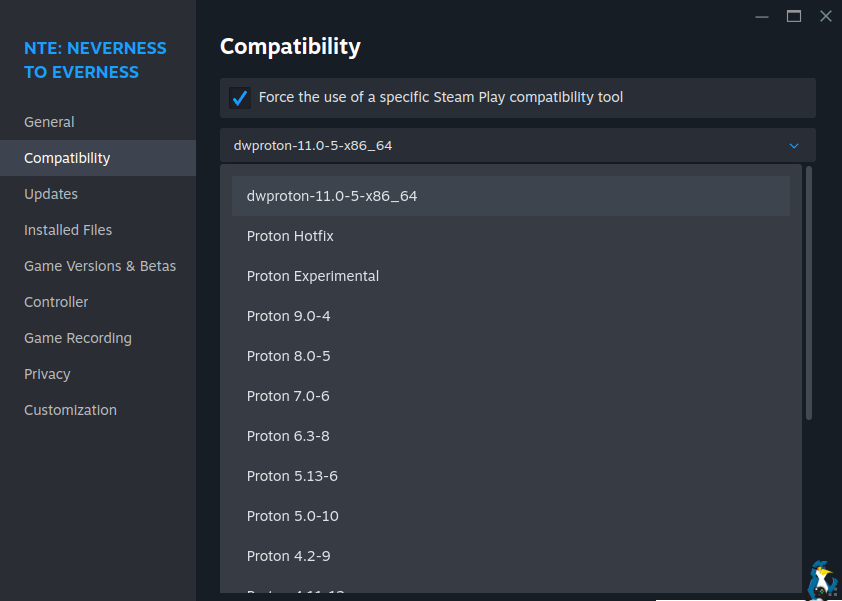
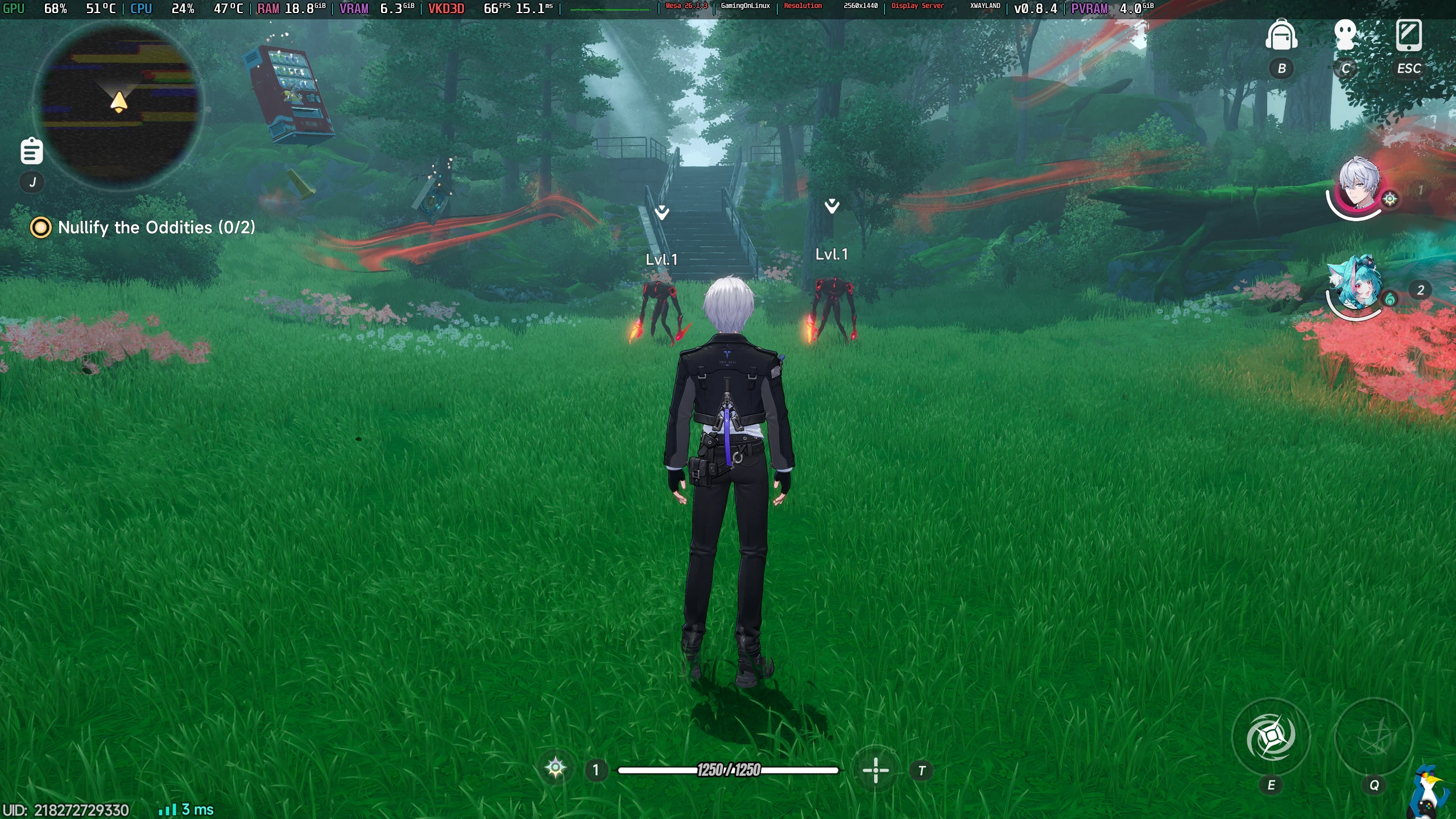
After that, you’ll be good to go and the game will launch properly. A bit of a nuisance, but this is the same story for multiple similar Anime games.
Hopefully this will get you up and running in no time! With DW-Proton it worked well for me on Fedora KDE.
Our anti-cheat page has been updated to note this status.


