

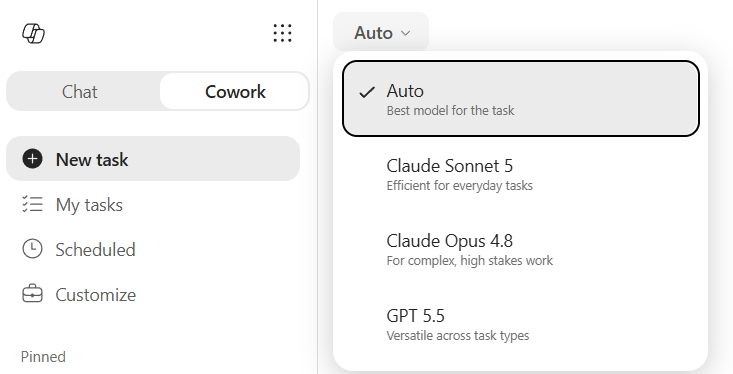
Have you ever wondered how much the model you pick in Copilot Cowork actually changes the result — and the bill? I ran a proper little experiment.
Today is July 1, 2026 — the day you need Copilot Credits available to keep using Cowork. Which makes this the perfect moment to ask the question everyone keeps asking me: which model should I pick, and what does it cost me? In my post on the UI refresh and the /cost skill(opens in new window) I showed you how to see what a task costs. This post is the natural follow-up: same prompt, different brains, measured side by side.
And the nice thing is this becomes a reference I can re-run every time a new model shows up in the picker. 🤠 Let’s take a closer look.
The experiment – one prompt, every modelThe results – same prompt, different outcomesClaude Sonnet 5 – the efficiency championClaude Opus 4.8 – a good looking deckGPT-5.5 – the expensive lessonAuto – the smart middle pathThe scoreboardStepping outside Cowork – the app comparisonCopilot Chat – Design a presentationCopilot in PowerPoint – the surpriseConclusion – what I would actually doClosing thoughts
The idea is simple. I take one prompt, run it through each model in Cowork, and then judge two things: how good is the result, and how many Copilot Credits did it burn (via /cost). Nothing fancy about the task — a training introduction deck for Cowork, the kind of thing a lot of you are building right now anyway.
The models in the ring: Claude Sonnet 5, Claude Opus 4.8, GPT-5.5, and Auto (which lets Cowork pick the best model for the job). Then, for good measure, I compared against Copilot Chat and Copilot in PowerPoint — because those don’t touch your credits at all.
One important note before the results: I deliberately did not say anything about how the slides should look. No template, no color guidance, no “make it match our brand”. Just the content structure. That is on purpose — I want to see what each model does when left to its own taste. Here is the exact prompt I used, the same one every single time:
Create a visual 6-slide presentation for a training introducing Microsoft Copilot Cowork to large enterprise company knowledge workers, who have used Microsoft 365 Copilot. Discover information from Microsoft Learn and Microsoft Support
Include these slides in the presentation
1. Title slide — “Introducing Cowork”
2. What is Cowork (plain-language definition)
3. Key capabilities across email, calendar, meetings and documents
4. Copilot Chat versus Copilot Agents versus Copilot Cowork
5. Skills and automation — what you can build
6. How to get started
Keep the wording concise
Let me take them one at a time, because the spread here genuinely surprised me.
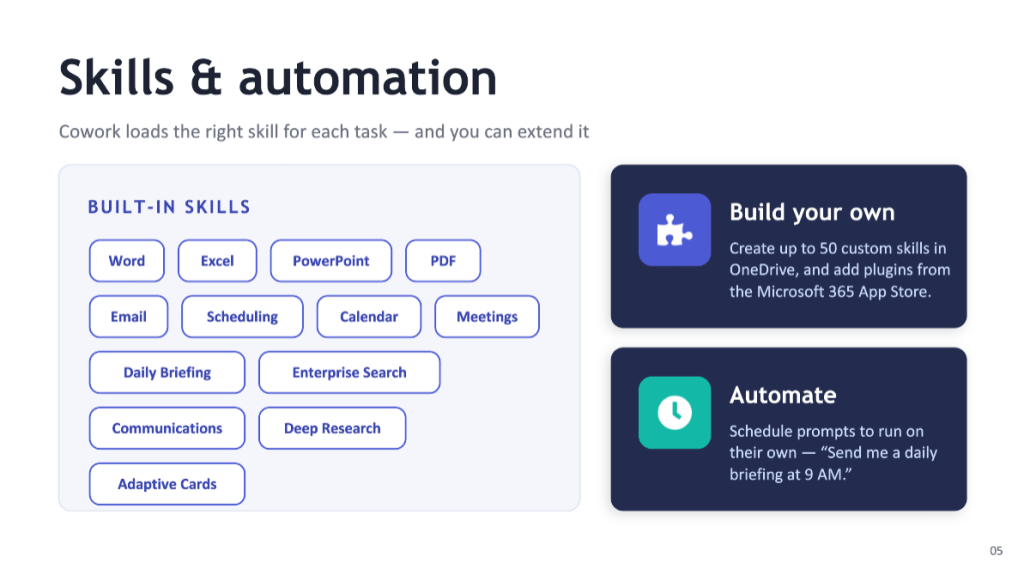
Claude Sonnet 5 – the efficiency champion
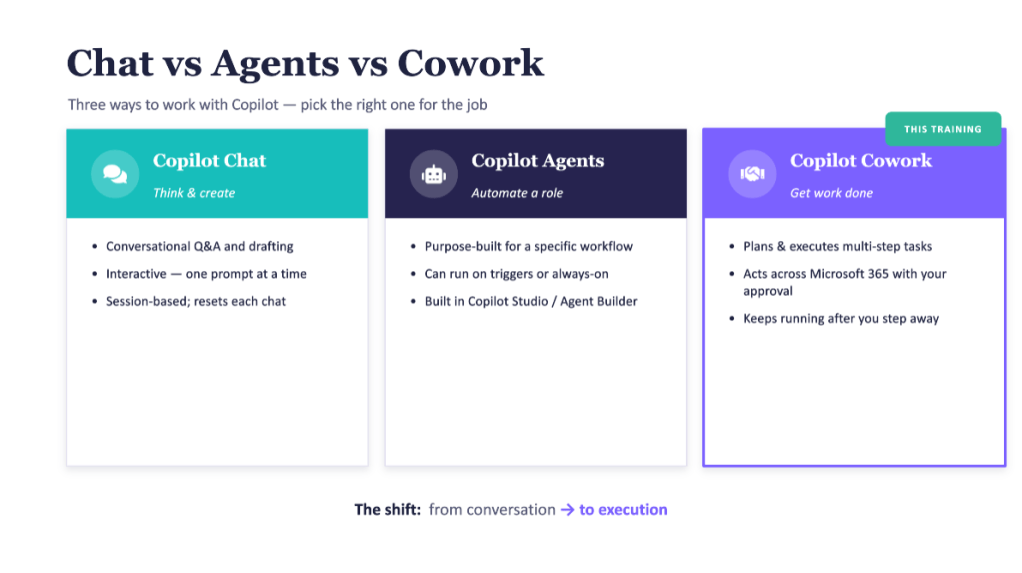
Sonnet used 1 Copilot Credit. One!
Now, I am not going to pretend I fully trust that number — the amount is so small that I am honestly not sure it is being calculated correctly. But even if the real figure is higher, the point stands.
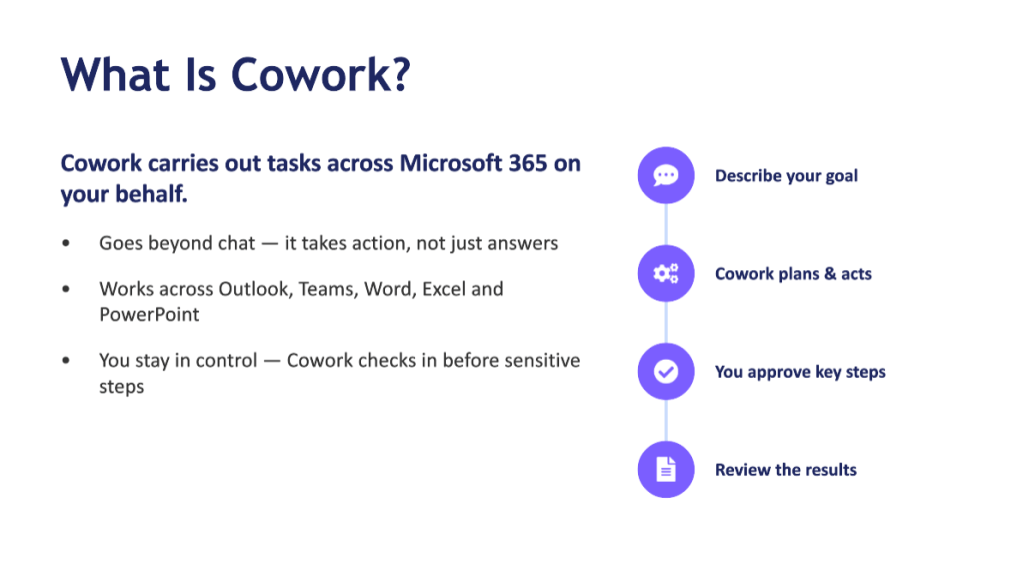
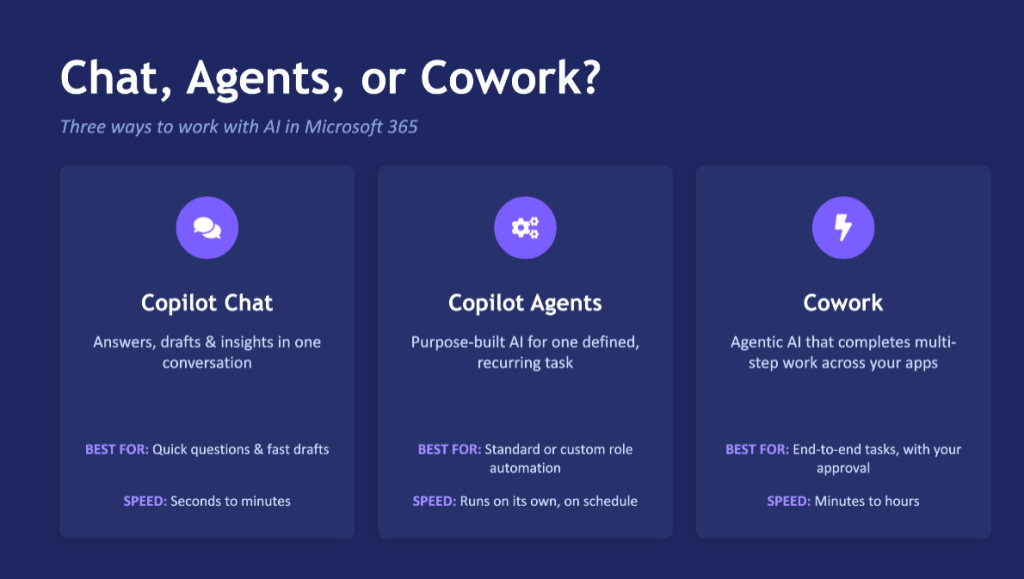
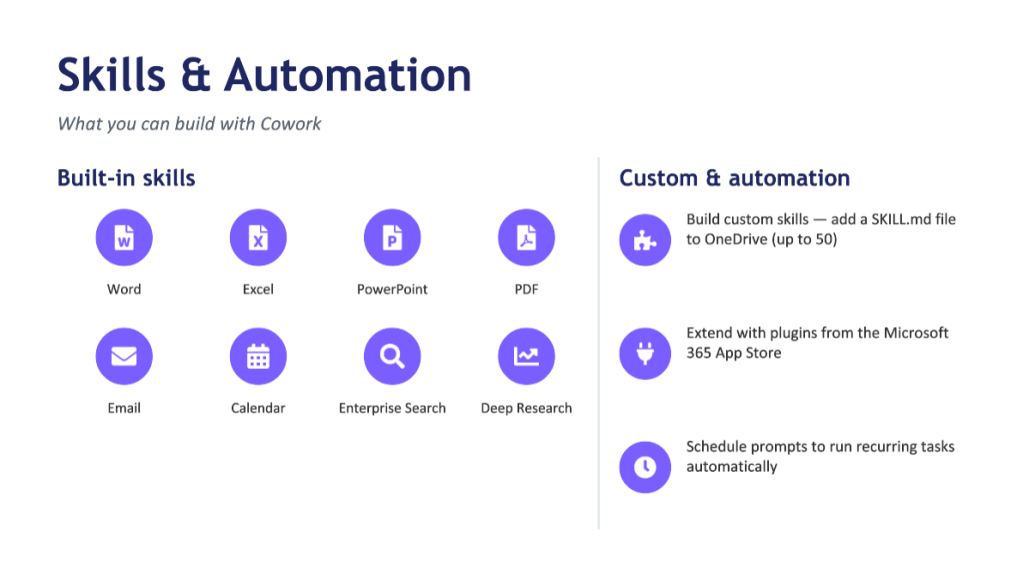
The resulting PowerPoint is quite nice looking. Simple, but it looks good enough. For the price, this is a winner, no question.
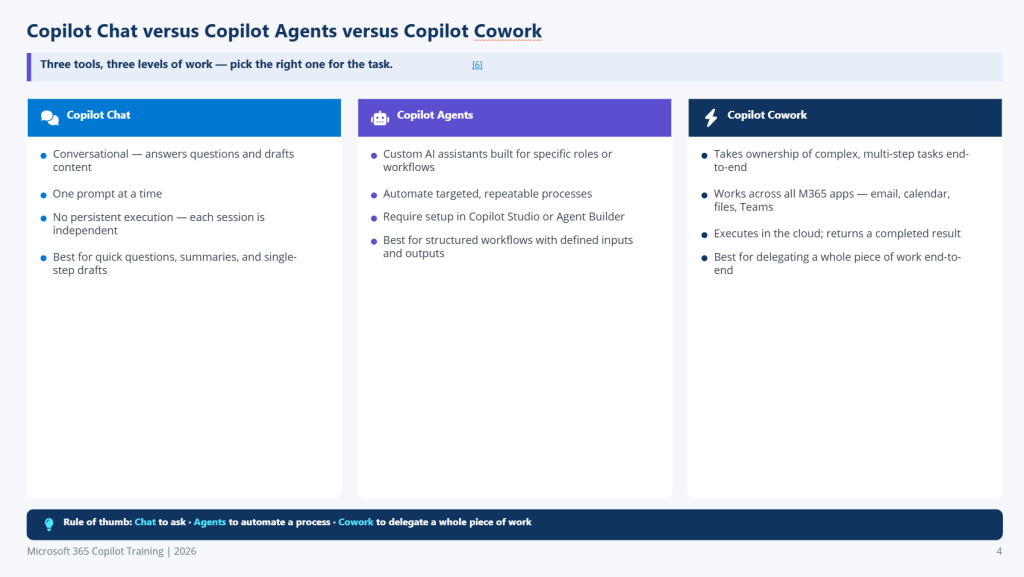
Claude Opus 4.8 – a good looking deck
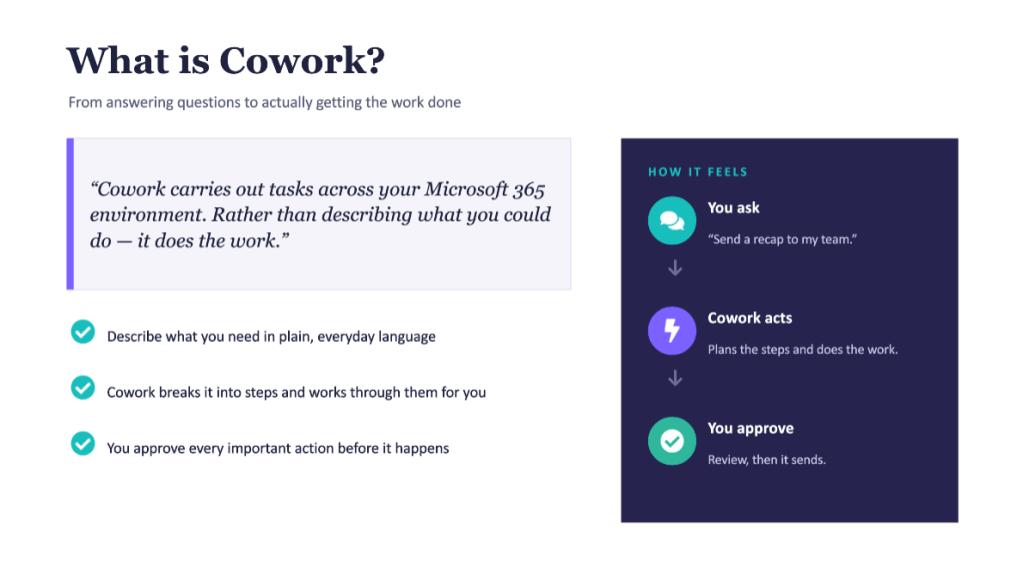
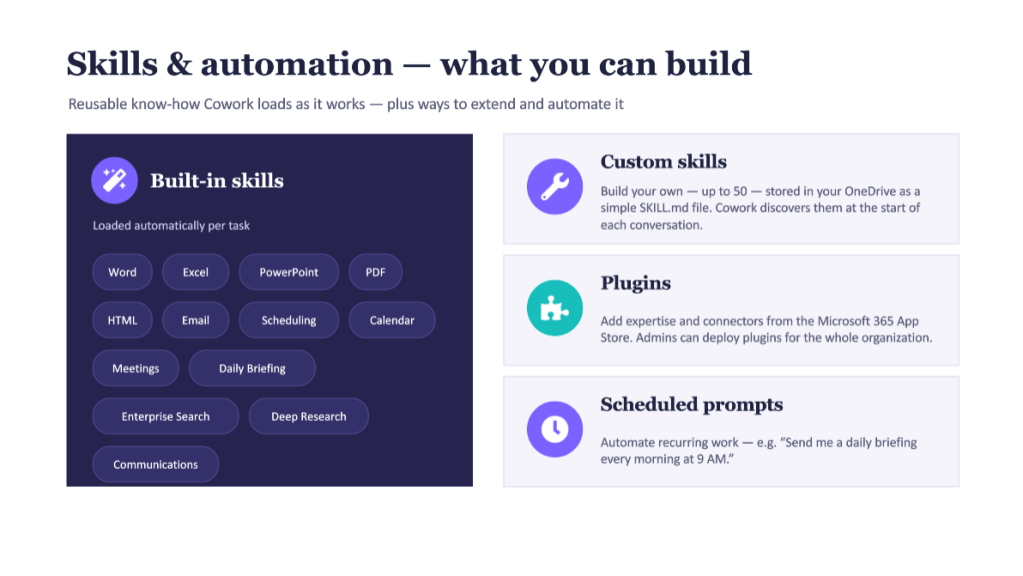
Opus used 325.8 Copilot Credits — about $3.26 on PayGo at $0.01 per credit.
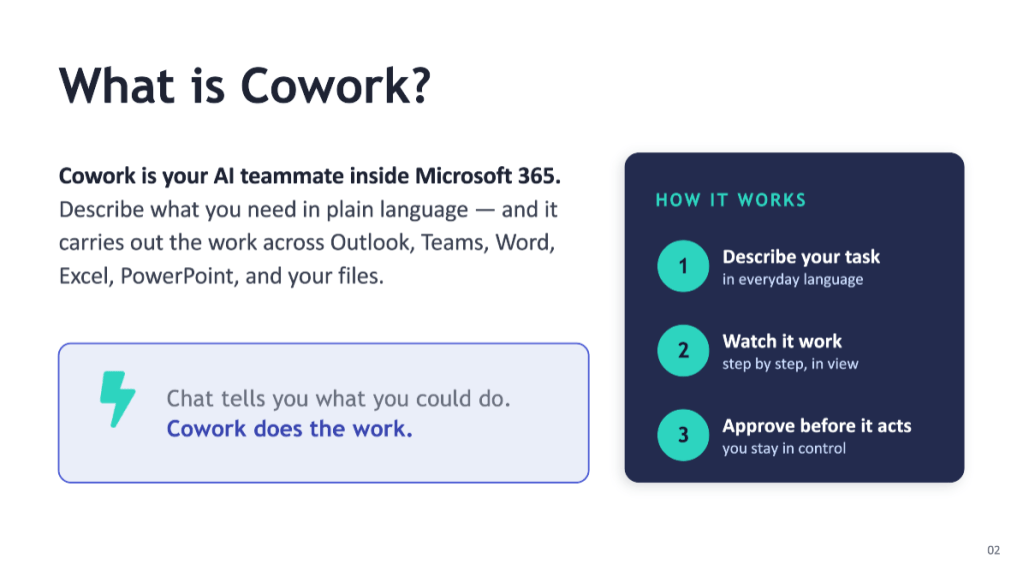
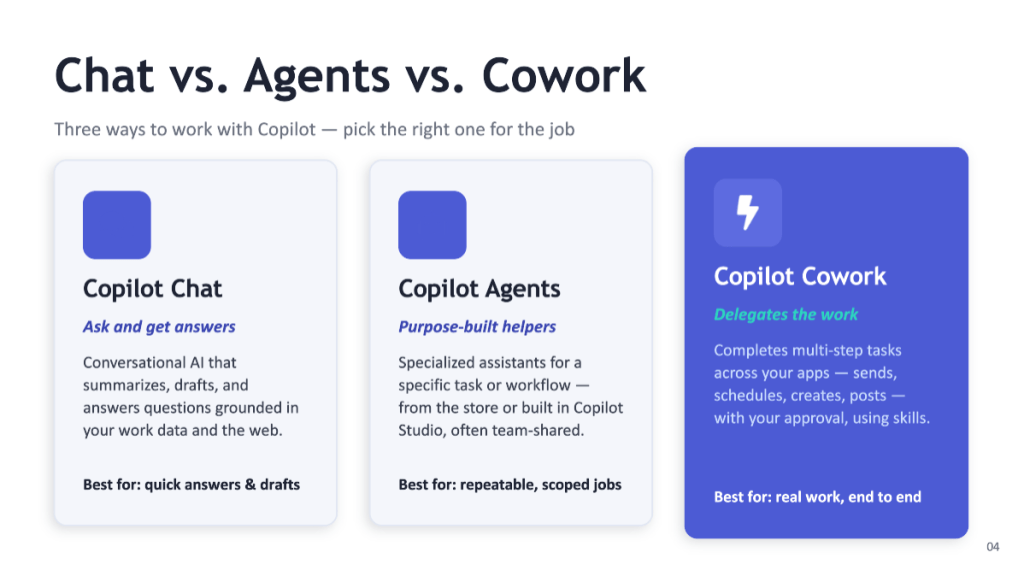
The presentation looks good. It is clearly better than the one Sonnet made — the content is more thoughtful and it is more visual. This is the frontier model doing frontier-model things. You pay more, you get more polish. This doesn’t mean every slide looks better automatically – for example from these results I like Sonnet’s Copilot Chat vs Agents vs Cowork comparison more.
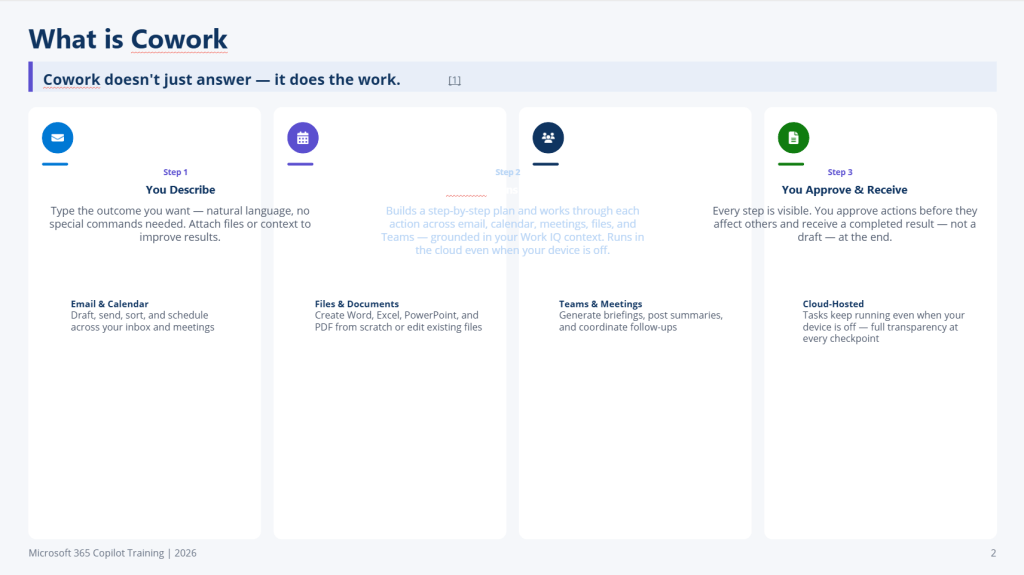
GPT-5.5 – the expensive lesson
This one took a very long time to create the presentation. And it used the most credits of the whole test: 1291.4 — roughly $12.91.
Here is the honest part: the resulting PowerPoint didn’t even open until the PowerPoint app repaired it a few times. And once it did open, the result was the weakest of all the options.
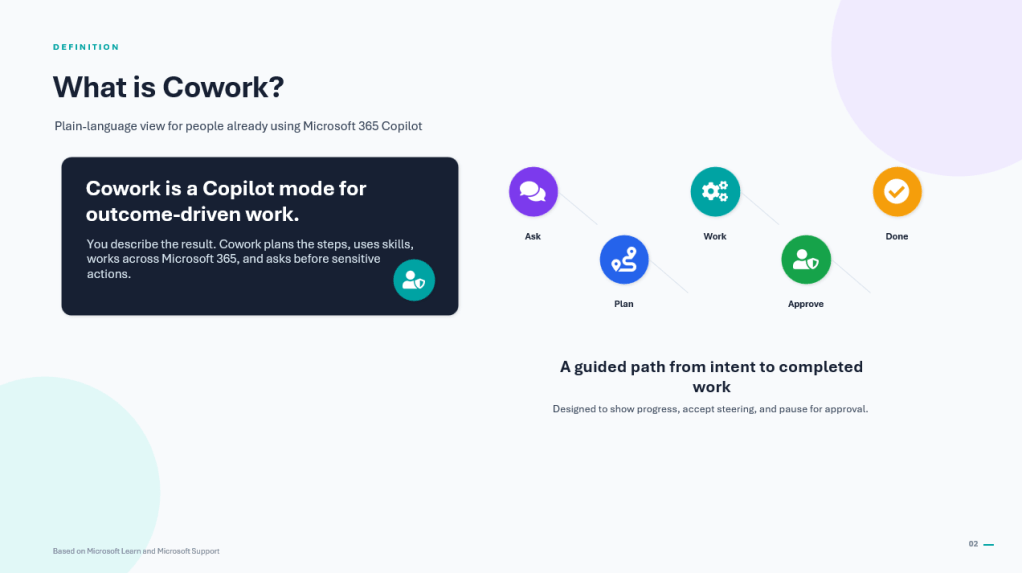
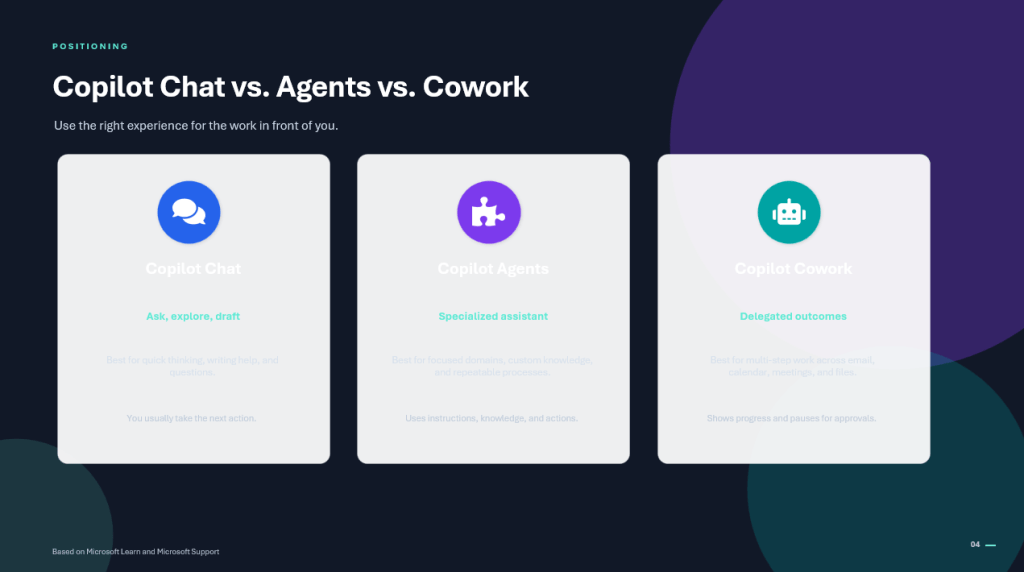
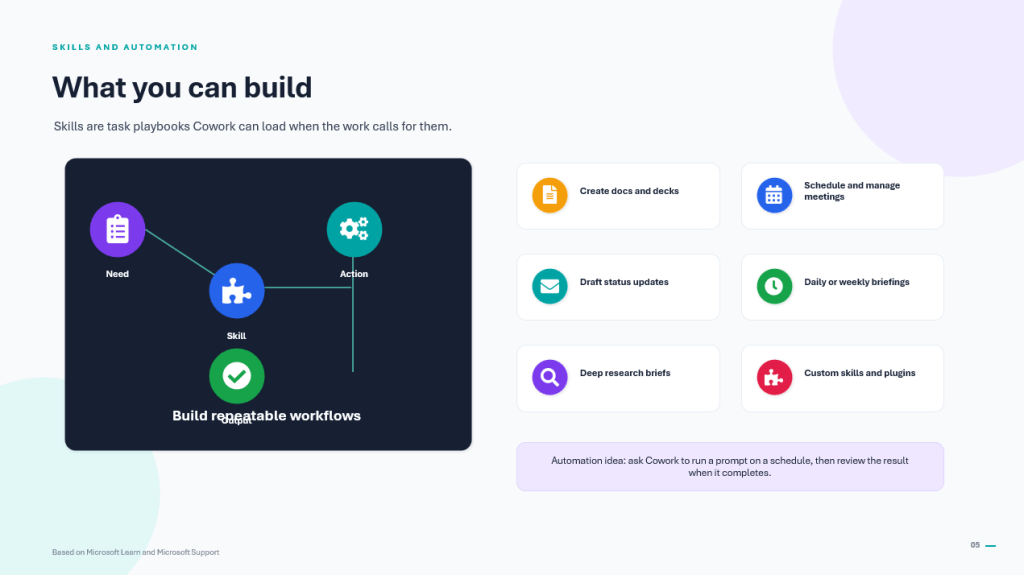
So my takeaway is not “GPT-5.5 is bad” — it is more specific than that: based on this test, don’t reach for GPT-5.5 to build presentations. Use it for other kinds of work where it shines.
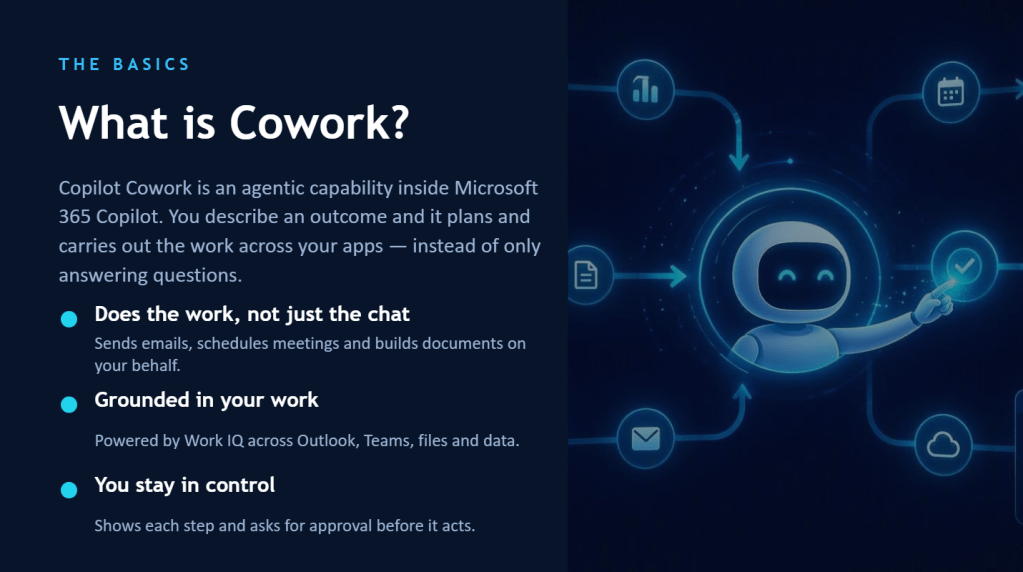
Auto – the smart middle path
Auto used 227.9 Copilot Credits — about $2.28.
And the result is really good. Visual and thoughtful. My hunch is that the slide deck itself was generated with Opus, while some of the research was handled by a lighter model to keep the price down — which is exactly what you want Auto to be doing. It came in cheaper than pure Opus (227.9 vs 325.8 credits) while landing very close on quality. I would pick this result out of these three.
The scoreboard
Here is the whole thing in one view (cost at $0.01/credit on PayGo):
Stepping outside Cowork – the app comparison
Cowork isn’t the only place Copilot can build a deck for you. So I ran the same brief through two other routes that don’t spend any credits, because their usage is included in your Copilot license.
Copilot Chat – Design a presentation
I asked Copilot Chat (on Auto) to build the deck using the Design a presentation capability.
The result isn’t good — there is clearly some effort on visuals — but it is not the one for training use. It would need a lot of manual work to get there. My tip: with Copilot Chat, it makes sense to do a planning session first, where you draft the outline in a conversation, and then feed that result into Design a presentation to generate the slides. Two steps, much better outcome.
Just a couple of slides of this run outcome:
Copilot in PowerPoint – the surprise
Then I asked Copilot in PowerPoint (on Auto) to create the same presentation. And this is where it gets good.
PowerPoint started by asking me questions about the presentation before it built anything. This generation took the longest of everything I tried — but the result is very visual, it also generates images, and the content is good too. Sonnet and Opus produced more readable slides, but that is a gap you could close in PowerPoint with a better prompt or a template. Or just fine-tune some colors of elements to increase contrast and accessibility to read it.
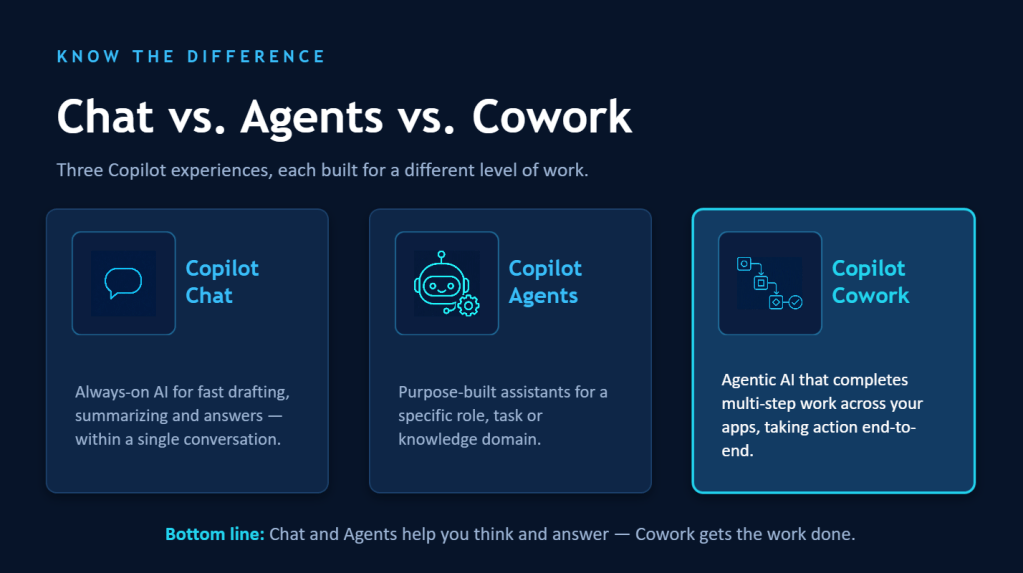
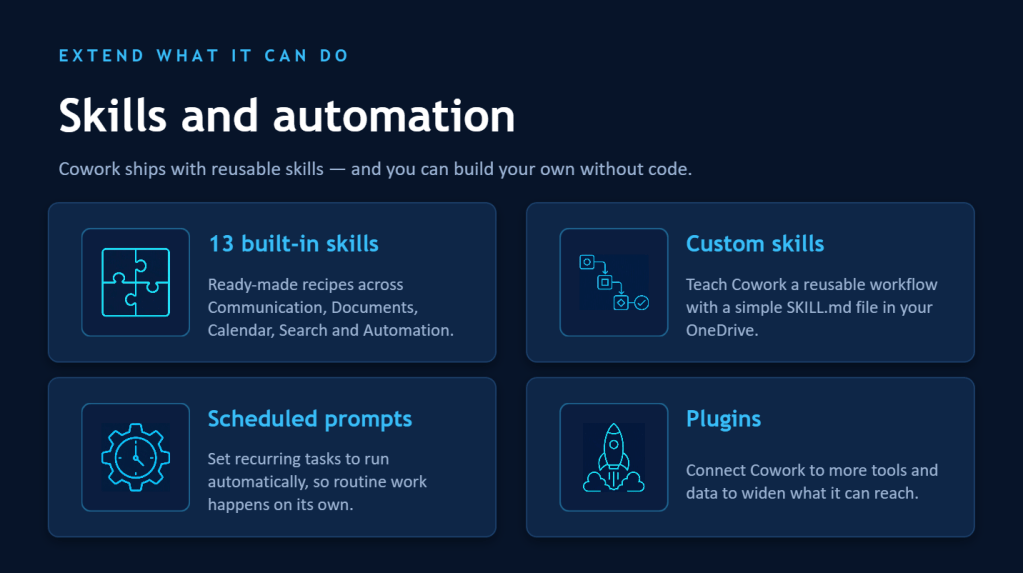
I have to say I was genuinely surprised by the quality here ( perhaps I should have used this more during past couple of months). The catch is the interaction model: there will be questions you have to answer, so you can’t just fire the prompt and walk away. In fact you must keep PowerPoint open the whole time it generates — unlike Cowork, where you hand over the task and can close the browser entirely. Cowork keeps working in the cloud. That difference matters more than it sounds.
A few clear takeaways from this one:
For credits-per-quality, Claude Sonnet 5 is the winner — assuming /cost is showing me the true number. Even if that “1 credit” is really 50, it is still a clear winner. Auto and Opus 4.8 gives you the better looking deck, but that visuality comes with some cost. And GPT-5.5 — based on this test — is one to keep away from presentations and point at other work instead.
Copilot in PowerPoint is a winner too, and honestly the surprise of the day. It costs no credits (it is included in your Copilot license) and it clearly uses Claude models in the background, based on the result. The downside is you have to answer its questions and keep the app open while it works.
We are using generative AI here – results will be always different. Sometimes Opus can provide text alignment or other errors, and sometimes content model chooses just doesn’t work for the result. The better the prompt, more consistent results you can get – and thus better outcomes.
So if I am creating a single, simple PowerPoint and I have the time to sit with it, I would use Copilot in PowerPoint — no credits, great visuals. Otherwise I would use Cowork with Sonnet to see if I get the result that is good enough. Depending on complexity of the source materials, I might create a PowerPoint with Cowork using Auto, but not before I have tested out that the result is what I need with Sonnet.
But here is the bigger picture. This test is just one type of task. The moment you need several outcomes from a single prompt — a deck and a Word doc and an Excel summary and a few emails — going app by app means a lot of time hopping between Microsoft 365 apps and answering questions in each one. That is exactly the job Cowork was built for: one prompt, walk away, come back to finished work.
For that kind of multi-output work in Cowork, lean on Sonnet to save credits while still getting quite good results — and reach for Auto or Opus when the polish genuinely matters.
New models will keep landing in the Cowork picker (Sonnet 5 wasn’t even there yesterday). So instead of re-judging every new model from scratch, keep 2–3 standard test tasks ( prompts and sources) in your back pocket and re-run them each time. Same input, new brain — the differences jump right out. Run those, jot down the /cost number and a one-line quality note each time, and you have a living benchmark instead of a gut feeling. Note to myself: keep this exact post as the template for the next model.
What I like most about this little experiment is that model choice in Cowork is a real lever — for quality and for cost — and now, with /cost, it is a lever you can actually measure. The winner today might not be the winner next month, and that is the fun of it.
Have you run the same prompt across different models yet? I would love to hear which one came out on top for your kind of work — drop a comment. And go run /cost on the tasks you actually do this week. It is the most useful five minutes you’ll spend in Cowork right now.
Thanks for reading — and here’s to letting the machines do the heavy lifting while we go grab that coffee or tea. ☕
PS. Using Auto selection, Cowork used just 76 credits to write the first draft of this text. The more information you provide the better result you get faster.

Published by
I work, blog and speak about Future Work : AI, Microsoft 365, Copilot, Loop, Azure, and other services & platforms in the cloud connecting digital and physical and people together.
I have 30 years of experience in IT business on multiple industries, domains, and roles.
View all posts by Vesa Nopanen


